
TastyEats Partner
更新日
現在のバージョン
1.13
提供元

スマートフォンは不要!パソコンと同じようにキーボードとマウスで操作できます。MEmu Playは、あなたが待ち望んでいたすべての楽しみをお届けします。バッテリー残量や小さな画面を気にすることなく、TastyEats Partnerをご利用ください。最新のMEmu 9は、TastyEats PartnerをPCで体験するのに最適です!完璧なキーマッピングシステムにより、PCのようなスムーズな操作性を実現します。マルチインスタンス機能により、複数のアプリケーションを同時に実行できます。独自の仮想化エンジンがPCのパフォーマンスを最大限に引き出します。アプリを使用するだけでなく、高品質な体験を得ることができます。
もっと見る
TastyEats PartnerをPCでダウンロード!大画面でより楽しむ。電源が落ちてしまうとか通信料が足りないとかの問題を心配する必要がなく、PCの大画面でより快適にゲームを楽しましょう! Tastyeats is a brand of Delivetive Services Private Limited, a private limited company for intra-city delivery especially for food and non-alcoholic beverages.
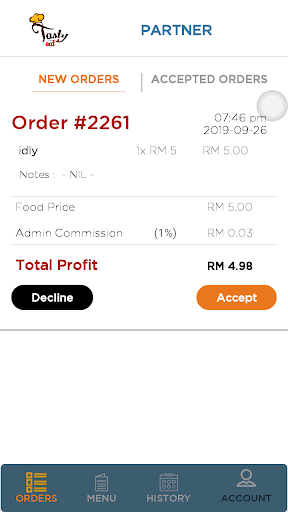
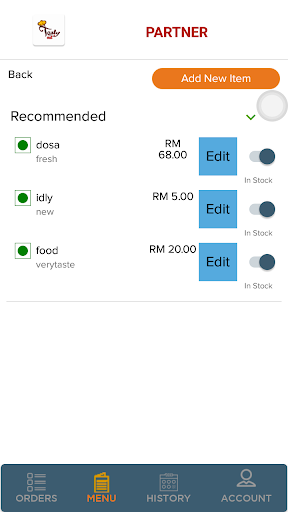
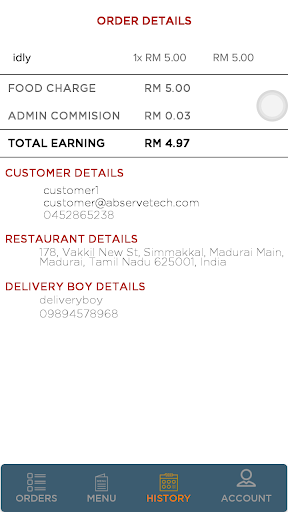
Tastyeats is a brand of Delivetive Services Private Limited, a private limited company for intra-city delivery especially for food and non-alcoholic beverages.
It is founded in Madurai, 2016 for inter-city door-to-door delivery services. We provide a single window for ordering from a wide range of restaurants and have our own exclusive fleet of delivery personnel pick up orders from restaurants and deliver it to customers. We are a complete food ordering and delivery solution that connects neighbourhood restaurants with urban and rural foodies.
Due to the prevailing pandemic situation and ever-increasing population, markets have been immensely jam packed on most of the days and shopping or eating outside is no longer healthy and safe. As we are stepping into a digital world, the work responsibilities for professionals require them to stay back home and work.
People expect a service which will help them decide on the type of diet and also help them decide whether they need it delivered at their doorstep. Due to the immense work pressure, professionals cannot afford time spent while cooking. At a touch of a button they can expect the best cuisines to reach their doorstep too fast while they are working.
This is the reason why we have designed our services in such a way that people can get rid of the idea of cooking food and waiting for the same when they are in the middle of their valuable work.
The ever-increasing demand in the variety of cuisines in the city has led to the increase of the number of restaurants. The biggest problem that the restaurants face today is the location and the price points. Customers don't like to travel to different locations to shop or for recreational purposes hence other restaurants suffer badly due to lack of customer reach.
Payment options available are COD and online payment. Delivery time estimated 30- 45 minutes for each order depending on the location of the restaurant.
もっと見る

1. MEmuインストーラーをダウンロードしてセットアップを完了する

2. MEmuを起動し、デスクトップでのPlayストアを開く

3. PlayストアでTastyEats Partnerを検索する
Install
4. TastyEats Partnerをダウンロードしてインストールする
5. インストールが完了したら、アイコンをクリックしてスタート

6. MEmuを使ってパソコンでTastyEats Partnerを体験する
MEmu Playは現在、最高の無料Androidエミュレーターであり、5,000万人のユーザーが優れたAndroidアプリ体験を楽しんでいます。MEmuの仮想化テクノロジーにより、数千ものAndroidアプリをコンピューターでスムーズに実行できます。
大画面でより精細;無限の待機、電池とドラフィックの極限を超え
キーボード・マウス・コントローラーを全力でサポート、より快適
マルチインスタンスで複数のゲームを同時に実行
Use TastyEats Partner on PC by following steps: