Trimble SiteVision
更新日
現在のバージョン
2026.11.7641
提供元

スマートフォンは不要!パソコンと同じようにキーボードとマウスで操作できます。MEmu Playは、あなたが待ち望んでいたすべての楽しみをお届けします。バッテリー残量や小さな画面を気にすることなく、Trimble SiteVisionをご利用ください。最新のMEmu 9は、Trimble SiteVisionをPCで体験するのに最適です!完璧なキーマッピングシステムにより、PCのようなスムーズな操作性を実現します。マルチインスタンス機能により、複数のアプリケーションを同時に実行できます。独自の仮想化エンジンがPCのパフォーマンスを最大限に引き出します。アプリを使用するだけでなく、高品質な体験を得ることができます。
もっと見る
MEmu Playを使えば、PCでTrimble SiteVisionを快適に楽しめます。何千ものAndroidアプリをデスクトップ版で利用できる、パワフルな無料Androidエミュレーターです。友達とつながり、より効率的に作品を磨き上げましょう! Trimble® SiteVision® is a real-time, in-field visualization software for collaborating on project progress and detecting design changes or conflicts.
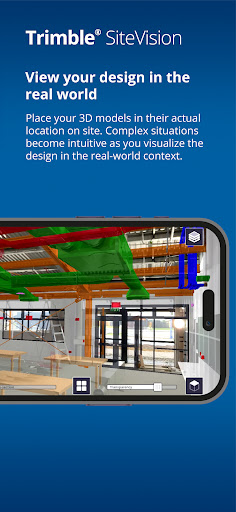

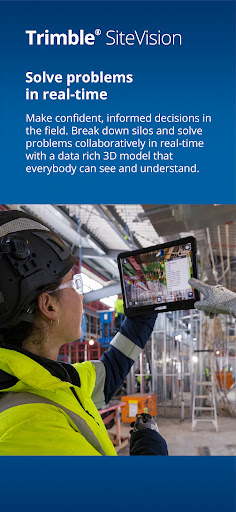
Trimble® SiteVision® is a real-time, in-field visualization software for collaborating on project progress and detecting design changes or conflicts. Enable your team to detect errors, observe omissions, and visually collaborate to resolve them.
Work with SiteVision indoors, or outdoors in conjunction with a Trimble HPS2 handle or Trimble Catalyst DA2 receiver for high precision GNSS workflows.
Key features:
• Accurately place digital designs in the real world.
• Visualization tools - use AR to view your data confidently, utilizing transparency, cross-section, and fishbowl tools.
• Capture issues - take augmented reality site photos to clearly communicate issues & share them with industry standard BCF Topic support.
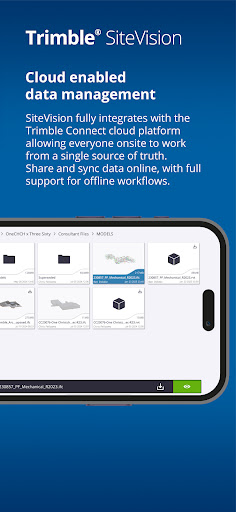
• Cloud enabled collaboration - share project data with Trimble Connect, cloud-based common data environment and collaboration platform.
• Measurements - measure and record progress and as-built information such as positions, lengths, and areas
• Offline support - work offline then sync later to Trimble Connect
• Supports a wide range of industry workflows and data formats:
– common BIM data via Trimble Connect - IFC, NWD/NWC, RVT, SKP, DWG, TRB, Tekla
– CAD data from Trimble Business enter, Civil3D, OpenRoads, Novapoint, LandXML
– GIS data via Trimble Maps and OGC Web Feature Services
• Support for precision GNSS workflows enabled by Trimble RTX and VRS services or internet base stations for global correction service coverage
Note: This app supports the Trimble HPS2 handle and Trimble Catalyst DA2 GNSS receiver to deliver high precision GNSS workflows. To use these accessories you need a Trimble SiteVision Pro or Trimble Catalyst subscription.
To purchase a Trimble HPS2 handle or Trimble Catalyst DA2 GNSS receiver contact your local Trimble distributor. For help or further information about Trimble SiteVision, and to find your nearest stockist, visit Trimble SiteVision
もっと見る

1. MEmuインストーラーをダウンロードしてセットアップを完了する

2. MEmuを起動し、デスクトップでのPlayストアを開く

3. PlayストアでTrimble SiteVisionを検索する
Install
4. Trimble SiteVisionをダウンロードしてインストールする
5. インストールが完了したら、アイコンをクリックしてスタート

6. MEmuを使ってパソコンでTrimble SiteVisionを体験する
MEmu Playは現在、最高の無料Androidエミュレーターであり、5,000万人のユーザーが優れたAndroidアプリ体験を楽しんでいます。MEmuの仮想化テクノロジーにより、数千ものAndroidアプリをコンピューターでスムーズに実行できます。
大画面でより精細;無限の待機、電池とドラフィックの極限を超え
キーボード・マウス・コントローラーを全力でサポート、より快適
マルチインスタンスで複数のゲームを同時に実行
Use Trimble SiteVision on PC by following steps: