Weather by Meteum
更新日
現在のバージョン
24.12.22
提供元

スマートフォンは不要!パソコンと同じようにキーボードとマウスで操作できます。MEmu Playは、あなたが待ち望んでいたすべての楽しみをお届けします。バッテリー残量や小さな画面を気にすることなく、Weather by Meteumをご利用ください。最新のMEmu 9は、Weather by MeteumをPCで体験するのに最適です!完璧なキーマッピングシステムにより、PCのようなスムーズな操作性を実現します。マルチインスタンス機能により、複数のアプリケーションを同時に実行できます。独自の仮想化エンジンがPCのパフォーマンスを最大限に引き出します。アプリを使用するだけでなく、高品質な体験を得ることができます。
もっと見る
Weather by MeteumをPCでダウンロード!大画面でより楽しむ。電源が落ちてしまうとか通信料が足りないとかの問題を心配する必要がなく、PCの大画面でより快適にゲームを楽しましょう! Meteum provides accurate hyperlocal weather forecasts, alerts and interactive weather radar information in real time.
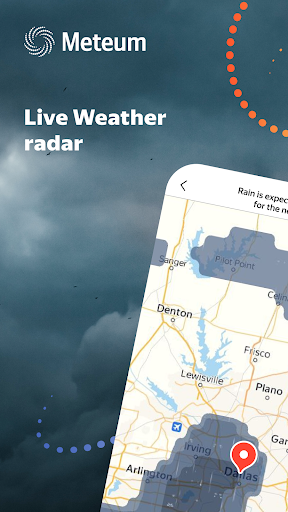
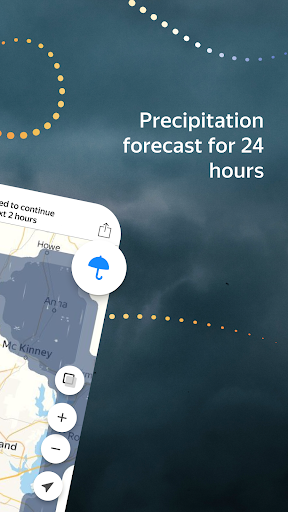
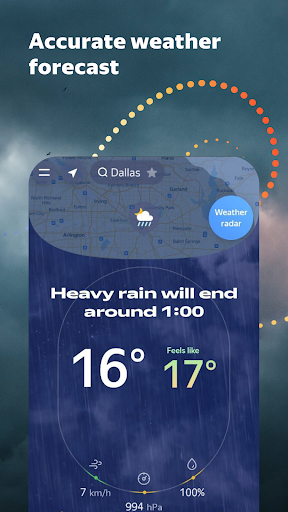
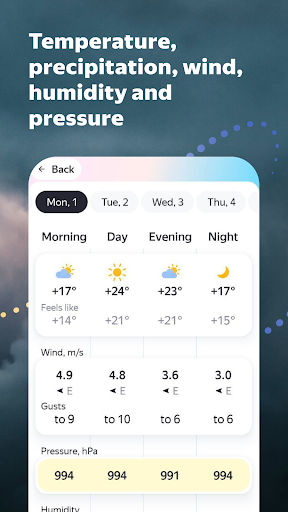
Meteum provides accurate hyperlocal weather forecasts, alerts and interactive weather radar information in real time.
Powered by the AI technology, Meteum integrates surface observations provided by
thousands of automated weather stations around the world, alongside data from radars and satellites. It also relies on current weather reports from the service users, which bring the quality of live weather forecasts to a new level.
Meteum users can:
— View weather forecast for today, tomorrow or the whole week ahead – for a city, city district, metro station area, or even specific street address
— Watch the rain or snow patterns on a weather radar map in real time and track their trajectories in the next ten, thirty or ninety minutes
— Choose favorite locations for tracking the local weather and easily switch between them
— Receive alerts about sudden weather changes, such as cold snaps, thaws, or rain showers
— Place a customizable weather widget on notification bar to always stay in-the-know about the weather and plan ahead
— Quickly verify current weather reports submitted by other Meteum users through a clear and simple user interface
もっと見る

1. MEmuインストーラーをダウンロードしてセットアップを完了する

2. MEmuを起動し、デスクトップでのPlayストアを開く

3. PlayストアでWeather by Meteumを検索する
Install
4. Weather by Meteumをダウンロードしてインストールする
5. インストールが完了したら、アイコンをクリックしてスタート

6. MEmuを使ってパソコンでWeather by Meteumを体験する
MEmu Playは現在、最高の無料Androidエミュレーターであり、5,000万人のユーザーが優れたAndroidアプリ体験を楽しんでいます。MEmuの仮想化テクノロジーにより、数千ものAndroidアプリをコンピューターでスムーズに実行できます。
大画面でより精細;無限の待機、電池とドラフィックの極限を超え
キーボード・マウス・コントローラーを全力でサポート、より快適
マルチインスタンスで複数のゲームを同時に実行
Use Weather by Meteum on PC by following steps: