World of Hyatt
更新日
現在のバージョン
6.3.0
提供元

スマートフォンは不要!パソコンと同じようにキーボードとマウスで操作できます。MEmu Playは、あなたが待ち望んでいたすべての楽しみをお届けします。バッテリー残量や小さな画面を気にすることなく、World of Hyattをご利用ください。最新のMEmu 9は、World of HyattをPCで体験するのに最適です!完璧なキーマッピングシステムにより、PCのようなスムーズな操作性を実現します。マルチインスタンス機能により、複数のアプリケーションを同時に実行できます。独自の仮想化エンジンがPCのパフォーマンスを最大限に引き出します。アプリを使用するだけでなく、高品質な体験を得ることができます。
もっと見る
World of HyattをPCでダウンロード!大画面でより楽しむ。電源が落ちてしまうとか通信料が足りないとかの問題を心配する必要がなく、PCの大画面でより快適にゲームを楽しましょう! From trip planning to hotel checkout, every step of the journey is seamless in the newly improved World of Hyatt app.

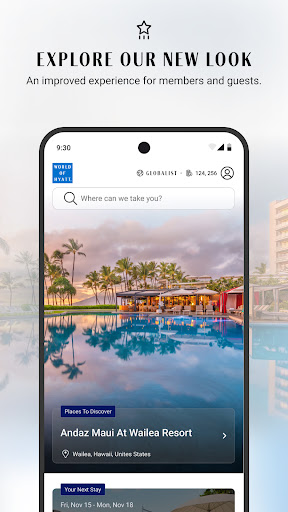
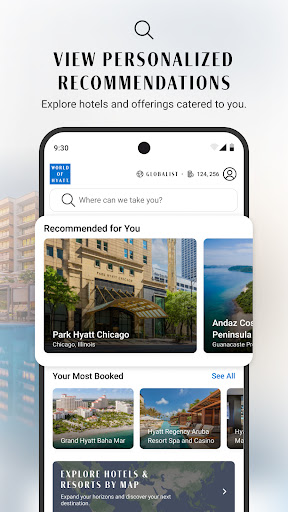
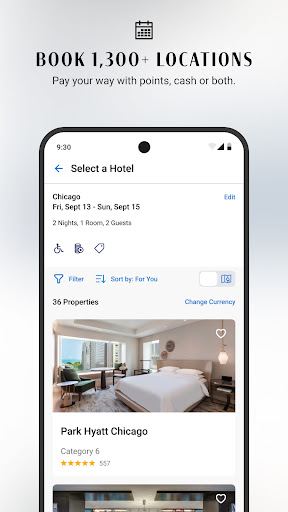
From trip planning to hotel checkout, every step of the journey is seamless in the newly improved World of Hyatt app. So once your travels begin, you don’t have to worry about the details—you can just be more here. Not a member yet? Join instantly to get exclusive rates and earn rewards.
Manage your stay with convenient features
- Book with World of Hyatt points, cash or both
- Explore hotel photos, details, offers, local area attractions and more
- Save your favorite hotels for future travel
- Add your reservations and World of Hyatt membership card to Apple Wallet
- Bypass the front desk with self check-in, digital keys and express checkout
- See your room charges in real time
- View and download folios from previous stays
Make yourself at home
- Request items to your room, such as towels and toothpaste (where available)
- Order room service (where available)
- Stream your favorite shows on your in-room TV with Google Chromecast (where available)
Access your account
- Track your progress toward elite tiers and Milestone Rewards
- View your current benefits and explore other elite tier benefits
- Track your progress toward free night Awards via our Brand Explorer
- View, redeem or gift your available earned Awards
You’ll always receive the best published rates without any booking fees at any participating Hyatt hotel or resort worldwide. See Hyatt.com for more details.
Available in English, Spanish, German, French, Japanese, Chinese (Simplified and Traditional) and Korean
もっと見る

1. MEmuインストーラーをダウンロードしてセットアップを完了する

2. MEmuを起動し、デスクトップでのPlayストアを開く

3. PlayストアでWorld of Hyattを検索する
Install
4. World of Hyattをダウンロードしてインストールする
5. インストールが完了したら、アイコンをクリックしてスタート

6. MEmuを使ってパソコンでWorld of Hyattを体験する
MEmu Playは現在、最高の無料Androidエミュレーターであり、5,000万人のユーザーが優れたAndroidアプリ体験を楽しんでいます。MEmuの仮想化テクノロジーにより、数千ものAndroidアプリをコンピューターでスムーズに実行できます。
大画面でより精細;無限の待機、電池とドラフィックの極限を超え
キーボード・マウス・コントローラーを全力でサポート、より快適
マルチインスタンスで複数のゲームを同時に実行
Use World of Hyatt on PC by following steps: