YI IoT
更新日
現在のバージョン
5.1.7_20260914
提供元

スマートフォンは不要!パソコンと同じようにキーボードとマウスで操作できます。MEmu Playは、あなたが待ち望んでいたすべての楽しみをお届けします。バッテリー残量や小さな画面を気にすることなく、YI IoTをご利用ください。最新のMEmu 9は、YI IoTをPCで体験するのに最適です!完璧なキーマッピングシステムにより、PCのようなスムーズな操作性を実現します。マルチインスタンス機能により、複数のアプリケーションを同時に実行できます。独自の仮想化エンジンがPCのパフォーマンスを最大限に引き出します。アプリを使用するだけでなく、高品質な体験を得ることができます。
もっと見る
YI IoTをPCでダウンロード!大画面でより楽しむ。電源が落ちてしまうとか通信料が足りないとかの問題を心配する必要がなく、PCの大画面でより快適にゲームを楽しましょう! ****ご注意ください!
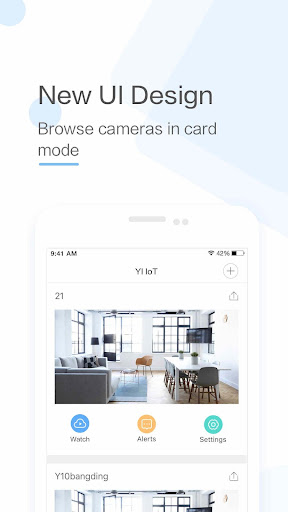
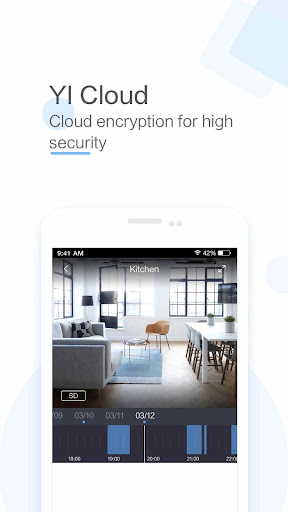
****ご注意ください!!! このアプリは国際版YI IoTカメラのみに対応しています。中国版YUNYIスマートカメラをご利用の方は、Mi Storeから該当アプリをダウンロードしてください。****
- YI IoTカメラを使えば、いつでもどこでも指先ひとつでリアルタイムの映像と音声で家族とつながることができます。
- 111°の広角レンズを搭載し、撮影範囲を広げて特定の場所や物体を鮮明に映し出します。ダブルクリックするだけで4倍デジタルズームが起動し、細部まで鮮明に捉えることができます。
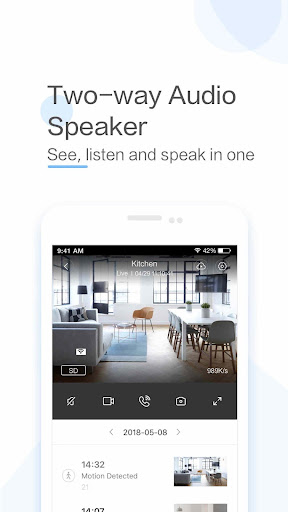
- スマートフォンをタップするだけで、家族と遠隔で双方向通話が可能です。専用設計のマイクとスピーカーにより、クリアで聞き取りやすい音声を実現します。
- スマートフォンを左右にスワイプするだけで、パノラマビューが表示され、より快適な視聴体験を提供します。 Yiスマートアプリに搭載されたジャイロスコープ機能により、スマートフォンの向きに合わせてカメラの向きが変化するため、監視範囲の隅々まで見やすく確認できます。
機能:
- Yi IoTカメラは、F2.0の明るいオールガラスレンズを採用し、鮮明でクリアな画像を実現します。HD解像度(1280x720)なので、拡大しても細部まで鮮明な画像が得られます。
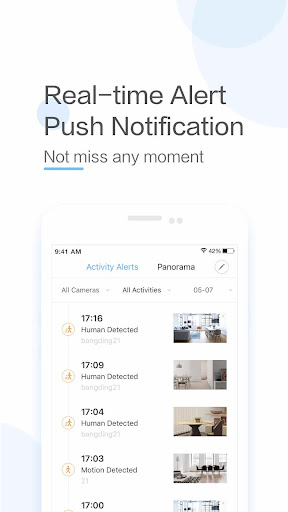
- Yi IoTカメラは、あなたにとって大切なものを常に監視します。高精度な動体検知技術を内蔵しており、動きが検知された日時、場所、内容をスマートフォンに通知するため、常に状況を把握できます。
- 最大32GBのSDカードに対応。大切な瞬間を捉えた動画や音声を、整理された状態で保存し、いつでも手軽にアクセスできます。さらに、内蔵モードは画像の変化を検知した時のみ保存処理をトリガーし、ストレージ容量の最適化を最大限に実現します。
-当社の適応型ストリーミング技術は、ネットワーク状況に基づいて最適な視聴品質に自動的に調整します。
-古いスマートフォンを数秒でセキュリティカメラに変身させることができます。
もっと見る

1. MEmuインストーラーをダウンロードしてセットアップを完了する

2. MEmuを起動し、デスクトップでのPlayストアを開く

3. PlayストアでYI IoTを検索する
Install
4. YI IoTをダウンロードしてインストールする
5. インストールが完了したら、アイコンをクリックしてスタート

6. MEmuを使ってパソコンでYI IoTを体験する
MEmu Playは現在、最高の無料Androidエミュレーターであり、5,000万人のユーザーが優れたAndroidアプリ体験を楽しんでいます。MEmuの仮想化テクノロジーにより、数千ものAndroidアプリをコンピューターでスムーズに実行できます。
大画面でより精細;無限の待機、電池とドラフィックの極限を超え
キーボード・マウス・コントローラーを全力でサポート、より快適
マルチインスタンスで複数のゲームを同時に実行
Use YI IoT on PC by following steps: