Zmoofit
更新日
現在のバージョン
v1.13.7
提供元

スマートフォンは不要!パソコンと同じようにキーボードとマウスで操作できます。MEmu Playは、あなたが待ち望んでいたすべての楽しみをお届けします。バッテリー残量や小さな画面を気にすることなく、Zmoofitをご利用ください。最新のMEmu 9は、ZmoofitをPCで体験するのに最適です!完璧なキーマッピングシステムにより、PCのようなスムーズな操作性を実現します。マルチインスタンス機能により、複数のアプリケーションを同時に実行できます。独自の仮想化エンジンがPCのパフォーマンスを最大限に引き出します。アプリを使用するだけでなく、高品質な体験を得ることができます。
もっと見る
ZmoofitをPCでダウンロード!大画面でより楽しむ。電源が落ちてしまうとか通信料が足りないとかの問題を心配する必要がなく、PCの大画面でより快適にゲームを楽しましょう! - This is the companion app for sports and equipment.
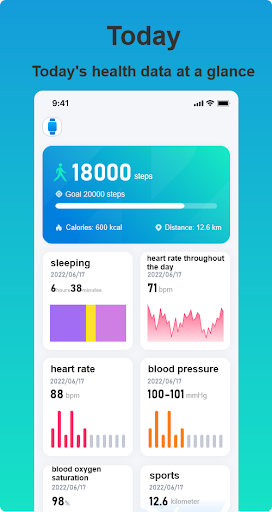
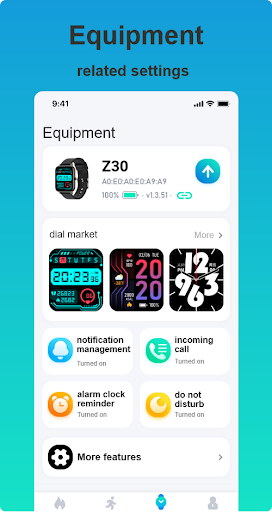
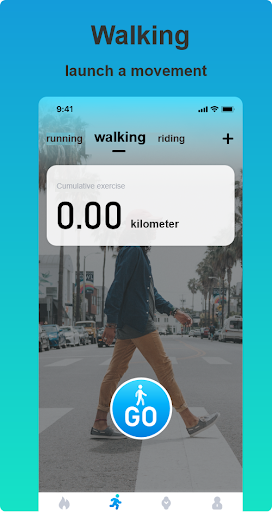
- This is the companion app for sports and equipment. Our healthy users are better wearables for sports enthusiasts. Through our device, you can record health data such as daily steps, exercise, health status, exercise, etc., so that you can understand your own situation, and receive call reminders, SMS reminders, sedentary reminders and other important functions and important information through our devices .The core functions of the application are: SMS content acceptance reminder, call notification and hang up.
- Our devices are divided into the following series (Z25, Z23, Z27, etc.), we can search on the scan page, all scanned device names will be displayed in the form of series name _***** In the list, then we can bind related series of devices. After the binding is successful, we can use the above functions.
もっと見る

1. MEmuインストーラーをダウンロードしてセットアップを完了する

2. MEmuを起動し、デスクトップでのPlayストアを開く

3. PlayストアでZmoofitを検索する
Install
4. Zmoofitをダウンロードしてインストールする
5. インストールが完了したら、アイコンをクリックしてスタート

6. MEmuを使ってパソコンでZmoofitを体験する
MEmu Playは現在、最高の無料Androidエミュレーターであり、5,000万人のユーザーが優れたAndroidアプリ体験を楽しんでいます。MEmuの仮想化テクノロジーにより、数千ものAndroidアプリをコンピューターでスムーズに実行できます。
大画面でより精細;無限の待機、電池とドラフィックの極限を超え
キーボード・マウス・コントローラーを全力でサポート、より快適
マルチインスタンスで複数のゲームを同時に実行
Use Zmoofit on PC by following steps: