Portal Defense
Dikemas kini
Versi Semasa
Ditawarkan Oleh

Dengan semangat anda untuk bermain Portal Defense, tangan anda tidak seharusnya terhad pada skrin kecil telefon anda. Main seperti profesional dan kendalikan sepenuhnya permainan anda dengan papan kekunci dan tetikus. MEmu menawarkan semua perkara yang anda harapkan. Muat turun dan mainkan Portal Defense di PC. Main selagi anda mahu, tidak ada batasan bateri, data mudah alih dan panggilan yang mengganggu. MEmu 9 yang baru adalah pilihan terbaik untuk bermain Portal Defense di PC. Disiapkan dengan kepakaran kami, sistem pemetaan kunci pratetap yang indah menjadikan Portal Defense permainan PC sebenar. Dikodkan dengan penyerapan kami, pengurus multi-instance menjadikan bermain 2 atau lebih akaun pada peranti yang sama mungkin. Dan yang paling penting, enjin emulasi eksklusif kami dapat melepaskan potensi penuh PC anda, menjadikan semuanya lancar.Kami tidak hanya peduli bagaimana anda bermain, tetapi juga keseluruhan proses menikmati kebahagiaan permainan.
Tunjukkan Lagi
Muat turun Portal Defense pada PC dengan MEmu Android Emulator. Nikmati bermain di skrin besar A casual magic defense game where you wipe out swarms of monsters pouring from portals using magic combinations!
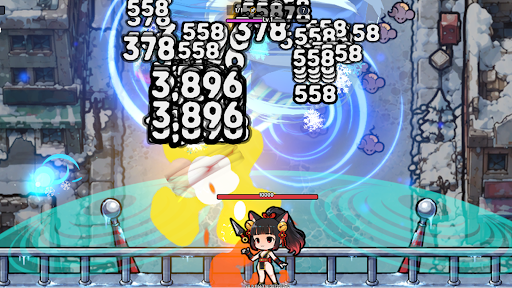
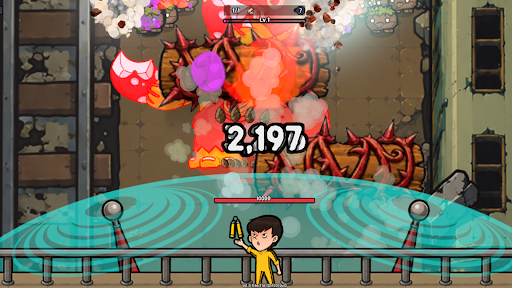
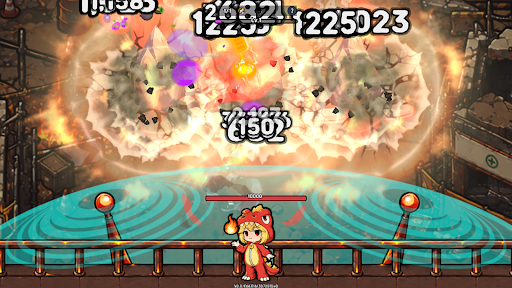
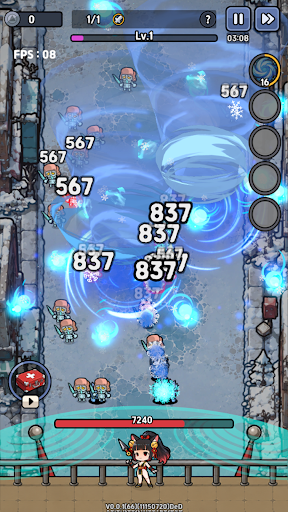
A casual magic defense game where you wipe out swarms of monsters pouring from portals using magic combinations!
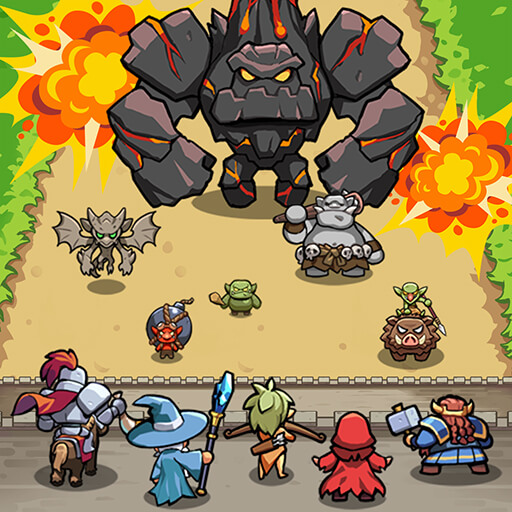
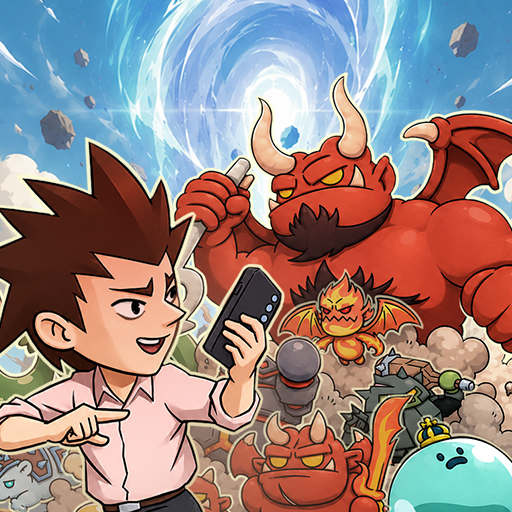
Mysterious portals have suddenly opened across the real world, instantly overrunning ordinary cities with monsters. Now, your magic is the only thing that can stop the endless waves of enemies pouring through the portals. Combine the powers of various elements to cast powerful magic and defend the city from the incoming monster hordes.
1. Create Your Own Magic Just by Choosing
No complex controls are needed. Simply pick a spell card during battle, and your magic becomes even stronger. As your choices stack up, your magic will gradually take on a unique style of your own. Even with the same base spell, your card choices can turn it into a massive explosion or a wide-spreading zone of fire.
2. Exhilarating Screen-Clearing Magic Battles
The available spell cards and monster formations change in every battle, pushing you to try new combinations each time. From exploding flames and freezing frost to lightning striking across the battlefield—enjoy the satisfying thrill of wiping out countless monsters at once with just simple controls.
3. Unique and Diverse Monsters
Monsters that split apart or turn invisible, monsters that heal or teleport, and monsters that charge swiftly or summon allies. You must understand the traits of each monster and choose the right magic for the situation to successfully defend the portals.
4. Progression Through Characters and Gear
Collect and upgrade a variety of characters, each with their own unique skills. As you strengthen your characters and equipment, you'll unlock more powerful magic and new strategies, making it easy to break through battles that once seemed impossible.
5. A Casual Defense Game for Everyone
Perfect for quick, lighthearted play sessions. The controls are simple, but the outcome of the battle changes dramatically based on your magic choices and progression paths.
The portals threatening the real world have not closed yet.
Combine your magic right now and protect the city from the endless swarms of monsters!
Help : cs@mobirix.com
Homepage :
https://play.google.com/store/apps/dev?id=4864673505117639552
Facebook :
https://www.facebook.com/mobirixplayen
YouTube :
https://www.youtube.com/user/mobirix1
Instagram :
https://www.instagram.com/mobirix_official/
TikTok :
https://www.tiktok.com/@mobirix_official
Tunjukkan Lagi

1. Muat turun pemasang MEmu dan selesaikan persediaan

2. Mulakan MEnu kemudian buka Google Play di desktop

3. Cari Portal Defense di Google Play
Install
4. Muat turun dan Pasang Portal Defense
5. Apabila selesai pemasangan, menekan ikon itu untuk memulakan

6. Nikmati bermain Portal Defense di komputer dengan MEmu
MEmu Play adalah emulator Android terbaik dan 100 juta orang sudah menikmati pengalaman permainan Androidnya yang luar biasa. Teknologi virtualisasi MEmu memberi kuasa kepada anda untuk bermain beribu-ribu permainan Android dengan lancar di komputar anda, malah yang paling intensif grafik.
Skrin lebih besar dengan grafik yang lebih baik; Tempoh yang panjang, tanpa had bateri atau data mudah alih.
Sokongan Keymapping penuh untuk kawalan tepat papan kekunci dan tetikus atau gamepad.
Pelbagai akaun permainan atau tugas pada satu PC sekaligus dengan pengurus pelbagai contoh.
Play Portal Defense on PC by following steps: