Archer Castle : AFK Idle RPG
Dikemas kini
Versi Semasa
1.13.66
Ditawarkan Oleh

Dengan semangat anda untuk bermain Archer Castle : AFK Idle RPG, tangan anda tidak seharusnya terhad pada skrin kecil telefon anda. Main seperti profesional dan kendalikan sepenuhnya permainan anda dengan papan kekunci dan tetikus. MEmu menawarkan semua perkara yang anda harapkan. Muat turun dan mainkan Archer Castle : AFK Idle RPG di PC. Main selagi anda mahu, tidak ada batasan bateri, data mudah alih dan panggilan yang mengganggu. MEmu 9 yang baru adalah pilihan terbaik untuk bermain Archer Castle : AFK Idle RPG di PC. Disiapkan dengan kepakaran kami, sistem pemetaan kunci pratetap yang indah menjadikan Archer Castle : AFK Idle RPG permainan PC sebenar. Dikodkan dengan penyerapan kami, pengurus multi-instance menjadikan bermain 2 atau lebih akaun pada peranti yang sama mungkin. Dan yang paling penting, enjin emulasi eksklusif kami dapat melepaskan potensi penuh PC anda, menjadikan semuanya lancar.Kami tidak hanya peduli bagaimana anda bermain, tetapi juga keseluruhan proses menikmati kebahagiaan permainan.
Tunjukkan Lagi
Muat turun Archer Castle : AFK Idle RPG pada PC dengan MEmu Android Emulator. Nikmati bermain di skrin besar တရားဝင်အသိုင်းအဝိုင်း ယခုဖွင့်လှစ်လိုက်ပါပြီ။.

တရားဝင်အသိုင်းအဝိုင်း ယခုဖွင့်လှစ်လိုက်ပါပြီ။
https://discord.gg/vKqA4vcJyu
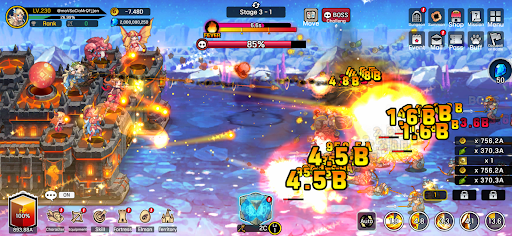
● ကာကွယ်ရေးတိုက်ပွဲများနှင့် တည်ဆောက်မှုနှင့် စီမံခန့်ခွဲမှုတို့ကို ပေါင်းစပ်ထားသော RPG တစ်ခု။
တစ်ခါတစ်ရံတွင် ခုခံကာကွယ်ခြင်း၊ တစ်ခါတစ်ရံတွင် ရန်လိုခြင်း။
သင့်မိုဘိုင်းခံတပ်ကို စီမံခန့်ခွဲပြီး ကြွယ်ဝသော စွန့်စားခန်းကို ခံစားလိုက်ပါ။
● မြန်ဆန်ပြီး အံ့မခန်းတိုက်ပွဲများ။
အစွမ်းထက်သော hack-and-slash တိုက်ခိုက်မှု၏ စိတ်လှုပ်ရှားဖွယ်ရာ၊ ယခု မိုဘိုင်းတွင် ရှိပါသည်။
အစွမ်းထက်သော ကျွမ်းကျင်မှုတစ်ခုတည်းဖြင့် ရန်သူအုပ်စုများကို သုတ်သင်ရှင်းလင်းလိုက်ပါ။
ရွှေနှင့် ပစ္စည်းများ လျှံကျလာခြင်းသည် အပိုဆုတစ်ခုဖြစ်သည်။
● ကွဲပြားသော ဗျူဟာများနှင့် အသေးစိတ်ကုန်းပတ်တည်ဆောက်ခြင်းကို ခံစားလိုက်ပါ။
ကိုယ်တိုင်ပစ်မှတ်ထားခြင်းဖြင့် မဟာဗျူဟာမြောက် အာရုံစိုက်ပစ်ခတ်မှု။
မသန်စွမ်းမှုနှင့် တစ်စိတ်တစ်ပိုင်းဖျက်ဆီးခြင်းကို အသုံးပြုသည့် အရည်အသွေးမြင့်တိုက်ပွဲများ။
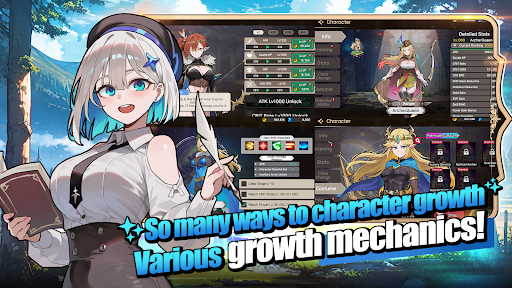
တက်ကြွသော၊ passive၊ command နှင့် လက်နက်ကျွမ်းကျင်မှုများအပါအဝင် စုစုပေါင်း ကျွမ်းကျင်မှု ၁၁၅ ခုဖြင့် အဆုံးမဲ့ပေါင်းစပ်မှုများကို ဖန်တီးလိုက်ပါ။
● အားလပ်ချိန်ဂိမ်းတွင် ကြီးထွားမှု၏ ပျော်ရွှင်မှု။
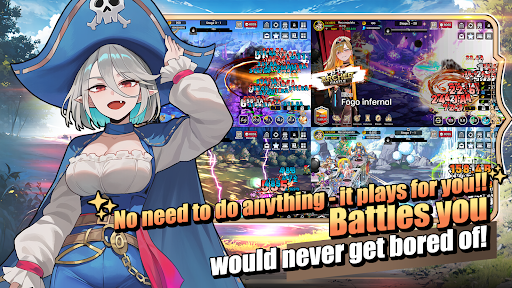
သင်အိပ်ပျော်နေစဉ်တွင်ပင် သင့်ဇာတ်ကောင်သည် ပိုမိုအားကောင်းလာသည်။
သင်အလုပ်လုပ်နေစဉ်တွင်ပင် သင့်နယ်မြေ ဖွံ့ဖြိုးလာသည်။
၎င်းကို ဒီအတိုင်းထားခဲ့ပြီး အရာအားလုံး ကြီးထွားလာသည်ကို ကြည့်ရှုလိုက်ပါ။
● စတိုင်ကျသော ဇာတ်ကောင်များနှင့် ဘီလူးများ
အဆင်မပြေသော ကာတွန်းဂိမ်းများ မရှိတော့ပါ။
ချောမွေ့ပြီး သဘာဝကျသော ကာတွန်းများဖြင့် စတိုင်ကျသော ဇာတ်ကောင်များနှင့် တွေ့ဆုံပါ။
● အသွင်အပြင်ကို အမှန်တကယ်ပြောင်းလဲစေသော အကြောင်းအရာ
၎င်းတို့သည် အိုင်ကွန်များသာ မဟုတ်ပါ။
သင့်အသွင်အပြင်ကို အမှန်တကယ်ပြောင်းလဲစေသော ပစ္စည်းအမျိုးအစား ၁၆၈ မျိုး တပ်ဆင်ပါ။
ကြီးထွား၊ တိုးတက်ပြောင်းလဲပြီး ၎င်းတို့၏အသွင်အပြင်ကို ပြောင်းလဲသော အိမ်မွေးတိရစ္ဆာန်အမျိုးအစား ၁၈၀၊ Elmonsters များကို စုဆောင်းပါ။
─────────────────────
■ အကြံပြုထားသော စက်ပစ္စည်း သတ်မှတ်ချက်များ ■
- Android 9.0 သို့မဟုတ် ထို့ထက်မြင့်သော ဗားရှင်းကို အကြံပြုထားသည်
- RAM: 3GB သို့မဟုတ် ထို့ထက်ပို၍ အကြံပြုထားသည်
- သိုလှောင်မှု: အနည်းဆုံး အခမဲ့နေရာလွတ် 300MB အကြံပြုထားသည်
[ အက်ပ်ခွင့်ပြုချက် အချက်အလက် ]
Archer Castle သည် သီးခြားအကြောင်းကြားချက် လိုအပ်သော လျှို့ဝှက်အက်ပ်ခွင့်ပြုချက်များကို အသုံးမပြုပါ။
[ အက်ပ်ခွင့်ပြုချက်များကို စီမံခန့်ခွဲနည်း ]
* Android 6.0 သို့မဟုတ် ပိုမြင့်သောဗားရှင်းများ
- ခွင့်ပြုချက်ဖြင့် ရုပ်သိမ်းရန်- စက်ပစ္စည်းဆက်တင်များ > လုံခြုံရေးနှင့် ကိုယ်ရေးကိုယ်တာ သို့မဟုတ် ကိုယ်ရေးကိုယ်တာ > ခွင့်ပြုချက်မန်နေဂျာ > ခွင့်ပြုချက်အမျိုးအစားကို ရွေးချယ်ပါ > အက်ပ်ကို ရွေးချယ်ပါ > ခွင့်ပြုချက်ကို ခွင့်ပြုပါ သို့မဟုတ် ငြင်းပယ်ပါ
- အက်ပ်အလိုက် ရုပ်သိမ်းရန်- စက်ပစ္စည်းဆက်တင်များ > အက်ပ်များ > Archer Castle ကို ရွေးချယ်ပါ > ခွင့်ပြုချက်များ > ခွင့်ပြုချက်ကို ခွင့်ပြုပါ သို့မဟုတ် ငြင်းပယ်ပါ
- အသိပေးချက်ဆက်တင်များ- စက်ပစ္စည်းဆက်တင်များ > အသိပေးချက်များ > အက်ပ်အကြောင်းကြားချက်များ > Archer Castle ကို ရွေးချယ်ပါ > အသိပေးချက်များကို ခွင့်ပြုပါ သို့မဟုတ် ပိတ်ပါ
※ မီနူးအမည်များသည် စက်ပစ္စည်းထုတ်လုပ်သူနှင့် OS ဗားရှင်းပေါ် မူတည်၍ ကွဲပြားနိုင်သည်။
* Android 6.0 အောက်
လည်ပတ်မှုစနစ်၏ သဘောသဘာဝကြောင့် တစ်ဦးချင်းအက်ပ်ခွင့်ပြုချက်များကို သီးခြားစီ ရုပ်သိမ်း၍မရပါ။ အက်ပ်ကို ဖျက်ခြင်းဖြင့် ခွင့်ပြုချက်များကို ရုပ်သိမ်းနိုင်သည်။
တည်ငြိမ်သော ဝန်ဆောင်မှုအသုံးပြုမှုအတွက် Android 6.0 သို့မဟုတ် ပိုမြင့်သောဗားရှင်းသို့ အဆင့်မြှင့်တင်ရန် အကြံပြုအပ်ပါသည်။
Tunjukkan Lagi

1. Muat turun pemasang MEmu dan selesaikan persediaan

2. Mulakan MEnu kemudian buka Google Play di desktop

3. Cari Archer Castle : AFK Idle RPG di Google Play
Install
4. Muat turun dan Pasang Archer Castle : AFK Idle RPG
5. Apabila selesai pemasangan, menekan ikon itu untuk memulakan

6. Nikmati bermain Archer Castle : AFK Idle RPG di komputer dengan MEmu
MEmu Play adalah emulator Android terbaik dan 100 juta orang sudah menikmati pengalaman permainan Androidnya yang luar biasa. Teknologi virtualisasi MEmu memberi kuasa kepada anda untuk bermain beribu-ribu permainan Android dengan lancar di komputar anda, malah yang paling intensif grafik.
Skrin lebih besar dengan grafik yang lebih baik; Tempoh yang panjang, tanpa had bateri atau data mudah alih.
Sokongan Keymapping penuh untuk kawalan tepat papan kekunci dan tetikus atau gamepad.
Pelbagai akaun permainan atau tugas pada satu PC sekaligus dengan pengurus pelbagai contoh.
Play Archer Castle : AFK Idle RPG on PC by following steps: