Portal Defense
Updated
Current Version
Offered By

With your passion for Portal Defense, you shouldn’t have to limit yourself to the small screen of a phone. Play like a pro and take full control of the game using a keyboard and mouse. MEmu gives you everything you’re looking for. Download and play Portal Defense on PC. Play as long as you want — no more worries about battery life, mobile data, or unexpected calls. The all-new MEmu 9 is the best way to play Portal Defense on PC. With our expertly designed keymapping system, Portal Defense feels just like a real PC game. The MEmu multi-instance manager lets you run two or more accounts on the same device at the same time. Most importantly, our exclusive emulation engine unlocks your PC’s full potential, delivering smooth and seamless performance.
Show more
Download Portal Defense on PC with MEmu Android Emulator. Enjoy playing on big screen. A casual magic defense game where you wipe out swarms of monsters pouring from portals using magic combinations!
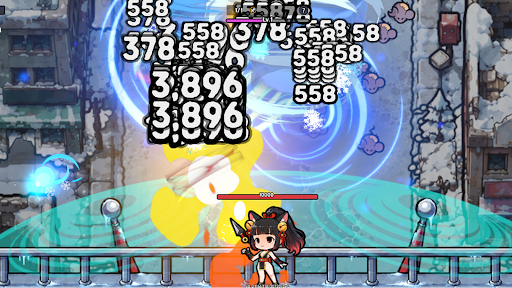
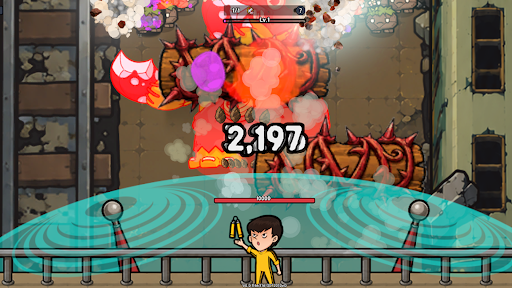
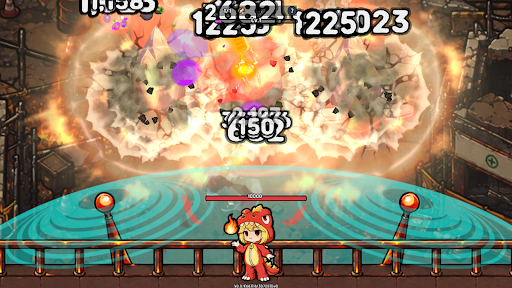
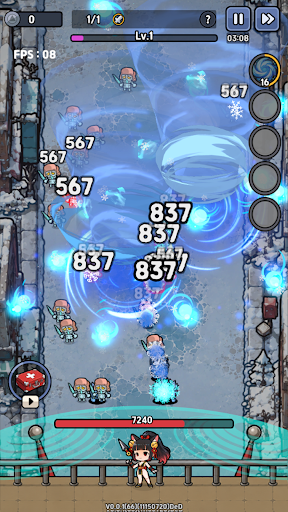
A casual magic defense game where you wipe out swarms of monsters pouring from portals using magic combinations!
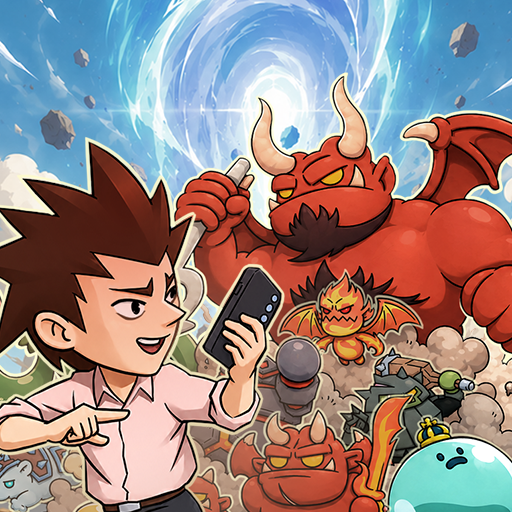
Mysterious portals have suddenly opened across the real world, instantly overrunning ordinary cities with monsters. Now, your magic is the only thing that can stop the endless waves of enemies pouring through the portals. Combine the powers of various elements to cast powerful magic and defend the city from the incoming monster hordes.
1. Create Your Own Magic Just by Choosing
No complex controls are needed. Simply pick a spell card during battle, and your magic becomes even stronger. As your choices stack up, your magic will gradually take on a unique style of your own. Even with the same base spell, your card choices can turn it into a massive explosion or a wide-spreading zone of fire.
2. Exhilarating Screen-Clearing Magic Battles
The available spell cards and monster formations change in every battle, pushing you to try new combinations each time. From exploding flames and freezing frost to lightning striking across the battlefield—enjoy the satisfying thrill of wiping out countless monsters at once with just simple controls.
3. Unique and Diverse Monsters
Monsters that split apart or turn invisible, monsters that heal or teleport, and monsters that charge swiftly or summon allies. You must understand the traits of each monster and choose the right magic for the situation to successfully defend the portals.
4. Progression Through Characters and Gear
Collect and upgrade a variety of characters, each with their own unique skills. As you strengthen your characters and equipment, you'll unlock more powerful magic and new strategies, making it easy to break through battles that once seemed impossible.
5. A Casual Defense Game for Everyone
Perfect for quick, lighthearted play sessions. The controls are simple, but the outcome of the battle changes dramatically based on your magic choices and progression paths.
The portals threatening the real world have not closed yet.
Combine your magic right now and protect the city from the endless swarms of monsters!
Help : cs@mobirix.com
Homepage :
https://play.google.com/store/apps/dev?id=4864673505117639552
Facebook :
https://www.facebook.com/mobirixplayen
YouTube :
https://www.youtube.com/user/mobirix1
Instagram :
https://www.instagram.com/mobirix_official/
TikTok :
https://www.tiktok.com/@mobirix_official
Show more

1. Download MEmu installer and finish the setup

2. Start MEmu then open Google Play on the desktop

3. Search Portal Defense in Google Play
Install
4. Download and Install Portal Defense
5. On install completion click the icon to start

6. Enjoy playing Portal Defense on PC with MEmu
MEmu Play is the best Android emulator and 100 million people already enjoy its superb Android gaming experience. The MEmu virtualization technology empowers you to play thousands of Android games smoothly on your PC, even the most graphic-intensive ones.
Bigger screen with better graphics; Long duration, without limitation of battery or mobile data.
Full Keymapping support for precise control of keyboard and mouse or gamepad.
Multiple game accounts or tasks on single PC at one time with Multi-Instance manager.
Play Portal Defense on PC by following steps: