Dexcom Follow
Dikemas kini
Versi Semasa
4.6.1
Ditawarkan Oleh

Berhentilah bimbang dengan bayaran berlebihan semasa menggunakan Dexcom Follow di telefon bimbit anda, bebaskan diri anda dari layar kecil dan nikmati penggunaan aplikasi pada paparan yang jauh lebih besar. Mulai sekarang, dapatkan pengalaman skrin penuh aplikasi anda dengan papan kekunci dan tetikus. MEmu Play semua ciri mengejutkan yang anda harapkan: pemasangan cepat dan penyediaan mudah, kawalan intuitif, tidak ada batasan bateri, data mudah alih, dan panggilan yang mengganggu. MEmu 9 yang baru adalah pilihan terbaik untuk menggunakan Dexcom Follow di komputer anda. Dikodkan dengan penyerapan kami, pengurus multi-instance menjadikan pembukaan 2 atau lebih akaun pada masa yang sama mungkin. Dan yang paling penting, mesin emulasi eksklusif kami dapat melepaskan potensi penuh PC anda, menjadikan semuanya lancar dan menyeronokkan.
Tunjukkan Lagi
Download Dexcom Follow on PC with MEmu Android Emulator. Enjoy playing on big screen. The Dexcom Follow app is part of the Dexcom SHARE® system.
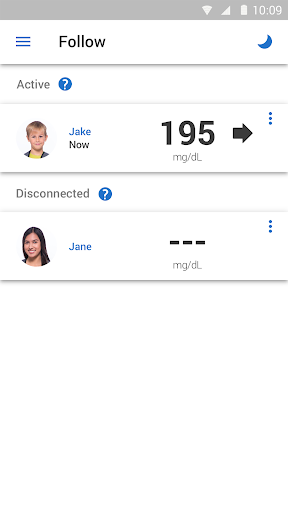
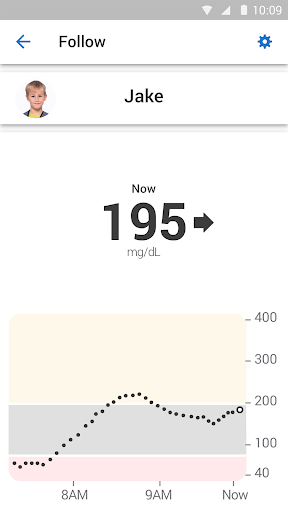
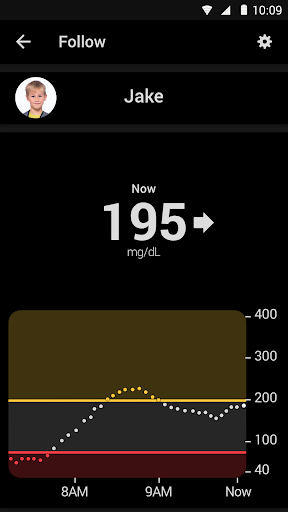
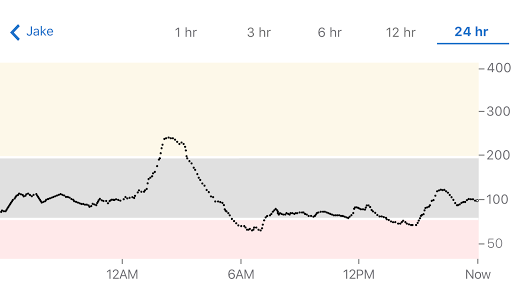
The Dexcom Follow app is part of the Dexcom SHARE® system.
Use this app if your loved one is sharing data from their Dexcom CGM app. The Sharer will need to send an invitation to allow you to connect after you have installed the Follow app.
Dexcom Follow is the perfect companion to your loved one’s Dexcom CGM, connecting you to those nearest and dearest to you, even when they’re far away. Through secure wireless connections, Dexcom Follow allows you to view and follow the glucose levels, trends and data of your loved ones.
Whether you have a child who is in college, an elderly parent who lives in another state, or a spouse who is going on a business trip, Dexcom Follow is there to keep you connected and informed.
With Dexcom Follow, you can:
• Monitor your loved one’s glucose activity at school or across the country.
• Receive glucose information from up to 10 different Sharers – children, friends, or other loved ones.
• Respond quickly with the help of customizable glucose alerts and push notifications that can inform you when a Sharer’s glucose levels are outside the norm.
Customer Reviews
This app store should not be used as your first point of contact to resolve technical or customer services issues. In order to protect your privacy and personal information, and promptly resolve any technical or customer services issues you are having with any Dexcom product, please contact 1-888-738-3646.
Dexcom is required to follow up with customers regarding product-related complaints. If
Dexcom determines that your comment/complaint requires follow up, a technical support representative will attempt to contact you to gather more information regarding your comment/complaint.
Tunjukkan Lagi

1. Muat turun pemasang MEmu dan selesaikan persediaan

2. Mulakan MEnu kemudian buka Google Play di desktop

3. Cari Dexcom Follow di Google Play
Install
4. Muat turun dan Pasang Dexcom Follow
5. Apabila selesai pemasangan, menekan ikon itu untuk memulakan

6. Gunakan MENu untuk mengalami Dexcom Follow pada komputer anda
MEmu Play ialah emulator Android terbaik, dengan lebih 100 juta pengguna mengalami pengalaman aplikasi Android yang unggul. Teknologi virtualisasi MEmu membolehkan anda menjalankan beribu-ribu aplikasi Android dengan lancar pada komputer anda, walaupun yang paling mencabar.
Skrin lebih besar dengan grafik yang lebih baik; Tempoh yang panjang, tanpa had bateri atau data mudah alih.
Sokongan Keymapping penuh untuk kawalan tepat papan kekunci dan tetikus atau gamepad.
Pelbagai akaun permainan atau tugas pada satu PC sekaligus dengan pengurus pelbagai contoh.
Use Dexcom Follow on PC by following steps: