iScanner - PDF Scanner App
Dikemas kini
Versi Semasa
5.56.9
Ditawarkan Oleh

Berhentilah bimbang dengan bayaran berlebihan semasa menggunakan iScanner - PDF Scanner App di telefon bimbit anda, bebaskan diri anda dari layar kecil dan nikmati penggunaan aplikasi pada paparan yang jauh lebih besar. Mulai sekarang, dapatkan pengalaman skrin penuh aplikasi anda dengan papan kekunci dan tetikus. MEmu Play semua ciri mengejutkan yang anda harapkan: pemasangan cepat dan penyediaan mudah, kawalan intuitif, tidak ada batasan bateri, data mudah alih, dan panggilan yang mengganggu. MEmu 9 yang baru adalah pilihan terbaik untuk menggunakan iScanner - PDF Scanner App di komputer anda. Dikodkan dengan penyerapan kami, pengurus multi-instance menjadikan pembukaan 2 atau lebih akaun pada masa yang sama mungkin. Dan yang paling penting, mesin emulasi eksklusif kami dapat melepaskan potensi penuh PC anda, menjadikan semuanya lancar dan menyeronokkan.
Tunjukkan Lagi
Download iScanner - PDF Scanner App on PC with MEmu Android Emulator. Enjoy playing on big screen. Looking for a powerful PDF scanner to streamline your workflow?
Looking for a powerful PDF scanner to streamline your workflow?
iScanner is the ultimate scanner app designed to create high-quality digital documents with ease, anytime, anywhere. Whether you're working remotely, studying, or managing personal tasks, iScanner makes scanning on the go fast, reliable, and effortless.
DOCUMENT SCANNER
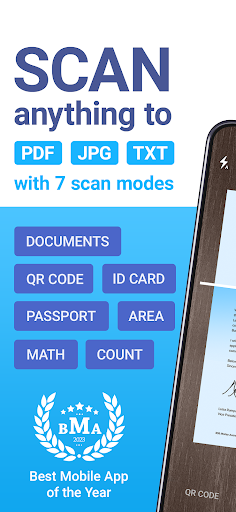
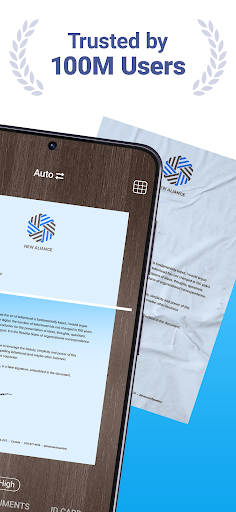
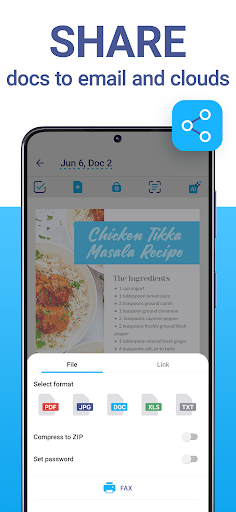
This scanner app is perfect for professionals, students, and anyone needing a dependable tool to digitize documents. Use our PDF scanner to quickly transform contracts, tax forms, receipts, handwritten notes, assignments, and more into polished digital files. Save scans as PDF, JPG, or TXT formats effortlessly. The scanner ensures clear and sharp results every time by automatically adjusting borders and enhancing document clarity.
CLOUD STORAGE & FILE MANAGEMENT
– Sync your scanned files across devices instantly.
– Access your documents through any web browser or platform.
– Organize files effortlessly with the scanner app's intuitive file manager, featuring folders, drag-and-drop functionality, and PIN protection for confidential documents.
POWERFUL TOOLS WITH AI
– Automatically detect and refine document borders with the AI-enhanced scanner.
– Use OCR technology in 20+ languages to recognize text from your scans.
– Remove blur, enhance clarity, and erase unwanted objects directly in the scanner app.
– Use AI tools to summarize, edit, and refine text for professional-looking results.
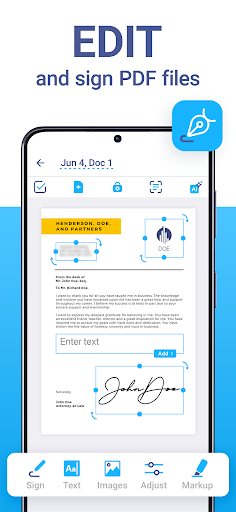
FULL PDF EDITOR
– Sign documents manually or insert an image of your signature.
– Add text to forms or autofill PDFs with custom templates.
– Protect your files with watermarks or blur sensitive information.
– Merge multiple documents into one or split PDFs by pages for versatile use.
VARIOUS SCANNER MODES
iScanner includes specialized modes for different needs:
– Document Scanner: Scan multipage PDFs for contracts, notes, or reports.
– ID-Card & Passport Scanner: Create clear scans of personal identification documents.
– Math Scanner: Solve equations and complex math problems effortlessly.
– QR Code Scanner: Scan and save QR codes with ease.
– Area Measurement: Calculate object lengths and areas using your scanner app's tools.
– Object Counter: Count similar items automatically using your scanner.
WHY iSCANNER?
iScanner isn’t just a scanner app; it’s an all-in-one PDF scanner packed with advanced features that simplify your work and study life. No matter your document size or type, this scanner ensures exceptional precision, speed, and quality.
Whether you’re scanning personal notes, professional contracts, or academic assignments, iScanner is the only scanner app you’ll need. Experience the flexibility of an all-in-one PDF scanner that’s optimized for your productivity.
iScanner: Your go-to scanner app for every task!
Visit our website to learn more:
Privacy Policy: http://iscanner.com/mobileapp/privacy
Terms of Service: http://iscanner.com/mobileapp/terms
We value your feedback! Let us know how we can improve our PDF scanner at iScanner Support: http://iscannerapp.com/scanner/support
Tunjukkan Lagi

1. Muat turun pemasang MEmu dan selesaikan persediaan

2. Mulakan MEnu kemudian buka Google Play di desktop

3. Cari iScanner - PDF Scanner App di Google Play
Install
4. Muat turun dan Pasang iScanner - PDF Scanner App
5. Apabila selesai pemasangan, menekan ikon itu untuk memulakan

6. Gunakan MENu untuk mengalami iScanner - PDF Scanner App pada komputer anda
MEmu Play ialah emulator Android terbaik, dengan lebih 100 juta pengguna mengalami pengalaman aplikasi Android yang unggul. Teknologi virtualisasi MEmu membolehkan anda menjalankan beribu-ribu aplikasi Android dengan lancar pada komputer anda, walaupun yang paling mencabar.
Skrin lebih besar dengan grafik yang lebih baik; Tempoh yang panjang, tanpa had bateri atau data mudah alih.
Sokongan Keymapping penuh untuk kawalan tepat papan kekunci dan tetikus atau gamepad.
Pelbagai akaun permainan atau tugas pada satu PC sekaligus dengan pengurus pelbagai contoh.
Use iScanner - PDF Scanner App on PC by following steps: