iScanner - PDF Scanner App
อัปเดตเมื่อ
เวอร์ชันปัจจุบัน
5.56.9
ให้บริการโดย

เมื่อใช้ iScanner - PDF Scanner App บนโทรศัพท์ของคุณไม่ต้องกังวลกับการชาร์จไฟมากเกินไปปลดปล่อยตัวคุณเองจากหน้าจอขนาดเล็กและสนุกกับการใช้แอพนี้บนหน้าจอขนาดใหญ่ จากนี้ไปรับประสบการณ์เต็มหน้าจอของแอปพลิเคชันของคุณด้วยคีย์บอร์ดและเมาส์ MEmu มีคุณสมบัติที่น่าแปลกใจที่คุณคาดหวัง: การติดตั้งที่รวดเร็วและการตั้งค่าที่ง่ายควบคุมได้ง่ายไม่ จำกัด แบตเตอรี่ข้อมูลมือถือและการโทรที่รบกวน MEmu 9 ใหม่ล่าสุดเป็นตัวเลือกที่ดีที่สุดสำหรับการใช้ Meitu – โปรแกรมแก้ไขภาพแนวธรรมชาติ บนคอมพิวเตอร์ของคุณ ด้วยรหัสการดูดซึมของเราผู้จัดการหลายอินสแตนซ์ทำให้สามารถเปิดบัญชี 2 บัญชีขึ้นไปในเวลาเดียวกันได้ และที่สำคัญที่สุดเอ็นจิ้นจำลองพิเศษของเราสามารถปลดปล่อยศักยภาพของPCของคุณและทำให้ทุกอย่างราบรื่นและสนุกสนาน
แสดงเพิ่มเติม
ดาวน์โหลด iScanner - PDF Scanner App บน PC ด้วย MEmu Android Emulator สนุกกับการเล่นบนหน้าจอขนาดใหญ่ Looking for a powerful PDF scanner to streamline your workflow?
Looking for a powerful PDF scanner to streamline your workflow?
iScanner is the ultimate scanner app designed to create high-quality digital documents with ease, anytime, anywhere. Whether you're working remotely, studying, or managing personal tasks, iScanner makes scanning on the go fast, reliable, and effortless.
DOCUMENT SCANNER
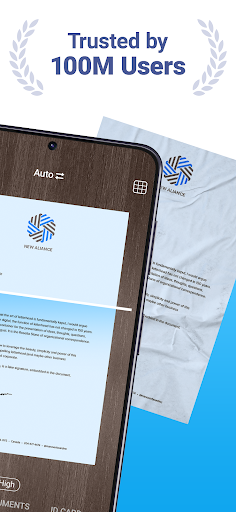
This scanner app is perfect for professionals, students, and anyone needing a dependable tool to digitize documents. Use our PDF scanner to quickly transform contracts, tax forms, receipts, handwritten notes, assignments, and more into polished digital files. Save scans as PDF, JPG, or TXT formats effortlessly. The scanner ensures clear and sharp results every time by automatically adjusting borders and enhancing document clarity.
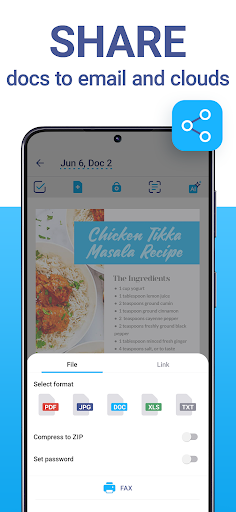
CLOUD STORAGE & FILE MANAGEMENT
– Sync your scanned files across devices instantly.
– Access your documents through any web browser or platform.
– Organize files effortlessly with the scanner app's intuitive file manager, featuring folders, drag-and-drop functionality, and PIN protection for confidential documents.
POWERFUL TOOLS WITH AI
– Automatically detect and refine document borders with the AI-enhanced scanner.
– Use OCR technology in 20+ languages to recognize text from your scans.
– Remove blur, enhance clarity, and erase unwanted objects directly in the scanner app.
– Use AI tools to summarize, edit, and refine text for professional-looking results.
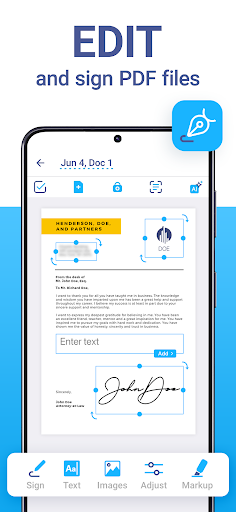
FULL PDF EDITOR
– Sign documents manually or insert an image of your signature.
– Add text to forms or autofill PDFs with custom templates.
– Protect your files with watermarks or blur sensitive information.
– Merge multiple documents into one or split PDFs by pages for versatile use.
VARIOUS SCANNER MODES
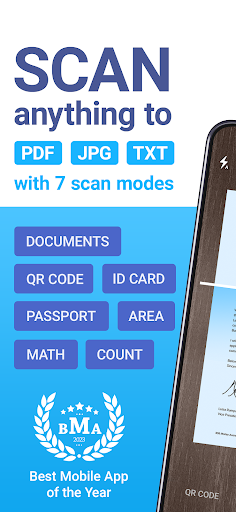
iScanner includes specialized modes for different needs:
– Document Scanner: Scan multipage PDFs for contracts, notes, or reports.
– ID-Card & Passport Scanner: Create clear scans of personal identification documents.
– Math Scanner: Solve equations and complex math problems effortlessly.
– QR Code Scanner: Scan and save QR codes with ease.
– Area Measurement: Calculate object lengths and areas using your scanner app's tools.
– Object Counter: Count similar items automatically using your scanner.
WHY iSCANNER?
iScanner isn’t just a scanner app; it’s an all-in-one PDF scanner packed with advanced features that simplify your work and study life. No matter your document size or type, this scanner ensures exceptional precision, speed, and quality.
Whether you’re scanning personal notes, professional contracts, or academic assignments, iScanner is the only scanner app you’ll need. Experience the flexibility of an all-in-one PDF scanner that’s optimized for your productivity.
iScanner: Your go-to scanner app for every task!
Visit our website to learn more:
Privacy Policy: http://iscanner.com/mobileapp/privacy
Terms of Service: http://iscanner.com/mobileapp/terms
We value your feedback! Let us know how we can improve our PDF scanner at iScanner Support: http://iscannerapp.com/scanner/support
แสดงเพิ่มเติม

1. ดาวน์โหลดตัวติดตั้ง MEmu และสิ้นสุดการติดตั้ง

2. เริ่ม MEmu จากนั้นเปิด Google Play บนหน้าแรก

3. ค้นหา iScanner - PDF Scanner App ใน Google Play
Install
4. ดาวน์โหลดและติดตั้ง iScanner - PDF Scanner App
5. เมื่อติดตั้งเสร็จให้คลิกที่ไอคอนเพื่อเริ่มใช้งาน

6. ใช้ MEmu เพื่อสัมผัสประสบการณ์ iScanner - PDF Scanner App บนคอมพิวเตอร์ของคุณ
MEmu Play คือโปรแกรมจำลอง Android ที่ดีที่สุด มีผู้ใช้มากกว่า 50 ล้านคน มอบประสบการณ์การใช้งานแอป Android ขั้นสุดยอดให้กับคุณ เทคโนโลยีจำลองเสมือนของ MEmu ช่วยให้คุณรันแอป Android หลายพันแอปบนคอมพิวเตอร์ได้อย่างราบรื่น แม้แอปที่กินทรัพยากรเครื่องสูงที่สุด
จอใหญ่และกราฟฟิกสวยกว่า; เล่นได้นาน, ไม่ต้องใช้แบตเตอรี่โทรศัพท์หรือเน็ตโทรศัพท์.
ระบบปรับแต่งปุ่มคีย์บอร์ดและเม้าส์ตามที่คุณเลือก
เล่นมากกว่าหนึ่งเกมบน PC ในเวลาเดียวกันด้วยระบบหลายจอหรือ Multi-Instance manager.
Use iScanner - PDF Scanner App on PC by following steps: