Mitrade - Trade Global Markets
Dikemas kini
Versi Semasa
4.9.19
Ditawarkan Oleh

Berhentilah bimbang dengan bayaran berlebihan semasa menggunakan Mitrade - Trade Global Markets di telefon bimbit anda, bebaskan diri anda dari layar kecil dan nikmati penggunaan aplikasi pada paparan yang jauh lebih besar. Mulai sekarang, dapatkan pengalaman skrin penuh aplikasi anda dengan papan kekunci dan tetikus. MEmu Play semua ciri mengejutkan yang anda harapkan: pemasangan cepat dan penyediaan mudah, kawalan intuitif, tidak ada batasan bateri, data mudah alih, dan panggilan yang mengganggu. MEmu 9 yang baru adalah pilihan terbaik untuk menggunakan Mitrade - Trade Global Markets di komputer anda. Dikodkan dengan penyerapan kami, pengurus multi-instance menjadikan pembukaan 2 atau lebih akaun pada masa yang sama mungkin. Dan yang paling penting, mesin emulasi eksklusif kami dapat melepaskan potensi penuh PC anda, menjadikan semuanya lancar dan menyeronokkan.
Tunjukkan Lagi
Download Mitrade - Trade Global Markets on PC with MEmu Android Emulator. Enjoy playing on big screen. Providing traders with easy access to a diversified global market, Mitrade is a user-friendly platform that has won multiple awards including but not limited to the Most Sustainable FX Platform and the Most Transparent Trading Platform.
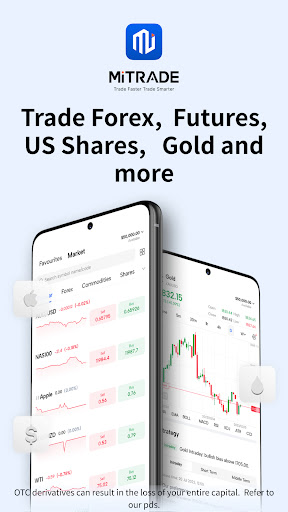
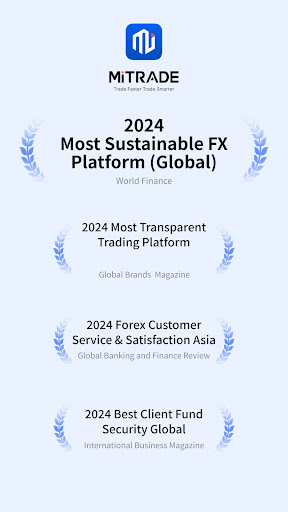
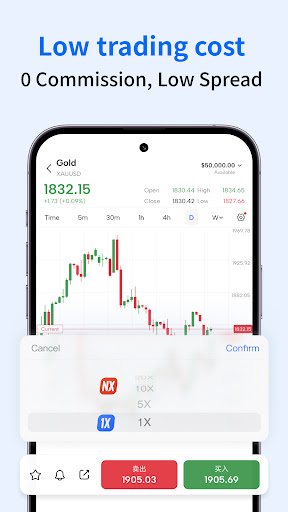
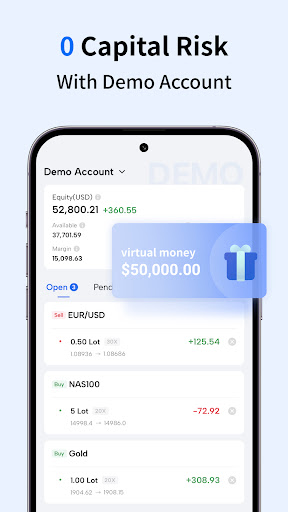
Providing traders with easy access to a diversified global market, Mitrade is a user-friendly platform that has won multiple awards including but not limited to the Most Sustainable FX Platform and the Most Transparent Trading Platform.*
We believe speedy access to timely news and a fast platform interface are key to bringing quality investment opportunities to our savvy investors. No matter when and where you are, whether you are on your phone or using a desktop, you can access the international financial market on Mitrade to get real-time price updates, the latest news and economic data, weekly outlook, and exclusive market insights for chart analysis and investment decisions. Most of the tools available are free-of-charge and no registration is needed.
A Wide Range of Markets
- Get real-time price updates on hundreds of popular markets without signing up for an account
- Trade different types of markets including forex, gold, silver, oil, and Shares**
- Keep an eye on the hottest market list that is updated in real-time for more trading opportunities
Trade with Ease of Mind
- Strictly regulated by authorities
- Flexible leverage
- 0 commissions, low spreads, and negative balance protection
- Fast and reliable order execution
- Risk-management tools such as stop loss/trailing stop loss
Trading Charts
- Support powerful technical indicators: MACD, KDJ, RSI, TRIX, DMA, CCI, and more
- Provide 11 timeframes: Time, M1, M5, M15, M30, H1, H2, H4, D1, W1, and M1
- Multiple chart types: bar, line, and time charts
- Build your watchlist without signing up for an account
- Provide price alerts that allow traders to seize opportunities fast
Economic Data
- Free real-time financial news updates and economic calendar
- Key events and push notifications to get important updates on the global financial market
- Exclusive in-depth market analysis that helps you understand the current hot topics
Quality Service
- Enjoy fast demo account opening in just 1 minute
- Fast deposits and withdrawals with a wide range of transaction channels
- 5*24 quality multilingual customer service
*Mitrade was awarded Most Sustainable FX Platform (Global) 2024 by World Finance
*Mitrade was awarded Most Transparent Trading Platform 2024 by Global brands magazine
*Mitrade was awarded Forex Customer Service & Satisfaction Asia 2024 by Global Banking and Finance Review
*Mitrade was awarded Best Client Fund Security Global 2024 by International Business Magazine
**Offers OTC derivatives only. Your capital is at risk. Trading OTC derivatives may not be suitable for everyone. Please consider our legal disclosure
documents before using our services at https://www.mitrade.com/PdsForThirdPart and ensure that you understand the risks involved. You do not own or have any
interest in the underlying assets.
Tunjukkan Lagi

1. Muat turun pemasang MEmu dan selesaikan persediaan

2. Mulakan MEnu kemudian buka Google Play di desktop

3. Cari Mitrade - Trade Global Markets di Google Play
Install
4. Muat turun dan Pasang Mitrade - Trade Global Markets
5. Apabila selesai pemasangan, menekan ikon itu untuk memulakan

6. Gunakan MENu untuk mengalami Mitrade - Trade Global Markets pada komputer anda
MEmu Play ialah emulator Android terbaik, dengan lebih 100 juta pengguna mengalami pengalaman aplikasi Android yang unggul. Teknologi virtualisasi MEmu membolehkan anda menjalankan beribu-ribu aplikasi Android dengan lancar pada komputer anda, walaupun yang paling mencabar.
Skrin lebih besar dengan grafik yang lebih baik; Tempoh yang panjang, tanpa had bateri atau data mudah alih.
Sokongan Keymapping penuh untuk kawalan tepat papan kekunci dan tetikus atau gamepad.
Pelbagai akaun permainan atau tugas pada satu PC sekaligus dengan pengurus pelbagai contoh.
Use Mitrade - Trade Global Markets on PC by following steps: