Mitrade - Trade Global Markets
更新日
現在のバージョン
4.9.19
提供元

スマートフォンは不要!パソコンと同じようにキーボードとマウスで操作できます。MEmu Playは、あなたが待ち望んでいたすべての楽しみをお届けします。バッテリー残量や小さな画面を気にすることなく、Mitrade - Trade Global Marketsをご利用ください。最新のMEmu 9は、Mitrade - Trade Global MarketsをPCで体験するのに最適です!完璧なキーマッピングシステムにより、PCのようなスムーズな操作性を実現します。マルチインスタンス機能により、複数のアプリケーションを同時に実行できます。独自の仮想化エンジンがPCのパフォーマンスを最大限に引き出します。アプリを使用するだけでなく、高品質な体験を得ることができます。
もっと見る
Mitrade - Trade Global MarketsをPCでダウンロード!大画面でより楽しむ。電源が落ちてしまうとか通信料が足りないとかの問題を心配する必要がなく、PCの大画面でより快適にゲームを楽しましょう! Providing traders with easy access to a diversified global market, Mitrade is a user-friendly platform that has won multiple awards including but not limited to the Most Sustainable FX Platform and the Most Transparent Trading Platform.
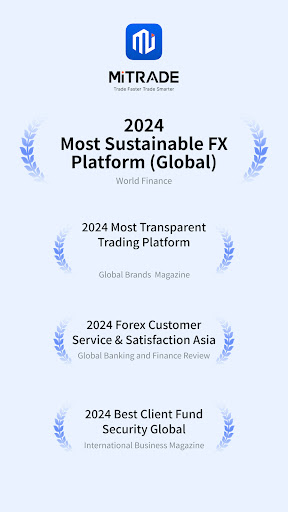
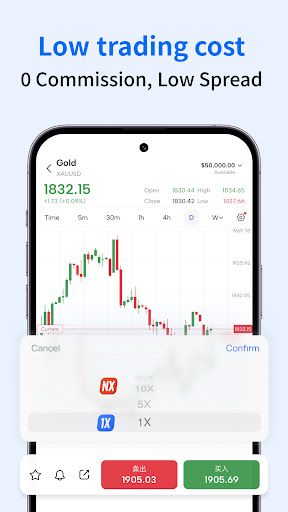
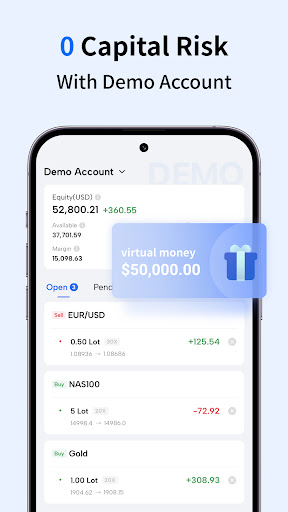
Providing traders with easy access to a diversified global market, Mitrade is a user-friendly platform that has won multiple awards including but not limited to the Most Sustainable FX Platform and the Most Transparent Trading Platform.*
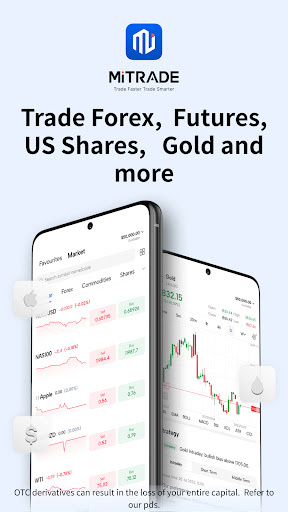
We believe speedy access to timely news and a fast platform interface are key to bringing quality investment opportunities to our savvy investors. No matter when and where you are, whether you are on your phone or using a desktop, you can access the international financial market on Mitrade to get real-time price updates, the latest news and economic data, weekly outlook, and exclusive market insights for chart analysis and investment decisions. Most of the tools available are free-of-charge and no registration is needed.
A Wide Range of Markets
- Get real-time price updates on hundreds of popular markets without signing up for an account
- Trade different types of markets including forex, gold, silver, oil, and Shares**
- Keep an eye on the hottest market list that is updated in real-time for more trading opportunities
Trade with Ease of Mind
- Strictly regulated by authorities
- Flexible leverage
- 0 commissions, low spreads, and negative balance protection
- Fast and reliable order execution
- Risk-management tools such as stop loss/trailing stop loss
Trading Charts
- Support powerful technical indicators: MACD, KDJ, RSI, TRIX, DMA, CCI, and more
- Provide 11 timeframes: Time, M1, M5, M15, M30, H1, H2, H4, D1, W1, and M1
- Multiple chart types: bar, line, and time charts
- Build your watchlist without signing up for an account
- Provide price alerts that allow traders to seize opportunities fast
Economic Data
- Free real-time financial news updates and economic calendar
- Key events and push notifications to get important updates on the global financial market
- Exclusive in-depth market analysis that helps you understand the current hot topics
Quality Service
- Enjoy fast demo account opening in just 1 minute
- Fast deposits and withdrawals with a wide range of transaction channels
- 5*24 quality multilingual customer service
*Mitrade was awarded Most Sustainable FX Platform (Global) 2024 by World Finance
*Mitrade was awarded Most Transparent Trading Platform 2024 by Global brands magazine
*Mitrade was awarded Forex Customer Service & Satisfaction Asia 2024 by Global Banking and Finance Review
*Mitrade was awarded Best Client Fund Security Global 2024 by International Business Magazine
**Offers OTC derivatives only. Your capital is at risk. Trading OTC derivatives may not be suitable for everyone. Please consider our legal disclosure
documents before using our services at https://www.mitrade.com/PdsForThirdPart and ensure that you understand the risks involved. You do not own or have any
interest in the underlying assets.
もっと見る

1. MEmuインストーラーをダウンロードしてセットアップを完了する

2. MEmuを起動し、デスクトップでのPlayストアを開く

3. PlayストアでMitrade - Trade Global Marketsを検索する
Install
4. Mitrade - Trade Global Marketsをダウンロードしてインストールする
5. インストールが完了したら、アイコンをクリックしてスタート

6. MEmuを使ってパソコンでMitrade - Trade Global Marketsを体験する
MEmu Playは現在、最高の無料Androidエミュレーターであり、5,000万人のユーザーが優れたAndroidアプリ体験を楽しんでいます。MEmuの仮想化テクノロジーにより、数千ものAndroidアプリをコンピューターでスムーズに実行できます。
大画面でより精細;無限の待機、電池とドラフィックの極限を超え
キーボード・マウス・コントローラーを全力でサポート、より快適
マルチインスタンスで複数のゲームを同時に実行
Use Mitrade - Trade Global Markets on PC by following steps: