SeeDance Flow: AI Video Maker
Dikemas kini
Versi Semasa
5.6
Ditawarkan Oleh

Berhentilah bimbang dengan bayaran berlebihan semasa menggunakan SeeDance Flow: AI Video Maker di telefon bimbit anda, bebaskan diri anda dari layar kecil dan nikmati penggunaan aplikasi pada paparan yang jauh lebih besar. Mulai sekarang, dapatkan pengalaman skrin penuh aplikasi anda dengan papan kekunci dan tetikus. MEmu Play semua ciri mengejutkan yang anda harapkan: pemasangan cepat dan penyediaan mudah, kawalan intuitif, tidak ada batasan bateri, data mudah alih, dan panggilan yang mengganggu. MEmu 9 yang baru adalah pilihan terbaik untuk menggunakan SeeDance Flow: AI Video Maker di komputer anda. Dikodkan dengan penyerapan kami, pengurus multi-instance menjadikan pembukaan 2 atau lebih akaun pada masa yang sama mungkin. Dan yang paling penting, mesin emulasi eksklusif kami dapat melepaskan potensi penuh PC anda, menjadikan semuanya lancar dan menyeronokkan.
Tunjukkan Lagi
Nikmati pengalaman hebat menggunakan SeeDance Flow: AI Video Maker di PC dengan MEmu Play. Ia merupakan emulator Android percuma yang hebat yang menyediakan beribu-ribu aplikasi Android untuk versi desktop mereka. Nikmati berhubung dengan rakan-rakan dan menggilap kerja anda dengan kecekapan yang lebih tinggi! ONE APP.
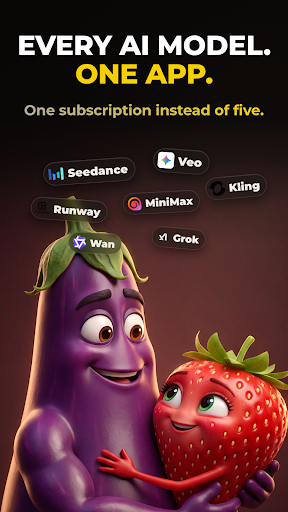


ONE APP. ALL THE AI.
Vezo brings the world's most powerful AI models together in a single app. Type an idea and watch it become a cinematic video, a stunning image, or a complete song with real vocals. There's nothing to learn — you describe, Vezo creates. Whether you're making content for TikTok, Reels and YouTube, designing visuals for your brand, or writing a song for someone you love, it all happens in one place, with one credit balance, in minutes.
Most AI apps lock you into a single model. Vezo gives you the full roster of today's leading AI engines — and when a new model drops, it lands in Vezo right away.
AI VIDEO — EVERY TOP MODEL
Turn plain text into cinematic video, or bring your photos to life:
• Seedance 2.5 — next-gen cinematic video with native audio, up to 15s
• Google Veo 3.1 — lifelike motion and rich sound
• OpenAI Sora 2 — hyper-realistic video with synced audio
• Kling 3 — fast, cinematic clips with lip-sync
• Wan 2.7 — Alibaba's model, up to 1080p
• Hailuo 2.3 — cinematic precision, emotional depth
• Grok Imagine — fast and creatively fearless
• P-Video — the quickest, most affordable way to test ideas
Choose your aspect ratio (9:16 for Shorts and Reels, 16:9 for YouTube, 1:1 for feeds), set the clip length, and in image-to-video mode decide how your photo is used: opening frame, first-and-last pair for seamless morphs, or a style reference the whole video follows.
AI IMAGE — ANY STYLE YOU CAN IMAGINE
Create images from text, or upload a photo and reshape it with a sentence:
• Nano Banana 2 — real-world knowledge, flawless multilingual text
• GPT Image 2 — near-perfect text and surgical edits
• Flux 2 Pro — uncompromising photorealism
• Reve v2 — layout-first design, beautiful typography
• Seedream 4.5 — cinematic detail, accurate text
• Grok Imagine — fast, stylized, less filtered
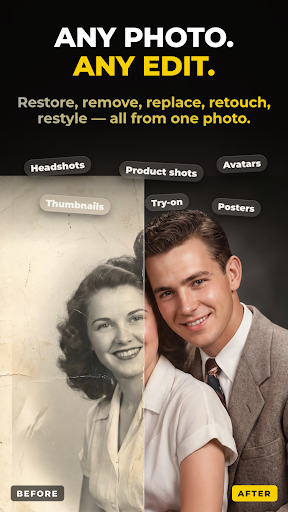
Restore old family photos. Remove strangers from the background. Turn a selfie into a professional headshot, or your pet into a 3D character. When an image turns out great, one tap animates it into video.
AI SONG — FROM A FEELING TO A FINISHED TRACK
Describe what the song is about and Vezo does the rest — lyrics, vocals, instruments, production:
• AI-written lyrics in any language — English, Turkish, Spanish and beyond
• Review and edit every lyric line before the music is made
• 40+ genres, from Pop, Hip-Hop and R&B to EDM and Orchestral
• 18 moods, auto length or 1–3 minutes
• Unique AI cover artwork and title for every song
• Real files: download the MP3 or share it anywhere
Write a birthday anthem for a friend, a lullaby in your grandmother's language, or the breakup ballad you never knew you needed.
AI TOOLS — RESCUE ANY FOOTAGE
• Object Removal — erase photobombers, logos or clutter from any video; the scene rebuilds seamlessly
• AI Extend — describe what happens next and extend any clip up to 15 seconds
▶ SEE WHAT OTHERS MADE
Open the community feed and scroll real creations with the exact prompts behind them. Steal the recipe, tweak it, make it yours.
WHY CREATORS CHOOSE VEZO
• Always current — new models added as soon as they release
• One balance — the same credits work across video, image, song and tools
• Fair by design — credits only charged when your generation succeeds
• Built for focus — fast, dark, clutter-free
Download Vezo and turn your next idea into something you can watch, post and share — before your coffee gets cold.
Tunjukkan Lagi

1. Muat turun pemasang MEmu dan selesaikan persediaan

2. Mulakan MEnu kemudian buka Google Play di desktop

3. Cari SeeDance Flow: AI Video Maker di Google Play
Install
4. Muat turun dan Pasang SeeDance Flow: AI Video Maker
5. Apabila selesai pemasangan, menekan ikon itu untuk memulakan

6. Gunakan MENu untuk mengalami SeeDance Flow: AI Video Maker pada komputer anda
MEmu Play ialah emulator Android terbaik, dengan lebih 100 juta pengguna mengalami pengalaman aplikasi Android yang unggul. Teknologi virtualisasi MEmu membolehkan anda menjalankan beribu-ribu aplikasi Android dengan lancar pada komputer anda, walaupun yang paling mencabar.
Skrin lebih besar dengan grafik yang lebih baik; Tempoh yang panjang, tanpa had bateri atau data mudah alih.
Sokongan Keymapping penuh untuk kawalan tepat papan kekunci dan tetikus atau gamepad.
Pelbagai akaun permainan atau tugas pada satu PC sekaligus dengan pengurus pelbagai contoh.
Use SeeDance Flow: AI Video Maker on PC by following steps: