Barbarian Saga: The Beastmaster
Bijgewerkt
Huidige Versie
Aangeboden door

Met al je passie voor het spelen van Barbarian Saga: The Beastmaster, zouden je handen niet beperkt moeten zijn tot een klein scherm van je telefoon. Speel als een professional en krijg volledige controle over je spel met toetsenbord en muis. MEmu biedt je alles wat je verwacht. Download en speel Barbarian Saga: The Beastmaster op PC. Speel zo lang als je wilt, geen beperkingen meer van batterij, mobiele data en storende oproepen. De gloednieuwe MEmu 9 is de beste keuze om Barbarian Saga: The Beastmaster op PC te spelen. Voorbereid met onze expertise, maakt het uitmuntende vooraf ingestelde keymapping systeem van Barbarian Saga: The Beastmaster een echt PC-spel. MEmu multi-instance manager maakt het spelen van 2 of meer accounts op hetzelfde apparaat mogelijk. En het belangrijkste, onze exclusieve emulatie-engine kan het volledige potentieel van je PC benutten, waardoor alles soepel verloopt.
Meer tonen
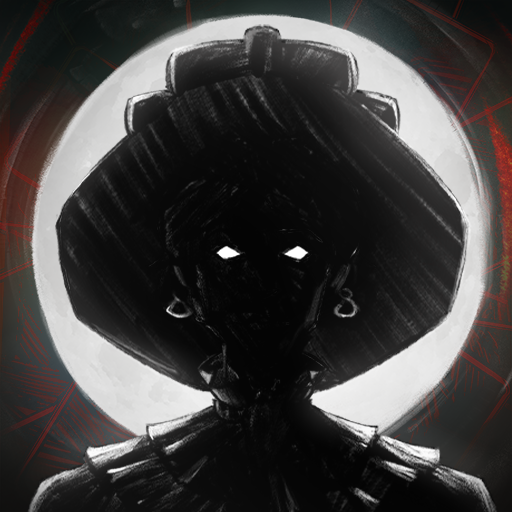
Download Barbarian Saga: The Beastmaster op je pc met de MEmu Android-emulator. Geniet van spelen op een groot scherm. After the brief peace that followed the wars of the portals that devastated the country, new winds of war threaten its inhabitants when the new king of Imperia together with the Sacred Kingdom have started a war against non-humans, using the services of one of the Last Wizards of Arborea: Trece XIII and their generals, it is the moment of the prophecy, a chosen one will unite Men and beasts to bring peace.


After the brief peace that followed the wars of the portals that devastated the country, new winds of war threaten its inhabitants when the new king of Imperia together with the Sacred Kingdom have started a war against non-humans, using the services of one of the Last Wizards of Arborea: Trece XIII and their generals, it is the moment of the prophecy, a chosen one will unite Men and beasts to bring peace.You are the last of the Beastmaster, use the souls of animals/creatures to transform and progress in the adventure.A continuous Metroidvania-style map, open new paths or unlock new routes with your Beastmaster abilities, evil and sorcery lurks in all corners.Gather beads for your ritual necklace: you will get fangs, amulets, and plant roots that will change your attacks, vitality, or Mana.Enter into a duel in the different Arenas the battle will be with a close camera and energy bars like in the classic fighting games. In the Arena you can enhance your skills and get unique items.Find new sword techniques that your old Sensei taught you, use magic potions or summons curses. Thanks to your sword, you can get the power of a god.Throughout your adventure you will find many NPCs (Non-Playing Characters) that will give more strength to the narrative of the story, dealing with them will open the possibility of knowing new missions, arcs (as in an Anime series) and complete different endings.
Meer tonen

1. Download de MEmu-installatie en voltooi de setup

2. Start MEmu en open vervolgens Google Play op het bureaublad

3. Zoek Barbarian Saga: The Beastmaster in Google Play
Install
4. Download en installeer Barbarian Saga: The Beastmaster
5. Klik op het icoon om te starten na het voltooien van de installatie

6. Geniet van het spelen van Barbarian Saga: The Beastmaster op PC met MEmu
MEmu Play is de beste Android Emulator en 100 miljoen mensen genieten al van de superieure Android-game-ervaring. De virtualisatietechnologie van MEmu stelt je in staat om duizenden Android-spellen soepel op je PC te spelen, zelfs de meest grafisch intensieve.
Groter scherm met betere graphics; Lange duur, zonder beperking van batterij of mobiele data.
Volledige Keymapping-ondersteuning voor nauwkeurige besturing van toetsenbord en muis of gamepad.
Meerdere game-accounts of taken op één PC tegelijk met Multi-Instance manager.
Speel Barbarian Saga: The Beastmaster op PC door de volgende stappen te volgen: