Barbarian Saga: The Beastmaster
Updated
Current Version
Offered By

With your passion for Barbarian Saga: The Beastmaster, you shouldn’t have to limit yourself to the small screen of a phone. Play like a pro and take full control of the game using a keyboard and mouse. MEmu gives you everything you’re looking for. Download and play Barbarian Saga: The Beastmaster on PC. Play as long as you want — no more worries about battery life, mobile data, or unexpected calls. The all-new MEmu 9 is the best way to play Barbarian Saga: The Beastmaster on PC. With our expertly designed keymapping system, Barbarian Saga: The Beastmaster feels just like a real PC game. The MEmu multi-instance manager lets you run two or more accounts on the same device at the same time. Most importantly, our exclusive emulation engine unlocks your PC’s full potential, delivering smooth and seamless performance.
Show more
Download Barbarian Saga: The Beastmaster on PC with MEmu Android Emulator. Enjoy playing on big screen. After the brief peace that followed the wars of the portals that devastated the country, new winds of war threaten its inhabitants when the new king of Imperia together with the Sacred Kingdom have started a war against non-humans, using the services of one of the Last Wizards of Arborea: Trece XIII and their generals, it is the moment of the prophecy, a chosen one will unite Men and beasts to bring peace.
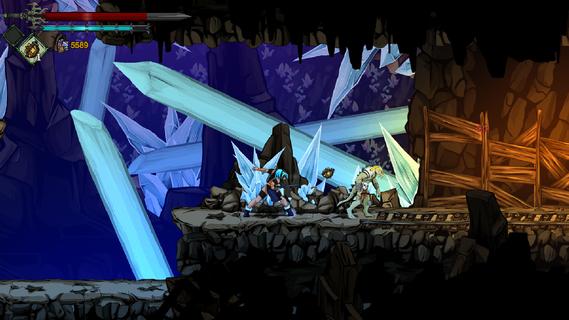
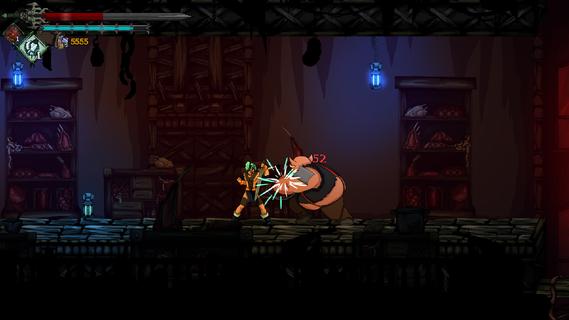
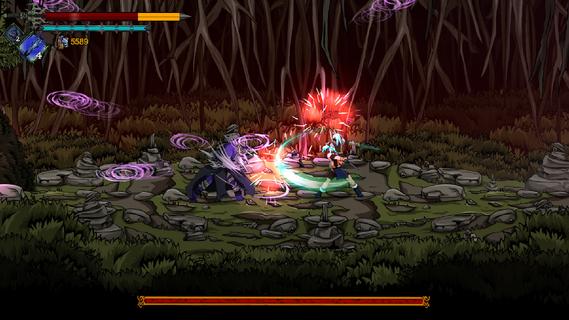
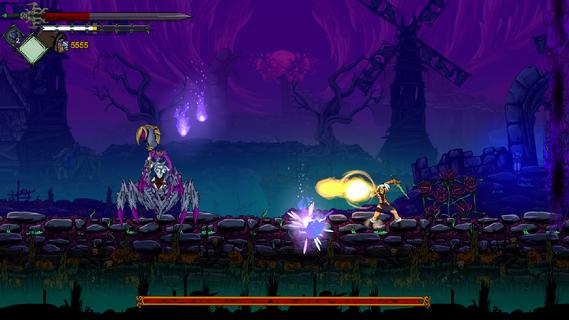
After the brief peace that followed the wars of the portals that devastated the country, new winds of war threaten its inhabitants when the new king of Imperia together with the Sacred Kingdom have started a war against non-humans, using the services of one of the Last Wizards of Arborea: Trece XIII and their generals, it is the moment of the prophecy, a chosen one will unite Men and beasts to bring peace. You are the last of the Beastmaster, use the souls of animals/creatures to transform and progress in the adventure. A continuous Metroidvania-style map, open new paths or unlock new routes with your Beastmaster abilities, evil and sorcery lurks in all corners. Gather beads for your ritual necklace: you will get fangs, amulets, and plant roots that will change your attacks, vitality, or Mana. Enter into a duel in the different Arenas the battle will be with a close camera and energy bars like in the classic fighting games. In the Arena you can enhance your skills and get unique items. Find new sword techniques that your old Sensei taught you, use magic potions or summons curses. Thanks to your sword, you can get the power of a god. Throughout your adventure you will find many NPCs (Non-Playing Characters) that will give more strength to the narrative of the story, dealing with them will open the possibility of knowing new missions, arcs (as in an Anime series) and complete different endings.
Show more

1. Download MEmu installer and finish the setup

2. Start MEmu then open Google Play on the desktop

3. Search Barbarian Saga: The Beastmaster in Google Play
Install
4. Download and Install Barbarian Saga: The Beastmaster
5. On install completion click the icon to start

6. Enjoy playing Barbarian Saga: The Beastmaster on PC with MEmu
MEmu Play is the best Android emulator and 100 million people already enjoy its superb Android gaming experience. The MEmu virtualization technology empowers you to play thousands of Android games smoothly on your PC, even the most graphic-intensive ones.
Bigger screen with better graphics; Long duration, without limitation of battery or mobile data.
Full Keymapping support for precise control of keyboard and mouse or gamepad.
Multiple game accounts or tasks on single PC at one time with Multi-Instance manager.
Play Barbarian Saga: The Beastmaster on PC by following steps: