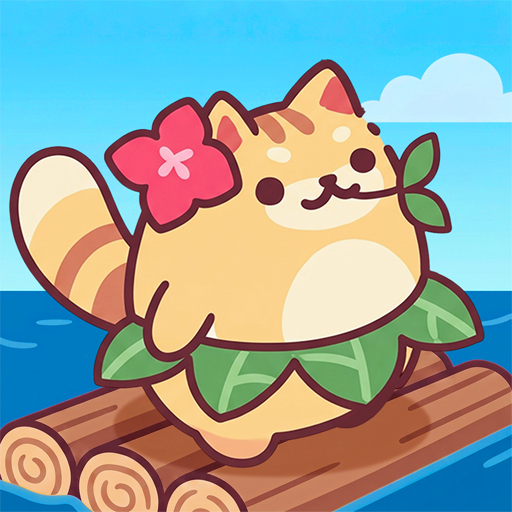
Cat Island: Idle Tycoon Game
Bijgewerkt
Huidige Versie
1.0.5
Aangeboden door

Met al je passie voor het spelen van Cat Island: Idle Tycoon Game, zouden je handen niet beperkt moeten zijn tot een klein scherm van je telefoon. Speel als een professional en krijg volledige controle over je spel met toetsenbord en muis. MEmu biedt je alles wat je verwacht. Download en speel Cat Island: Idle Tycoon Game op PC. Speel zo lang als je wilt, geen beperkingen meer van batterij, mobiele data en storende oproepen. De gloednieuwe MEmu 9 is de beste keuze om Cat Island: Idle Tycoon Game op PC te spelen. Voorbereid met onze expertise, maakt het uitmuntende vooraf ingestelde keymapping systeem van Cat Island: Idle Tycoon Game een echt PC-spel. MEmu multi-instance manager maakt het spelen van 2 of meer accounts op hetzelfde apparaat mogelijk. En het belangrijkste, onze exclusieve emulatie-engine kan het volledige potentieel van je PC benutten, waardoor alles soepel verloopt.
Meer tonen
Download Cat Island: Idle Tycoon Game op je pc met de MEmu Android-emulator. Geniet van spelen op een groot scherm. Welkom in een wereld van smaragdgroene zeeën en kalme golven!
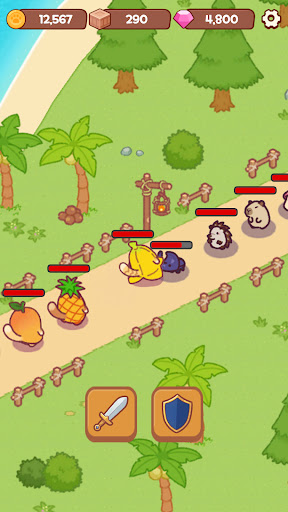
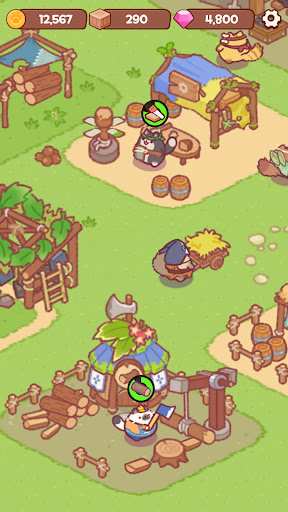
Welkom in een wereld van smaragdgroene zeeën en kalme golven!
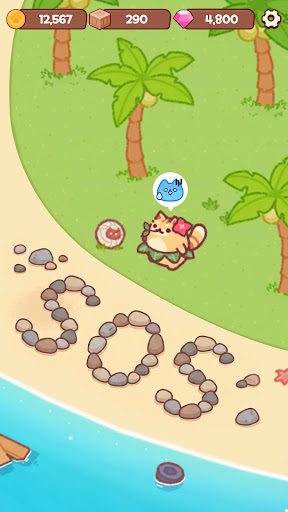
Verander een rustig, verlaten eiland in het ultieme paradijs voor katten!
Neem even een pauze van je drukke dagelijkse leven en begin je avontuur in deze ontspannende eiland-management simulatie waarin je je eiland kunt inrichten.
Bouw een dorp met je kattenvrienden!
Kijk hoe schattige kattenbewoners rondrennen op het ooit lege eiland en druk bezig zijn met hun werk.
Verzamel schelpen, pluk vers fruit en bouw een prachtig dierendorp!
Hoe meer je je eiland inricht en ontwikkelt, hoe meer katten er op bezoek komen.
Perfecte ontspanning om je stress te laten verdwijnen
Hoe leven onze katten op het eiland?
Kijk hoe ze ontspannen door akoestische gitaar te spelen onder de palmbomen of een vredig dutje te doen in de zon.
Ervaar een ontspannen leven dat je gemoedsrust geeft, alleen al door ernaar te kijken.
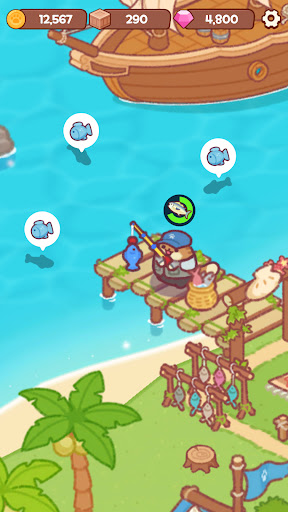
Leuke vis-minigames en oceaanavonturen!
Geniet van vis-minigames aan het strand en vaar de zee op voor een groots avontuur om nieuwe grondstoffen te verzamelen!
Er valt altijd wel iets leuks te ontdekken op je eiland.
Geen data nodig! Een offline idle tycoon
Zelfs als je slaapt, gaat het eilandmanagement van de katten gewoon door!
Op zoek naar een offline singleplayer game die je zonder data kunt spelen?
Log op elk gewenst moment in om de overvloedige beloningen op te halen die ze voor je hebben verzameld terwijl je weg was!
Sterk aanbevolen voor:
Kattenliefhebbers en iedereen die dol is op schattige dieren!
Spelers die geïnteresseerd zijn in het bouwen van een eiland, het creëren van een dorp en het decoreren ervan!
Fans van leuke minigames zoals vissen, verzamelen en verkennen!
Liefhebbers van healing games, idle clickers, farming en management tycoons!
Iedereen die op zoek is naar een gratis offline singleplayer game om zonder wifi te spelen!
De blauwe zee en schattige katten wachten op je op het eiland.
Download 'Cat Island' nu en begin met het bouwen van je eigen paradijs!
-----
Ondersteuning: support@neptunecompany.kr
Gebruiksvoorwaarden: https://neptunecompany.kr/gameterms
Privacybeleid: https://neptunecompany.kr/gameprivacy
Meer tonen

1. Download de MEmu-installatie en voltooi de setup

2. Start MEmu en open vervolgens Google Play op het bureaublad

3. Zoek Cat Island: Idle Tycoon Game in Google Play
Install
4. Download en installeer Cat Island: Idle Tycoon Game
5. Klik op het icoon om te starten na het voltooien van de installatie

6. Geniet van het spelen van Cat Island: Idle Tycoon Game op PC met MEmu
MEmu Play is de beste Android Emulator en 100 miljoen mensen genieten al van de superieure Android-game-ervaring. De virtualisatietechnologie van MEmu stelt je in staat om duizenden Android-spellen soepel op je PC te spelen, zelfs de meest grafisch intensieve.
Groter scherm met betere graphics; Lange duur, zonder beperking van batterij of mobiele data.
Volledige Keymapping-ondersteuning voor nauwkeurige besturing van toetsenbord en muis of gamepad.
Meerdere game-accounts of taken op één PC tegelijk met Multi-Instance manager.
Speel Cat Island: Idle Tycoon Game op PC door de volgende stappen te volgen: