Cat Island: Idle Tycoon Game
Updated
Current Version
1.0.5
Offered By

With your passion for Cat Island: Idle Tycoon Game, you shouldn’t have to limit yourself to the small screen of a phone. Play like a pro and take full control of the game using a keyboard and mouse. MEmu gives you everything you’re looking for. Download and play Cat Island: Idle Tycoon Game on PC. Play as long as you want — no more worries about battery life, mobile data, or unexpected calls. The all-new MEmu 9 is the best way to play Cat Island: Idle Tycoon Game on PC. With our expertly designed keymapping system, Cat Island: Idle Tycoon Game feels just like a real PC game. The MEmu multi-instance manager lets you run two or more accounts on the same device at the same time. Most importantly, our exclusive emulation engine unlocks your PC’s full potential, delivering smooth and seamless performance.
Show more
Download Cat Island: Idle Tycoon Game on PC with MEmu Android Emulator. Enjoy playing on big screen. Welcome to a world of emerald seas and soothing waves!
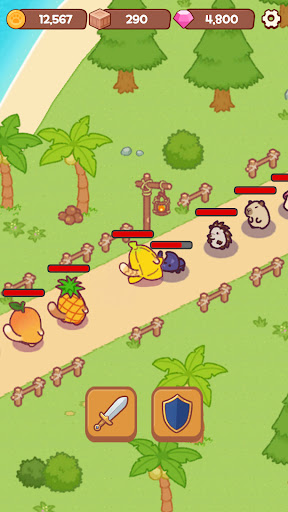
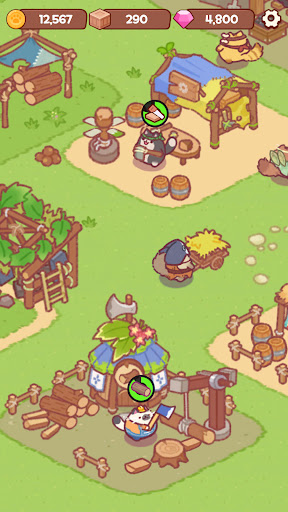
Welcome to a world of emerald seas and soothing waves!
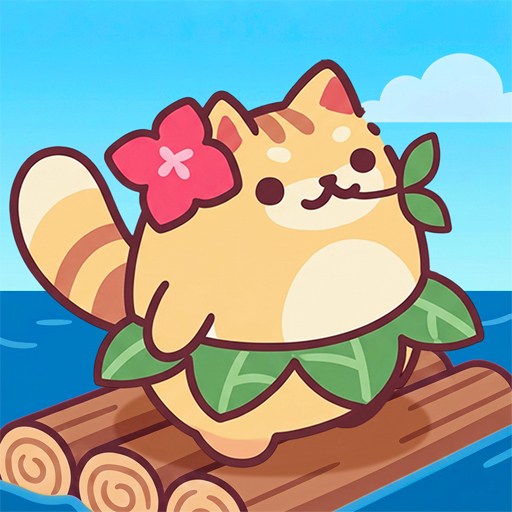
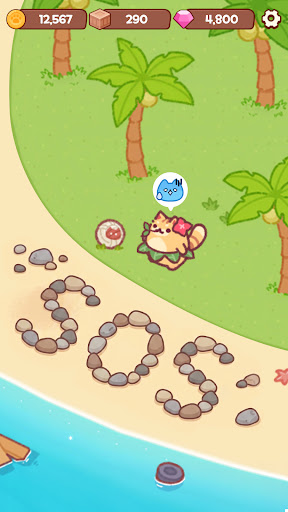
Transform a quiet, deserted island into the ultimate paradise for cats!
Take a break from your busy daily life and start your journey in this relaxing island-decorating management simulation.
Build a Village with Your Cat Friends!
Watch as cute cat villagers scurry around the once-empty island, busy at work.
Collect seashells, gather fresh fruits, and build a wonderful animal village!
The more you decorate and develop your island, the more cats will come to visit.
Perfect Healing to Melt Your Stress Away
How do our cats live on the island?
Watch them relax by playing the acoustic guitar under the palm trees or taking peaceful naps in the sun.
Experience a casual, relaxing life that brings you peace of mind just by looking at it.
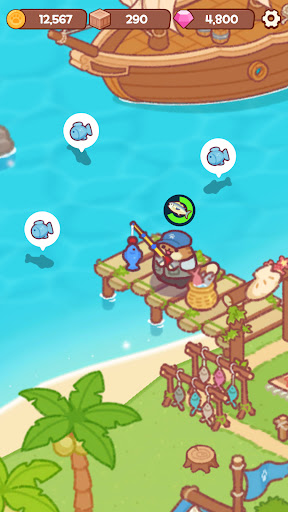
Fun Fishing Mini-Games and Ocean Adventures!
Enjoy fishing mini-games by the beach, and set sail on a boat for a grand ocean adventure to collect new resources!
There's always a little joy to be found exploring every corner of your island.
No Data Needed! An Offline Idle Tycoon
Even while you're asleep, the cats' island management never stops!
Looking for an offline single-player game you can enjoy without data?
Log in anytime to claim the abundant rewards they've gathered for you while you were away!
Highly Recommended for:
Cat lovers and anyone who adores cute animals!
Players interested in island crafting, village building, and decorating!
Fans of fun mini-games like fishing, collecting, and exploring!
Those who love healing games, idle clickers, farming, and management tycoons!
Anyone seeking a free offline single-player game to play without Wi-Fi!
The blue sea and adorable cats are waiting for you on the island.
Download 'Cat Island' right now and start building your very own paradise!
-----
Support: support@neptunecompany.kr
Terms of Service: https://neptunecompany.kr/gameterms
Privacy Policy: https://neptunecompany.kr/gameprivacy
Show more

1. Download MEmu installer and finish the setup

2. Start MEmu then open Google Play on the desktop

3. Search Cat Island: Idle Tycoon Game in Google Play
Install
4. Download and Install Cat Island: Idle Tycoon Game
5. On install completion click the icon to start

6. Enjoy playing Cat Island: Idle Tycoon Game on PC with MEmu
MEmu Play is the best Android emulator and 100 million people already enjoy its superb Android gaming experience. The MEmu virtualization technology empowers you to play thousands of Android games smoothly on your PC, even the most graphic-intensive ones.
Bigger screen with better graphics; Long duration, without limitation of battery or mobile data.
Full Keymapping support for precise control of keyboard and mouse or gamepad.
Multiple game accounts or tasks on single PC at one time with Multi-Instance manager.
Play Cat Island: Idle Tycoon Game on PC by following steps: