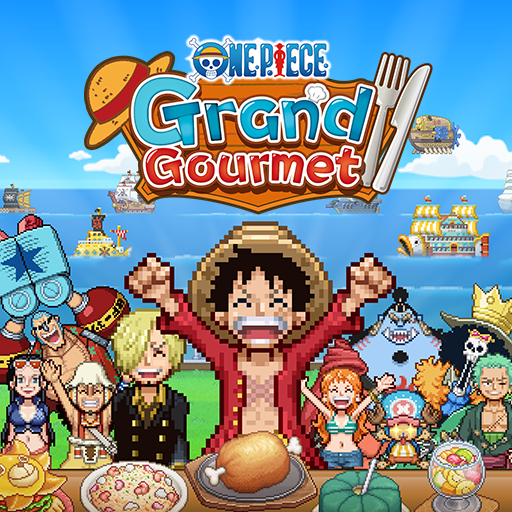
ONE PIECE: Grand Gourmet
Bijgewerkt
Huidige Versie
Aangeboden door

Met al je passie voor het spelen van ONE PIECE: Grand Gourmet, zouden je handen niet beperkt moeten zijn tot een klein scherm van je telefoon. Speel als een professional en krijg volledige controle over je spel met toetsenbord en muis. MEmu biedt je alles wat je verwacht. Download en speel ONE PIECE: Grand Gourmet op PC. Speel zo lang als je wilt, geen beperkingen meer van batterij, mobiele data en storende oproepen. De gloednieuwe MEmu 9 is de beste keuze om ONE PIECE: Grand Gourmet op PC te spelen. Voorbereid met onze expertise, maakt het uitmuntende vooraf ingestelde keymapping systeem van ONE PIECE: Grand Gourmet een echt PC-spel. MEmu multi-instance manager maakt het spelen van 2 of meer accounts op hetzelfde apparaat mogelijk. En het belangrijkste, onze exclusieve emulatie-engine kan het volledige potentieel van je PC benutten, waardoor alles soepel verloopt.
Meer tonen
Download ONE PIECE: Grand Gourmet op je pc met de MEmu Android-emulator. Geniet van spelen op een groot scherm. ONE PIECE comes to life as a restaurant management sim game!
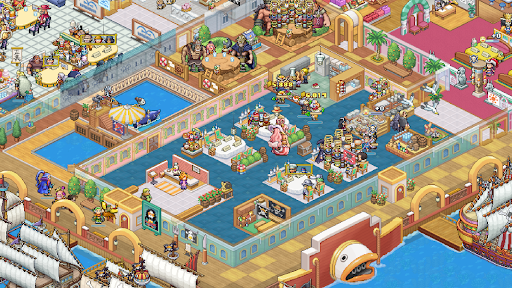
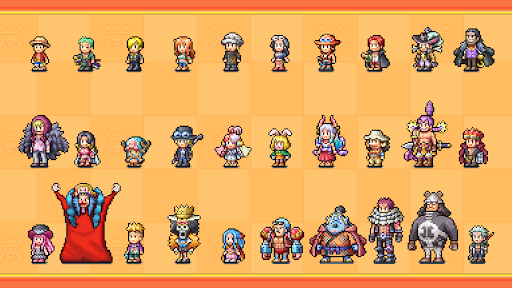
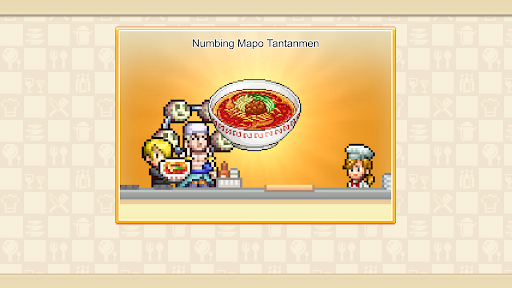
ONE PIECE comes to life as a restaurant management sim game!
As a new staff member, work alongside the Straw Hat Crew to turn the second location of the renowned Baratie floating restaurant into the greatest restaurant of the seas!
-Dish Out a Signature Menu
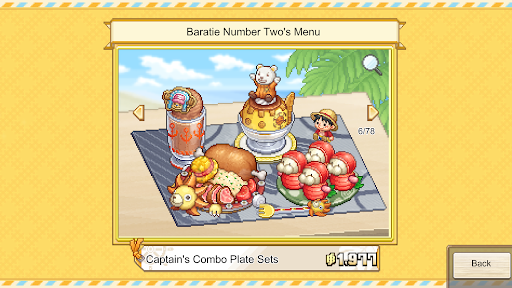
Get inspired by characters' ideas, choose your ingredients, and work with Sanji to cook delicious dishes. Arrange them into unique meal sets by adding different flourishes, then adventure to find even more recipes! From iconic series favorites like Water-Water Meat BBQ and Sea King Penne Gorgonzola to special creations that harness the powers of Devil Fruits, a treasure trove of dishes awaits.
-Design A Tasteful Interior
Choose from over 200 furniture, building, and decorative items to make your restaurant uniquely yours! From dessert-themed Whole Cake Island pieces to futuristic Egghead items, the customization options are as vast as the sea. If a character likes your design, they may even become a regular!
-Table for 400
From the Straw Hat Crew and beyond, over 400 ONE PIECE characters appear as staff and customers in a spritely pixel style for the first time in a game! With so many characters, you'll experience character events and special character interactions that can’t be found anywhere else.
Bandai Namco Entertainment Inc. Website:
https://bandainamcoent.co.jp/english/
SUPPORT:
https://bnfaq.channel.or.jp/title/3388
Bandai Namco Entertainment Inc. Website:
https://bandainamcoent.co.jp/english/
By downloading or installing this app, you agree to the Bandai Namco Entertainment Terms of Service.
Terms of Service:
https://legal.bandainamcoent.co.jp/terms/
Privacy Policy:
https://legal.bandainamcoent.co.jp/privacy/
This application is distributed under the official rights from the license holder.
©Eiichiro Oda/Shueisha, Toei Animation
©Bandai Namco Entertainment Inc.
Developed by Kairosoft
Meer tonen

1. Download de MEmu-installatie en voltooi de setup

2. Start MEmu en open vervolgens Google Play op het bureaublad

3. Zoek ONE PIECE: Grand Gourmet in Google Play
Install
4. Download en installeer ONE PIECE: Grand Gourmet
5. Klik op het icoon om te starten na het voltooien van de installatie

6. Geniet van het spelen van ONE PIECE: Grand Gourmet op PC met MEmu
MEmu Play is de beste Android Emulator en 100 miljoen mensen genieten al van de superieure Android-game-ervaring. De virtualisatietechnologie van MEmu stelt je in staat om duizenden Android-spellen soepel op je PC te spelen, zelfs de meest grafisch intensieve.
Groter scherm met betere graphics; Lange duur, zonder beperking van batterij of mobiele data.
Volledige Keymapping-ondersteuning voor nauwkeurige besturing van toetsenbord en muis of gamepad.
Meerdere game-accounts of taken op één PC tegelijk met Multi-Instance manager.
Speel ONE PIECE: Grand Gourmet op PC door de volgende stappen te volgen: