ONE PIECE: Grand Gourmet
Updated
Current Version
Offered By

With your passion for ONE PIECE: Grand Gourmet, you shouldn’t have to limit yourself to the small screen of a phone. Play like a pro and take full control of the game using a keyboard and mouse. MEmu gives you everything you’re looking for. Download and play ONE PIECE: Grand Gourmet on PC. Play as long as you want — no more worries about battery life, mobile data, or unexpected calls. The all-new MEmu 9 is the best way to play ONE PIECE: Grand Gourmet on PC. With our expertly designed keymapping system, ONE PIECE: Grand Gourmet feels just like a real PC game. The MEmu multi-instance manager lets you run two or more accounts on the same device at the same time. Most importantly, our exclusive emulation engine unlocks your PC’s full potential, delivering smooth and seamless performance.
Show more
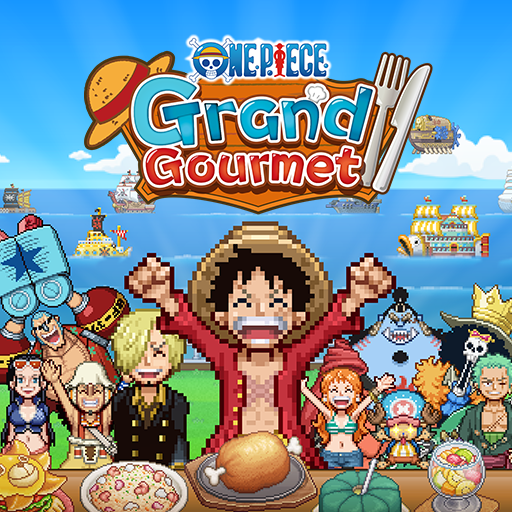
Download ONE PIECE: Grand Gourmet on PC with MEmu Android Emulator. Enjoy playing on big screen. ONE PIECE comes to life as a restaurant management sim game!
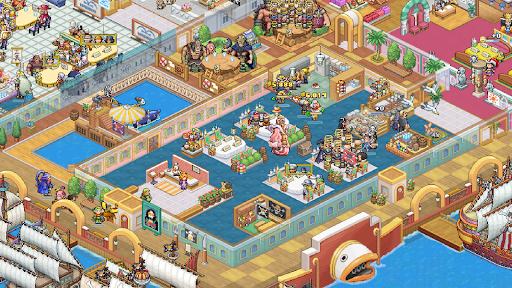
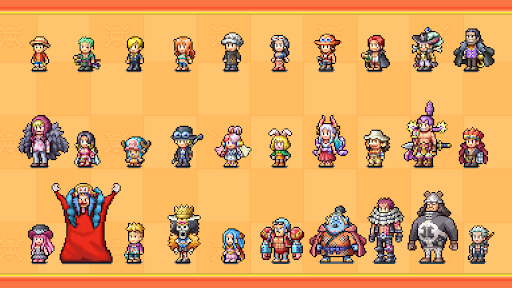
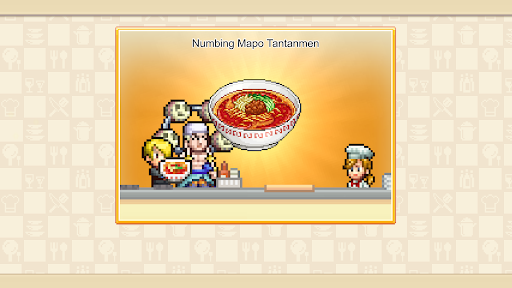
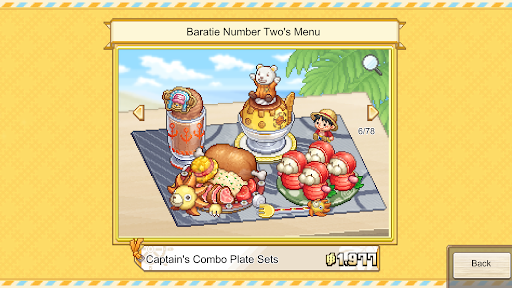
ONE PIECE comes to life as a restaurant management sim game!
As a new staff member, work alongside the Straw Hat Crew to turn the second location of the renowned Baratie floating restaurant into the greatest restaurant of the seas!
-Dish Out a Signature Menu
Get inspired by characters' ideas, choose your ingredients, and work with Sanji to cook delicious dishes. Arrange them into unique meal sets by adding different flourishes, then adventure to find even more recipes! From iconic series favorites like Water-Water Meat BBQ and Sea King Penne Gorgonzola to special creations that harness the powers of Devil Fruits, a treasure trove of dishes awaits.
-Design A Tasteful Interior
Choose from over 200 furniture, building, and decorative items to make your restaurant uniquely yours! From dessert-themed Whole Cake Island pieces to futuristic Egghead items, the customization options are as vast as the sea. If a character likes your design, they may even become a regular!
-Table for 400
From the Straw Hat Crew and beyond, over 400 ONE PIECE characters appear as staff and customers in a spritely pixel style for the first time in a game! With so many characters, you'll experience character events and special character interactions that can’t be found anywhere else.
Bandai Namco Entertainment Inc. Website:
https://bandainamcoent.co.jp/english/
SUPPORT:
https://bnfaq.channel.or.jp/title/3388
Bandai Namco Entertainment Inc. Website:
https://bandainamcoent.co.jp/english/
By downloading or installing this app, you agree to the Bandai Namco Entertainment Terms of Service.
Terms of Service:
https://legal.bandainamcoent.co.jp/terms/
Privacy Policy:
https://legal.bandainamcoent.co.jp/privacy/
This application is distributed under the official rights from the license holder.
©Eiichiro Oda/Shueisha, Toei Animation
©Bandai Namco Entertainment Inc.
Developed by Kairosoft
Show more

1. Download MEmu installer and finish the setup

2. Start MEmu then open Google Play on the desktop

3. Search ONE PIECE: Grand Gourmet in Google Play
Install
4. Download and Install ONE PIECE: Grand Gourmet
5. On install completion click the icon to start

6. Enjoy playing ONE PIECE: Grand Gourmet on PC with MEmu
MEmu Play is the best Android emulator and 100 million people already enjoy its superb Android gaming experience. The MEmu virtualization technology empowers you to play thousands of Android games smoothly on your PC, even the most graphic-intensive ones.
Bigger screen with better graphics; Long duration, without limitation of battery or mobile data.
Full Keymapping support for precise control of keyboard and mouse or gamepad.
Multiple game accounts or tasks on single PC at one time with Multi-Instance manager.
Play ONE PIECE: Grand Gourmet on PC by following steps: