Palia
Bijgewerkt
Huidige Versie
Aangeboden door

Met al je passie voor het spelen van Palia, zouden je handen niet beperkt moeten zijn tot een klein scherm van je telefoon. Speel als een professional en krijg volledige controle over je spel met toetsenbord en muis. MEmu biedt je alles wat je verwacht. Download en speel Palia op PC. Speel zo lang als je wilt, geen beperkingen meer van batterij, mobiele data en storende oproepen. De gloednieuwe MEmu 9 is de beste keuze om Palia op PC te spelen. Voorbereid met onze expertise, maakt het uitmuntende vooraf ingestelde keymapping systeem van Palia een echt PC-spel. MEmu multi-instance manager maakt het spelen van 2 of meer accounts op hetzelfde apparaat mogelijk. En het belangrijkste, onze exclusieve emulatie-engine kan het volledige potentieel van je PC benutten, waardoor alles soepel verloopt.
Meer tonen
Download Palia op je pc met de MEmu Android-emulator. Geniet van spelen op een groot scherm. Welcome to Palia, The Fantasy Life Sim Adventure For You and Your Friends!
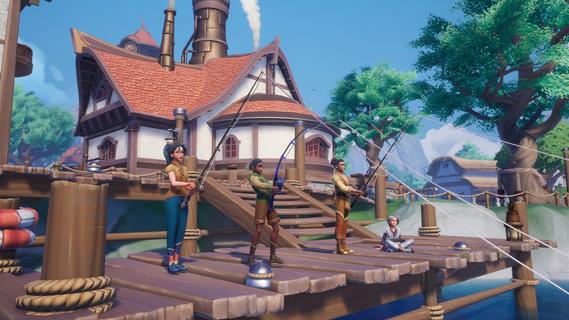
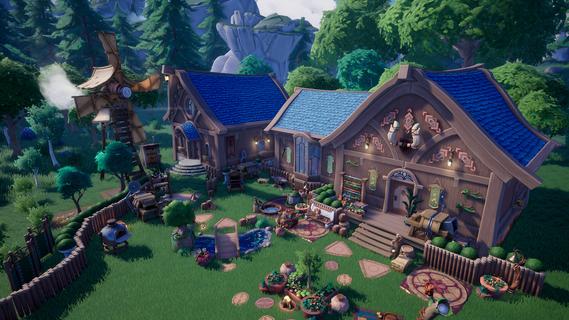
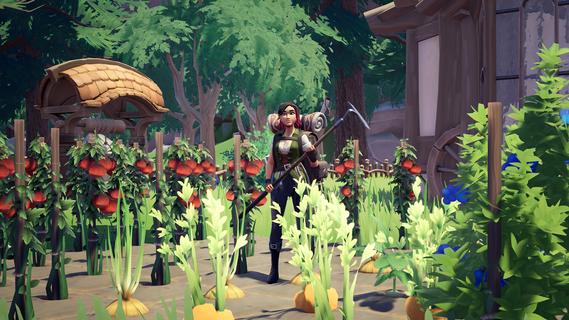
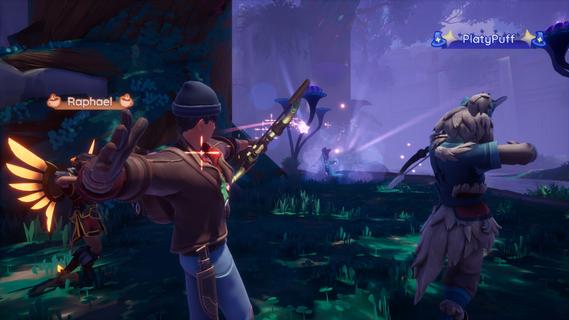
Welcome to Palia, The Fantasy Life Sim Adventure For You and Your Friends!Discover a welcoming world in Palia, a free-to-play fantasy life sim adventure where you can craft, explore, and create the life and home of your dreams. With nearly endless ways to make Palia your home, youâll find relaxation and joy in every corner of this vibrant, heartwarming world.Live Your Fantasy Dream LifeDive into a world rich with adventure and lore. Complete quests that reveal the secrets of Ancient Humans, deepen your connections with Paliaâs Villagers, raise adorable animal companions on your Ranch, and help shape the story around you.Craft, Build, and Make Memories TogetherDesign your ideal space with near limitless possibilities! Craft items, place Building Blocks, and landscape with Yardwork Decor to create a home thatâs uniquely yours, both inside and out. Display your creativity and join Home Tours to get inspired by the community's incredible designs.Journey to the Royal Highlands, a Land of Ancient MajestyStep into the Royal Highlands, a sprawling region surrounding the ruins of an ancient palace lost to time. Meet new Villagers, encounter unique flora and fauna, and uncover long-forgotten secrets hidden across these beautiful, sun-kissed lands.Saddle Up for New AdventuresMeet your very own horse and journey side by side across Paliaâs gorgeous landscapes where every mounted adventure becomes faster, farther, and full of possibilities.Discover the Secrets of Elderwood, an Ancient Magical ForestExplore a dense, magical forest filled with surprises around every corner. Discover new artifacts, creatures, insects, and more when you unveil Elderwood's mysteries with friends.A World That Grows With YouPalia changes and evolves throughout the year with seasonal updates and celebrations. Each season brings new adventures, Bulletin Board quests, community events, progression paths, and surprises to enjoy with friends. Between fall and winter to spring and summer, thereâs always something fresh to enjoy that will keep you coming back.Build Lasting RelationshipsGrow meaningful relationships with lovable Villagers or team up with fellow adventurers for unforgettable journeys. Chill out by collecting and trading irresistibly adorable Plushies, Potato Pods, and Stickers, fostering friendships one collectible at a time.Explore, Gather, and ThriveWander through Kilima Valley, Bahari Bay, the Elderwood, and the Royal Highlands to gather rare insects, forage for ingredients, and enjoy the scenic beauty of Palia. Tend to your home plot, nurture your garden, and live your dream life.Your Adventure, Your WayWhether solo or with friends, Palia is a place where youâre always welcome. Discover a cozy community filled with new friends, enchanting magic, shared adventures, and endless charm.
Meer tonen

1. Download de MEmu-installatie en voltooi de setup

2. Start MEmu en open vervolgens Google Play op het bureaublad

3. Zoek Palia in Google Play
Install
4. Download en installeer Palia
5. Klik op het icoon om te starten na het voltooien van de installatie

6. Geniet van het spelen van Palia op PC met MEmu
MEmu Play is de beste Android Emulator en 100 miljoen mensen genieten al van de superieure Android-game-ervaring. De virtualisatietechnologie van MEmu stelt je in staat om duizenden Android-spellen soepel op je PC te spelen, zelfs de meest grafisch intensieve.
Groter scherm met betere graphics; Lange duur, zonder beperking van batterij of mobiele data.
Volledige Keymapping-ondersteuning voor nauwkeurige besturing van toetsenbord en muis of gamepad.
Meerdere game-accounts of taken op één PC tegelijk met Multi-Instance manager.
Speel Palia op PC door de volgende stappen te volgen: