
Palia
อัปเดตเมื่อ
เวอร์ชันปัจจุบัน
ให้บริการโดย

เวลาคุณเล่น Palia, คุณอาจรู้สึกว่ามือคุณอาจบังจอแล้วทำให้ไม่ได้เล่นแบบเต็มที่. เล่นแบบไร้ขีดจำกัดด้วยเม้าส์และคีย์บอร์ด. MEmu มีตัวเลือกหลายอย่างให้คุณใช้งานเกมที่คุณเล่นแบบที่คุณต้องการ. ดาวน์โหลดและเล่น Palia บน PC. เล่นนานแค่ไหนก็ได้, ไม่ต้องชาร์จแบตเตอรี่, หรือเจอคนโทรเข้ามาระหว่างเล่น. MEmu 9 เป็นตัวเลือกสำหรับการเล่น Palia บน PC. ทางทีมงานเราได้ปรับแต่งเกม, ปรับให้เล่นเกมบางเกมได้เหมือนเล่น Palia เป็นเกม PC เช่นเล็งด้วยเม้าส์หรือใช้คีย์บอร์ด. ระบบของเรายังทำให้คุณสามารถเปิดเล่นได้มากกว่า 2 เกมพร้อมๆกันในคอมของคุณ. และที่สำคัญที่สุด, ระบบโปรแกรมของเราสามารถทำให้คุณใช้ระบบของ PC ทำให้เกมลื่นเหมือนกับใช้โทรศัพท์รุ่นล่าสุด. เราไม่ได้ดูแลเรื่องการเล่นเกม, แต่เราดูแลถึงความสนุกสนานที่คุณได้จากการเล่นด้วย.
แสดงเพิ่มเติม
ดาวน์โหลด Palia บน PC ด้วย MEmu Android Emulator สนุกกับการเล่นบนหน้าจอขนาดใหญ่ Welcome to Palia, The Fantasy Life Sim Adventure For You and Your Friends!
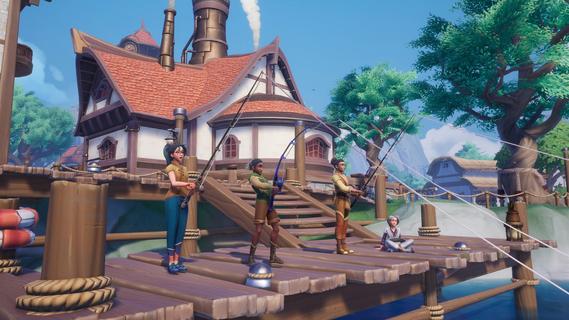
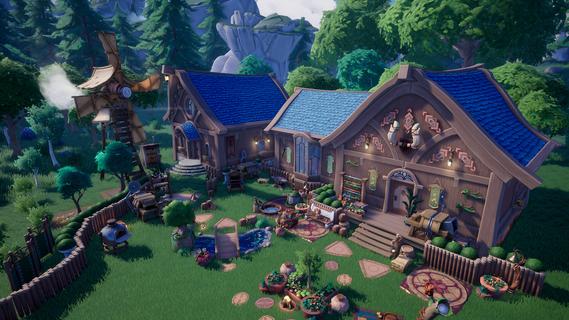
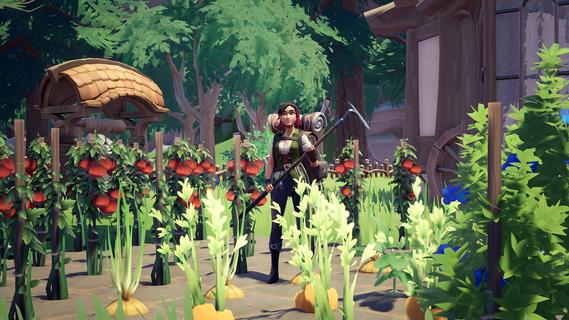
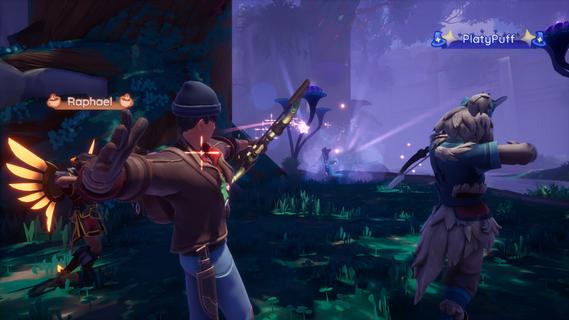
Welcome to Palia, The Fantasy Life Sim Adventure For You and Your Friends!Discover a welcoming world in Palia, a free-to-play fantasy life sim adventure where you can craft, explore, and create the life and home of your dreams. With nearly endless ways to make Palia your home, youâll find relaxation and joy in every corner of this vibrant, heartwarming world.Live Your Fantasy Dream LifeDive into a world rich with adventure and lore. Complete quests that reveal the secrets of Ancient Humans, deepen your connections with Paliaâs Villagers, raise adorable animal companions on your Ranch, and help shape the story around you.Craft, Build, and Make Memories TogetherDesign your ideal space with near limitless possibilities! Craft items, place Building Blocks, and landscape with Yardwork Decor to create a home thatâs uniquely yours, both inside and out. Display your creativity and join Home Tours to get inspired by the community's incredible designs.Journey to the Royal Highlands, a Land of Ancient MajestyStep into the Royal Highlands, a sprawling region surrounding the ruins of an ancient palace lost to time. Meet new Villagers, encounter unique flora and fauna, and uncover long-forgotten secrets hidden across these beautiful, sun-kissed lands.Saddle Up for New AdventuresMeet your very own horse and journey side by side across Paliaâs gorgeous landscapes where every mounted adventure becomes faster, farther, and full of possibilities.Discover the Secrets of Elderwood, an Ancient Magical ForestExplore a dense, magical forest filled with surprises around every corner. Discover new artifacts, creatures, insects, and more when you unveil Elderwood's mysteries with friends.A World That Grows With YouPalia changes and evolves throughout the year with seasonal updates and celebrations. Each season brings new adventures, Bulletin Board quests, community events, progression paths, and surprises to enjoy with friends. Between fall and winter to spring and summer, thereâs always something fresh to enjoy that will keep you coming back.Build Lasting RelationshipsGrow meaningful relationships with lovable Villagers or team up with fellow adventurers for unforgettable journeys. Chill out by collecting and trading irresistibly adorable Plushies, Potato Pods, and Stickers, fostering friendships one collectible at a time.Explore, Gather, and ThriveWander through Kilima Valley, Bahari Bay, the Elderwood, and the Royal Highlands to gather rare insects, forage for ingredients, and enjoy the scenic beauty of Palia. Tend to your home plot, nurture your garden, and live your dream life.Your Adventure, Your WayWhether solo or with friends, Palia is a place where youâre always welcome. Discover a cozy community filled with new friends, enchanting magic, shared adventures, and endless charm.
แสดงเพิ่มเติม

1. ดาวน์โหลดตัวติดตั้ง MEmu และสิ้นสุดการติดตั้ง

2. เริ่ม MEmu จากนั้นเปิด Google Play บนหน้าแรก

3. ค้นหา Palia ใน Google Play
Install
4. ดาวน์โหลดและติดตั้ง Palia
5. เมื่อติดตั้งเสร็จให้คลิกที่ไอคอนเพื่อเริ่มใช้งาน

6. สนุกกับการเล่น Palia บนพีซีด้วย MEmu
MEmu App Player เป็นอีมูเลเตอร์ Android ที่ดีที่สุดและผู้คนกว่า 50 ล้านคนเพลิดเพลินไปกับประสบการณ์การเล่นเกม Android ที่ยอดเยี่ยม เทคโนโลยีการจำลองเสมือนของ MEmu ช่วยให้คุณเล่นเกม Android หลายพันเกมได้อย่างราบรื่นบนพีซีของคุณแม้แต่เกมที่ต้องใช้กราฟิกมากที่สุด
จอใหญ่และกราฟฟิกสวยกว่า; เล่นได้นาน, ไม่ต้องใช้แบตเตอรี่โทรศัพท์หรือเน็ตโทรศัพท์.
ระบบปรับแต่งปุ่มคีย์บอร์ดและเม้าส์ตามที่คุณเลือก
เล่นมากกว่าหนึ่งเกมบน PC ในเวลาเดียวกันด้วยระบบหลายจอหรือ Multi-Instance manager.
Play Palia on PC by following steps:


























![[ไกด์เกม] CookieRun Classic แนะนำ 5 คุกกี้น่าปั้น น่าลงทุน ที่มือใหม่ห้ามพลาด! (เล่นบน PC ผ่าน MEmu ให้ลื่นสุด ๆ) PC](https://www.memuplay.com/blog/wp-content/uploads/2026/08/579c01ab-a953-45b3-8115-9b6279b7d6f9.png)