
Slime Rancher
Bijgewerkt
Huidige Versie
1.1.1103
Aangeboden door

Met al je passie voor het spelen van Slime Rancher, zouden je handen niet beperkt moeten zijn tot een klein scherm van je telefoon. Speel als een professional en krijg volledige controle over je spel met toetsenbord en muis. MEmu biedt je alles wat je verwacht. Download en speel Slime Rancher op PC. Speel zo lang als je wilt, geen beperkingen meer van batterij, mobiele data en storende oproepen. De gloednieuwe MEmu 9 is de beste keuze om Slime Rancher op PC te spelen. Voorbereid met onze expertise, maakt het uitmuntende vooraf ingestelde keymapping systeem van Slime Rancher een echt PC-spel. MEmu multi-instance manager maakt het spelen van 2 of meer accounts op hetzelfde apparaat mogelijk. En het belangrijkste, onze exclusieve emulatie-engine kan het volledige potentieel van je PC benutten, waardoor alles soepel verloopt.
Meer tonen
Download Slime Rancher op je pc met de MEmu Android-emulator. Geniet van spelen op een groot scherm. Slime Rancher is nu live!

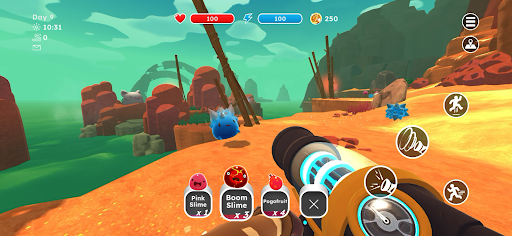

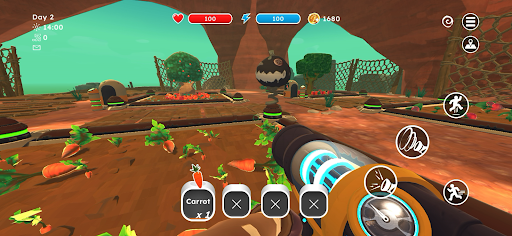
Slime Rancher is nu live!
Slime Rancher vertelt het verhaal van Beatrix LeBeau, een dappere jonge rancher die een nieuw leven begint duizend lichtjaren van de aarde, op de 'Verre, Verre Range', waar ze haar geluk beproeft door slijmwezens te vangen.
[Verken een levendige buitenaardse wereld, vang en verzorg schattige slijmwezens en breng een ooit verlaten ranch weer op de rails!]
*** KENMERKEN ***
- Speel als een nieuwsgierige en avontuurlijke vrouw die haar pas verworven slijmranch weer op de rails probeert te krijgen.
- Gebruik je betrouwbare vacuümpak om schattige slijmwezens in het wild te verzamelen. Elk type heeft zijn eigen voorkeuren, afkeuren en soms zelfs speciale behoeften waaraan je moet voldoen om ze goed te verzorgen!
- Ontdek nieuwe hybride soorten!
- Verken de uitgestrekte, kleurrijke natuur van de Verre, Verre Range. Vind slijmwezens en verzamel grondstoffen!
- Dwaal rond in het zand van het Droge Rif, ontdek de wilde flora van het Mosdek en verwonder je over de glinsterende kristallen van de Indigogroeve terwijl je verborgen schatten ontdekt!
- Verdien geld met dagelijkse opdrachten of de markt om je ranch uit te breiden: versier je landgoed, houd je slijmwezens in omheiningen, verbouw gewassen en bouw kippenhokken om ze te voeden.
- Verdien geld met dagelijkse opdrachten op de Weidebeurs of door plorts te verkopen op de Plortmarkt. Versier vervolgens je ranchhuis, breid de omheiningen voor je slijmwezens uit en voed ze door tuinen aan te leggen en kippenhokken te bouwen!
- Maak en upgrade je vacuümpak en gereedschap voor sneller en beter ranchwerk!
- Volg Bea's reis in je eigen tempo met 3 verschillende spelmodi! In de Avontuurmodus ervaar je de beproevingen en moeilijkheden van het ranchleven zoals het echt is. Maar je kunt ook de Casual-modus spelen voor een meer ontspannen ervaring, of jezelf uitdagen om sneller succes te behalen in de Rush-modus!
ZORGVULDIG HERONTWORPEN VOOR MOBIEL
- Vernieuwde interface – exclusieve mobiele gebruikersinterface met volledige touchscreenbediening
- Google Play Games-prestaties
- Alleen compatibel met PS4-, PS5- en Xbox-controllers
- Cloudopslag – deel je voortgang tussen Android-apparaten.
Meer tonen

1. Download de MEmu-installatie en voltooi de setup

2. Start MEmu en open vervolgens Google Play op het bureaublad

3. Zoek Slime Rancher in Google Play
Install
4. Download en installeer Slime Rancher
5. Klik op het icoon om te starten na het voltooien van de installatie

6. Geniet van het spelen van Slime Rancher op PC met MEmu
MEmu Play is de beste Android Emulator en 100 miljoen mensen genieten al van de superieure Android-game-ervaring. De virtualisatietechnologie van MEmu stelt je in staat om duizenden Android-spellen soepel op je PC te spelen, zelfs de meest grafisch intensieve.
Groter scherm met betere graphics; Lange duur, zonder beperking van batterij of mobiele data.
Volledige Keymapping-ondersteuning voor nauwkeurige besturing van toetsenbord en muis of gamepad.
Meerdere game-accounts of taken op één PC tegelijk met Multi-Instance manager.
Speel Slime Rancher op PC door de volgende stappen te volgen: