ApneTV - Apne Guide
Bijgewerkt
Huidige Versie
1.0
Aangeboden door

Maak je geen zorgen meer over extra kosten bij het gebruik van ApneTV - Apne Guide op je mobiele telefoon, bevrijd jezelf van het kleine scherm en geniet van het gebruik van de app op een veel groter display. Vanaf nu, krijg een volledige schermervaring van je app met toetsenbord en muis. MEmu biedt je alle verrassende functies die je verwachtte: snelle installatie en eenvoudige configuratie, intuïtieve besturing, geen beperkingen meer van batterij, mobiele data en storende oproepen. De gloednieuwe MEmu 9 is de beste keuze voor het gebruik van ApneTV - Apne Guide op je computer. MEmu multi-instance manager maakt het mogelijk om tegelijkertijd 2 of meer accounts te openen. En het belangrijkste, onze exclusieve emulatiemotor kan het volledige potentieel van je PC benutten, waardoor alles soepel en plezierig wordt.
Meer tonen
Geniet van een fantastische ervaring met ApneTV - Apne Guide op je pc met MEmu Play. Het is een krachtige gratis Android-emulator die je duizenden Android-apps biedt voor de desktopversie. Geniet van contact met vrienden en verbeter je werk met hogere efficiëntie! Apne TV cricket live application isn't simply used to observe live spilling of sports, Apne Live TV Guide to take care of your all issues with novel tips.
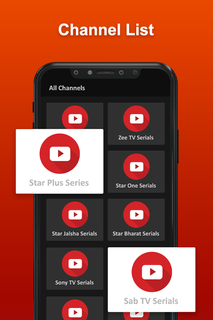
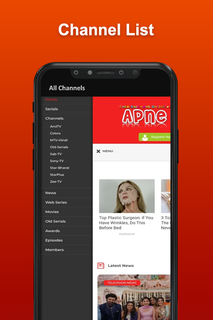
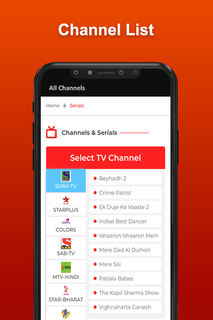
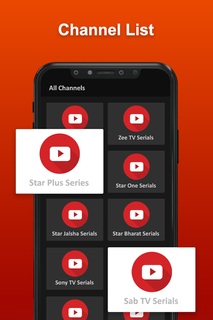
Apne TV cricket live application isn't simply used to observe live spilling of sports, Apne Live TV Guide to take care of your all issues with novel tips.Apne guide TV APK is a really powerful video streaming platform. In the event that indeed, this application contains live television cricket streaming, live Apne sports and coordinates and a few TV shows and Live Movies.Besides, the Apne live android television application has a ton of usefulness like different dialects, highly contrasting subjects, and some more, which make this application seriously intriguing. Subsequently, it would be truly invaluable for clients to observe live gushing of cricket and motion pictures with no obstacles.Why Apne TV?Apne TV film application where you can watch and partake in your number one motion pictures and excitements. Pika TV Show Movies, Cricket & TV app provides you all the video entertaining content just on a single app, download Apne Apk.Apne app is currently the best app for watch Live TV, Web Series, Cricket, etc. This will lets you enjoy all the premium content from all OTT Platforms like Netflix, Hotstar, Prime Video, Zee5, Voot, Alt Balaji, in HD quality as soon as they releases. It has simple classic UI interface, it's easy to use. Apne APK also has categories for Entertainment, Sports, Web Series, etc. Watch LIVE TV shows and Cricket matches for FREE.With these applications, one can without a doubt and the Movies, Television programs, Tv Series, Live Tv on their android device. This Guide Apne TV Show - Movies, Cricket Live app has been made for cricket viewers to keep them updated all time.Apne APK live television application gives a ton of cricket coordinates free of charge to their clients and all the direction is accessible in this application. Additionally, Apne guide APK various stages rose, fusing free ones with advancement and besides paid ones to give us what we need in our additional time or help from the work pressure in Apne TV APK.Web Series HD is the leading App That provides you All the latest Free Web Series & TV Shows in HD.Disclaimer- App only aims to help for the creation of all videos at one place, so that users may get access to content quickly and easily.- All the videos belong to YouTube and their account, not made by US.- We don't claim right on any file in this application. All the content provided in this application has the copy rights of their respective owners.
Meer tonen

1. Download de MEmu-installatie en voltooi de setup

2. Start MEmu en open vervolgens Google Play op het bureaublad

3. Zoek ApneTV - Apne Guide in Google Play
Install
4. Download en installeer ApneTV - Apne Guide
5. Klik op het icoon om te starten na het voltooien van de installatie

6. Ervaar ApneTV - Apne Guide op pc met MEmu
MEmu Play is de beste Android-emulator, met meer dan 100 miljoen gebruikers die genieten van de superieure Android-app-ervaring. Dankzij de virtualisatietechnologie van MEmu kun je duizenden Android-apps soepel op je computer draaien, zelfs de meest veeleisende.
Groter scherm met betere graphics; Lange duur, zonder beperking van batterij of mobiele data.
Volledige Keymapping-ondersteuning voor nauwkeurige besturing van toetsenbord en muis of gamepad.
Meerdere game-accounts of taken op één PC tegelijk met Multi-Instance manager.
Gebruik ApneTV - Apne Guide op PC door de volgende stappen te volgen: