ATKB
Bijgewerkt
Huidige Versie
Aangeboden door

Maak je geen zorgen meer over extra kosten bij het gebruik van ATKB op je mobiele telefoon, bevrijd jezelf van het kleine scherm en geniet van het gebruik van de app op een veel groter display. Vanaf nu, krijg een volledige schermervaring van je app met toetsenbord en muis. MEmu biedt je alle verrassende functies die je verwachtte: snelle installatie en eenvoudige configuratie, intuïtieve besturing, geen beperkingen meer van batterij, mobiele data en storende oproepen. De gloednieuwe MEmu 9 is de beste keuze voor het gebruik van ATKB op je computer. MEmu multi-instance manager maakt het mogelijk om tegelijkertijd 2 of meer accounts te openen. En het belangrijkste, onze exclusieve emulatiemotor kan het volledige potentieel van je PC benutten, waardoor alles soepel en plezierig wordt.
Meer tonen
Geniet van een fantastische ervaring met ATKB op je pc met MEmu Play. Het is een krachtige gratis Android-emulator die je duizenden Android-apps biedt voor de desktopversie. Geniet van contact met vrienden en verbeter je werk met hogere efficiëntie! Key features of the ATKB app are:.
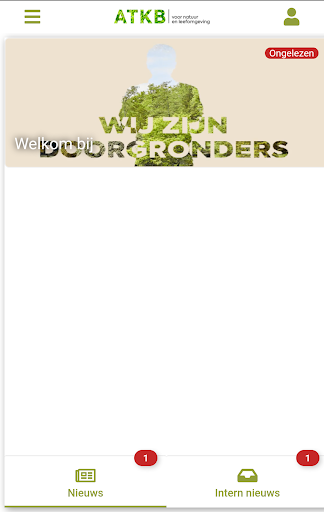
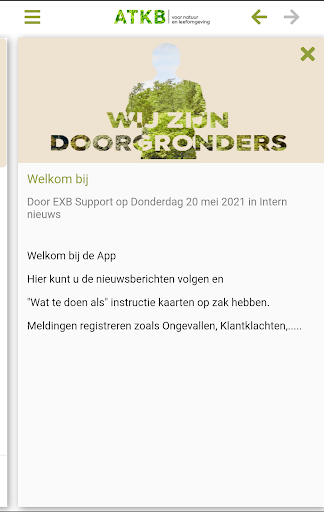
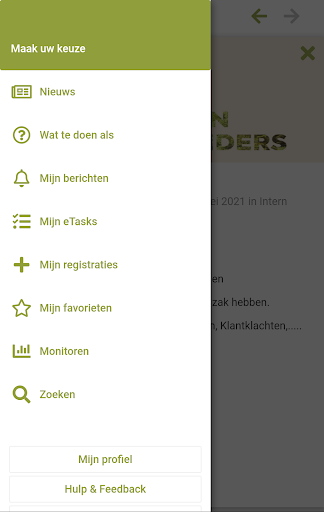
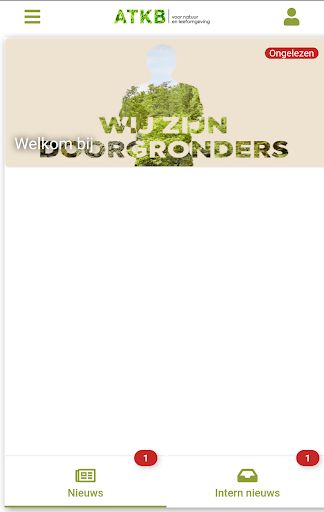
Key features of the ATKB app are:
• Send news messages; this could be company news or, for example news related to safety, quality, etc.
• Assign and follow up tasks; actions are directly visible to those involved on the mobile app and can be monitored centrally
• Registration of observations, incidents and dangerous situations
• Inspections and tests can be carried out with the ATKB app according to a process that you can set up yourself
• Registrations and inspections with photos and GPS info
• Push alarm notifications to warn everyone or a specific group
• Register and monitor LMRAs (Last Minute Risk Analysis)
• Toolbox meeting and information meetings are handled in the ATKB app; The coordinator of the meeting is given the task and those present (registered with QR-code) are asked to assess the meeting.
• Report observations to the maintenance services
• Providing up-to-date business procedures and work instructions
• Inform employees about changes in business procedures and work instructions
• Notifications: e.g. certificate that expires
• Central monitoring whether and when mobile messages and work instructions have been read
• Provide real-time insight to those involved in the follow-up of registrations
Note: to use the ATKB app with your business data, you must have an EXB Software Cloud with mobile service enabled
Meer tonen

1. Download de MEmu-installatie en voltooi de setup

2. Start MEmu en open vervolgens Google Play op het bureaublad

3. Zoek ATKB in Google Play
Install
4. Download en installeer ATKB
5. Klik op het icoon om te starten na het voltooien van de installatie

6. Ervaar ATKB op pc met MEmu
MEmu Play is de beste Android-emulator, met meer dan 100 miljoen gebruikers die genieten van de superieure Android-app-ervaring. Dankzij de virtualisatietechnologie van MEmu kun je duizenden Android-apps soepel op je computer draaien, zelfs de meest veeleisende.
Groter scherm met betere graphics; Lange duur, zonder beperking van batterij of mobiele data.
Volledige Keymapping-ondersteuning voor nauwkeurige besturing van toetsenbord en muis of gamepad.
Meerdere game-accounts of taken op één PC tegelijk met Multi-Instance manager.
Gebruik ATKB op PC door de volgende stappen te volgen: