COBS Mobile
Bijgewerkt
Huidige Versie
3.28.1
Aangeboden door

Maak je geen zorgen meer over extra kosten bij het gebruik van COBS Mobile op je mobiele telefoon, bevrijd jezelf van het kleine scherm en geniet van het gebruik van de app op een veel groter display. Vanaf nu, krijg een volledige schermervaring van je app met toetsenbord en muis. MEmu biedt je alle verrassende functies die je verwachtte: snelle installatie en eenvoudige configuratie, intuïtieve besturing, geen beperkingen meer van batterij, mobiele data en storende oproepen. De gloednieuwe MEmu 9 is de beste keuze voor het gebruik van COBS Mobile op je computer. MEmu multi-instance manager maakt het mogelijk om tegelijkertijd 2 of meer accounts te openen. En het belangrijkste, onze exclusieve emulatiemotor kan het volledige potentieel van je PC benutten, waardoor alles soepel en plezierig wordt.
Meer tonen
Geniet van een fantastische ervaring met COBS Mobile op je pc met MEmu Play. Het is een krachtige gratis Android-emulator die je duizenden Android-apps biedt voor de desktopversie. Geniet van contact met vrienden en verbeter je werk met hogere efficiëntie! The COBS Mobile Alert and Personal Alarm app makes it possible to distribute messages, as well as interact among mobile users and connected on-premises systems.
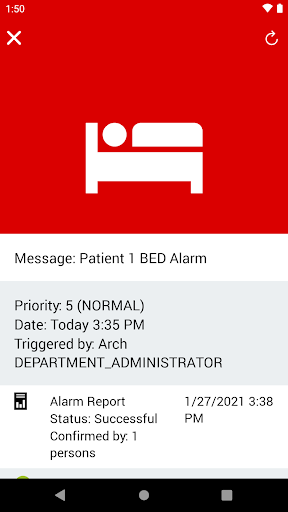
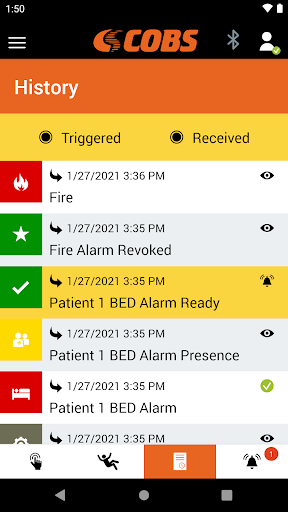
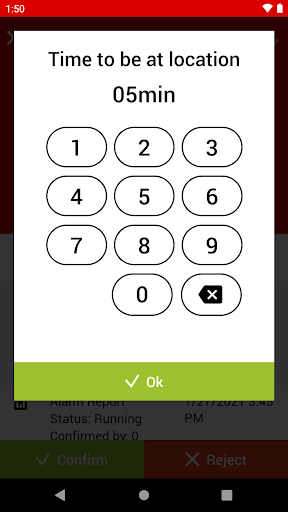
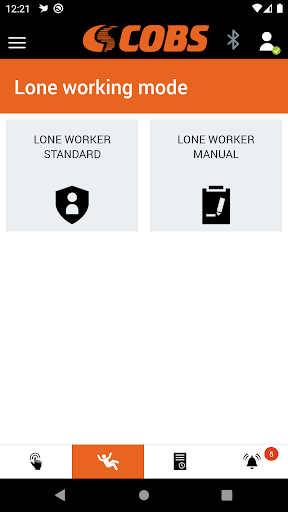
The COBS Mobile Alert and Personal Alarm app makes it possible to distribute messages, as well as interact among mobile users and connected on-premises systems. The COBS Mobile app connects to on-premises systems such as Nurse Call Systems, Situation Awareness Systems (SAS), Physical Security Information Management (PSIM), Fire, Security and Access Control Systems, and more.
The COBS Mobile app provides a user-friendly interface and tool for the professional first-line workers and enables faster response times plus improved safety and security to corporate assets and resources.
The COBS Mobile app connects mobile users to the COBS Messaging System situated on the customer premises with COBS Media Gateway and Integration Engine for distribution of alarms, alerts and messaging. Through a defined set of rules, the event handler transmits notifications quickly and reliably to the required people and teams, with technical and user acknowledgements that are then fed back to the initiators.
Through the confirmation function, the COBS backend system receives qualified feedback on the availability and response times of your teams and can initiate an automatic escalation if necessary.
Features:
• Icon based and color-coded alert messages and alert tones
• Positive and negative acknowledgements (ACK/NACK)
• Personal protection and assault alarm
• Alarm history
• Login and logout of alarm groups
• Encrypted communication
NOTE: To utilize the COBS Mobile app, your facility must have purchased and installed the COBS Messaging System with user licenses, configuration and connectivity for your specific facility.
Meer tonen

1. Download de MEmu-installatie en voltooi de setup

2. Start MEmu en open vervolgens Google Play op het bureaublad

3. Zoek COBS Mobile in Google Play
Install
4. Download en installeer COBS Mobile
5. Klik op het icoon om te starten na het voltooien van de installatie

6. Ervaar COBS Mobile op pc met MEmu
MEmu Play is de beste Android-emulator, met meer dan 100 miljoen gebruikers die genieten van de superieure Android-app-ervaring. Dankzij de virtualisatietechnologie van MEmu kun je duizenden Android-apps soepel op je computer draaien, zelfs de meest veeleisende.
Groter scherm met betere graphics; Lange duur, zonder beperking van batterij of mobiele data.
Volledige Keymapping-ondersteuning voor nauwkeurige besturing van toetsenbord en muis of gamepad.
Meerdere game-accounts of taken op één PC tegelijk met Multi-Instance manager.
Gebruik COBS Mobile op PC door de volgende stappen te volgen: