
XProtect® Mobile Express & Pro
Bijgewerkt
Huidige Versie
13.2c
Aangeboden door

Maak je geen zorgen meer over extra kosten bij het gebruik van XProtect® Mobile Express & Pro op je mobiele telefoon, bevrijd jezelf van het kleine scherm en geniet van het gebruik van de app op een veel groter display. Vanaf nu, krijg een volledige schermervaring van je app met toetsenbord en muis. MEmu biedt je alle verrassende functies die je verwachtte: snelle installatie en eenvoudige configuratie, intuïtieve besturing, geen beperkingen meer van batterij, mobiele data en storende oproepen. De gloednieuwe MEmu 9 is de beste keuze voor het gebruik van XProtect® Mobile Express & Pro op je computer. MEmu multi-instance manager maakt het mogelijk om tegelijkertijd 2 of meer accounts te openen. En het belangrijkste, onze exclusieve emulatiemotor kan het volledige potentieel van je PC benutten, waardoor alles soepel en plezierig wordt.
Meer tonen
Download XProtect® Mobile Express & Pro on PC with MEmu Android Emulator. Enjoy playing on big screen. This free XProtect Mobile app gives you secure access to your Milestone video surveillance system anytime, anywhere from your smartphone or tablet.
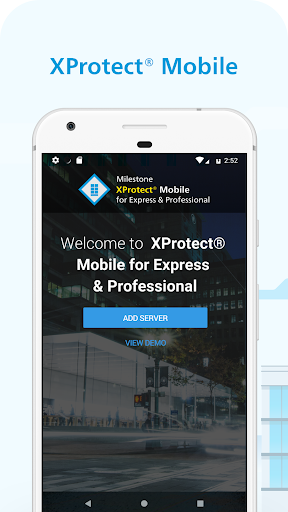
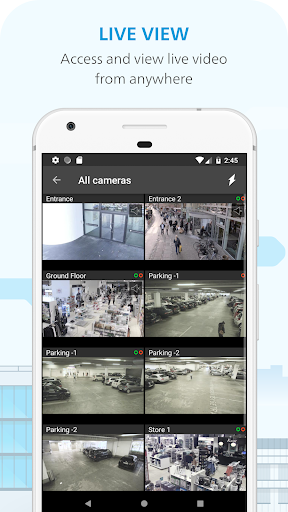
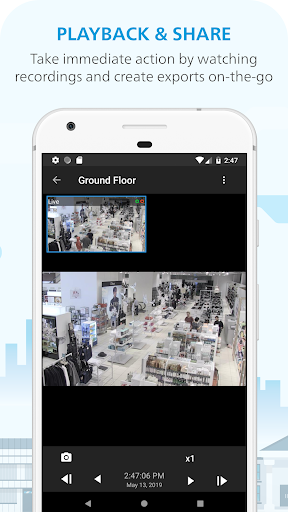
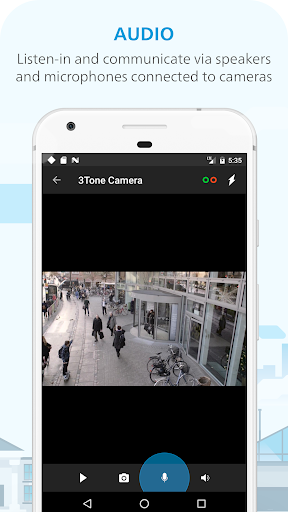
This free XProtect Mobile app gives you secure access to your Milestone video surveillance system anytime, anywhere from your smartphone or tablet. Available in 30 languages the application lets you conveniently view live video, play back and export recorded video, listen to audio and speak through the camera-connected speakers using the Push-To-Talk button. Compatible with XProtect Express and Professional, and the Milestone Husky™ NVR series*. (For use with XProtect Corporate, XProtect Expert, XProtect Professional+, XProtect Express+, XProtect Essential+, please download the "XProtect® Mobile" app)
Additional product highlights:
• Document any event while it happens by streaming video and audio from your mobile device’s camera directly into the Milestone solution
• Get peace of mind and stay constantly on top of things by receiving push notifications based on alarms defined in the Milestone solution
Try it out
Download the app and take a look yourself. XProtect Mobile includes access to a demo server so you can explore the product even if you do not have a Milestone system installed already.
Getting started
In order to connect and view cameras from your Milestone system, you should have the latest version of the Milestone surveillance system and the XProtect Mobile server for Express and Professional installed. For further details on getting started, visit www.milestonesys.com/mobile.
Milestone distributes and sells its market-leading XProtect® VMS and the Milestone Husky NVR Series through an authorized partner channel of distributors and resellers in more than 115 countries around the world. Please go to https://www.milestonesys.com/community/find-a-milestone-partner/ to find your local authorized Milestone reseller or distributor.
*Users of Milestone Arcus video surveillance products can also use XProtect Mobile. For details on specific application functionality, contact a Milestone Arcus partner
Meer tonen

1. Download de MEmu-installatie en voltooi de setup

2. Start MEmu en open vervolgens Google Play op het bureaublad

3. Zoek XProtect® Mobile Express & Pro in Google Play
Install
4. Download en installeer XProtect® Mobile Express & Pro
5. Klik op het icoon om te starten na het voltooien van de installatie

6. Ervaar XProtect® Mobile Express & Pro op pc met MEmu
MEmu Play is de beste Android-emulator, met meer dan 100 miljoen gebruikers die genieten van de superieure Android-app-ervaring. Dankzij de virtualisatietechnologie van MEmu kun je duizenden Android-apps soepel op je computer draaien, zelfs de meest veeleisende.
Groter scherm met betere graphics; Lange duur, zonder beperking van batterij of mobiele data.
Volledige Keymapping-ondersteuning voor nauwkeurige besturing van toetsenbord en muis of gamepad.
Meerdere game-accounts of taken op één PC tegelijk met Multi-Instance manager.
Gebruik XProtect® Mobile Express & Pro op PC door de volgende stappen te volgen: