myAir™ by Resmed
Bijgewerkt
Huidige Versie
Aangeboden door

Maak je geen zorgen meer over extra kosten bij het gebruik van myAir™ by Resmed op je mobiele telefoon, bevrijd jezelf van het kleine scherm en geniet van het gebruik van de app op een veel groter display. Vanaf nu, krijg een volledige schermervaring van je app met toetsenbord en muis. MEmu biedt je alle verrassende functies die je verwachtte: snelle installatie en eenvoudige configuratie, intuïtieve besturing, geen beperkingen meer van batterij, mobiele data en storende oproepen. De gloednieuwe MEmu 9 is de beste keuze voor het gebruik van myAir™ by Resmed op je computer. MEmu multi-instance manager maakt het mogelijk om tegelijkertijd 2 of meer accounts te openen. En het belangrijkste, onze exclusieve emulatiemotor kan het volledige potentieel van je PC benutten, waardoor alles soepel en plezierig wordt.
Meer tonen
Geniet van een fantastische ervaring met myAir™ by Resmed op je pc met MEmu Play. Het is een krachtige gratis Android-emulator die je duizenden Android-apps biedt voor de desktopversie. Geniet van contact met vrienden en verbeter je werk met hogere efficiëntie! Take charge of your sleep therapy success with myAir™, an exclusive app available to Resmed AirSense™ and AirCurve™ users.
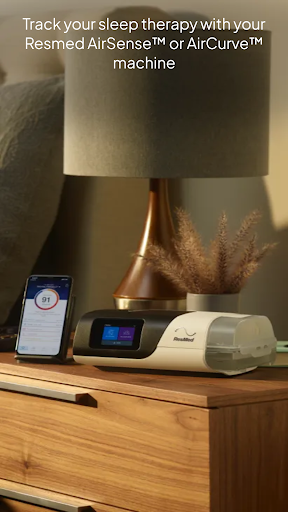
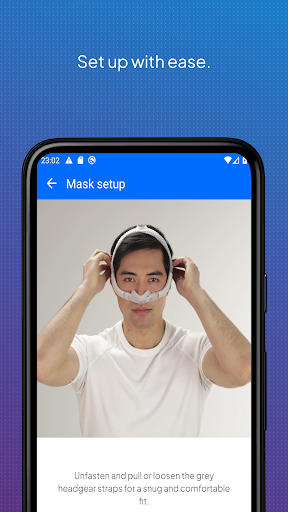
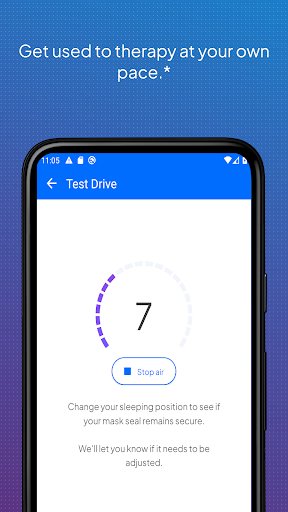
Take charge of your sleep therapy success with myAir™, an exclusive app available to Resmed AirSense™ and AirCurve™ users.
GUIDED SETUP
Whether you set up your equipment at home or in person, myAir helps you get started with confidence and ease. The Personal Therapy Assistant* feature provides interactive voice-guided instructions to help you set up your equipment and fit your mask. myAir's Test Drive* feature helps you get comfortable with therapy using your machine at different levels of air pressure. The app also offers a Library of helpful videos and guides that show you how to set up your specific AirSense or AirCurve machine and Resmed mask, as well as how to get comfortable on therapy.
PERSONALIZED SUPPORT
Getting used to therapy can take a little time, but with the right support you can enjoy a great night's sleep. myAir acts like your personal sleep coach. It guides you through therapy and connects you to the support you need, when you need it.
myAir offers tailored coaching, tips and videos to increase your comfort and success. For example, if you have problems with your mask seal, myAir will provide tips about how to fix it. The app also offers a full Library of helpful videos and guides to answer common questions.
Along the way, you'll get email and push notifications that encourage and support you. With regular check-ins*, myAir proactively prompts you to see how your therapy is going and provides coaching if you have problems. With your prior consent, myAir also shares your therapy insights with your healthcare team* so they can be more connected to your care.
SLEEP THERAPY TRACKING
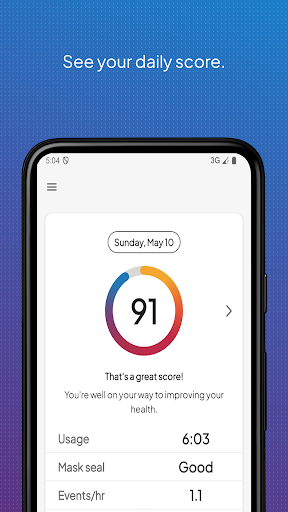
With myAir, you can easily access your daily sleep therapy data to monitor your therapy progress. Simply log in to see your nightly myAir score, which shows how well you slept on therapy at a glance. Detailed metrics help you track your therapy progress over time. You can also download a therapy summary report to keep for your records or share with your healthcare provider.
INTEGRATED WITH HEALTH APPLICATIONS
myAir integrates with Apple Health and Health Connect to display the health data you track alongside your Resmed therapy data. Within the Trends feature, myAir can read and display the following data types (if you choose to share them): steps, active calories, exercise, weight, sleep, heart rate variability, oxygen saturation and resting heart rate.
Learn more at Resmed.com/myAir.
myAir Wear OS smartwatch app now available
If you have a myAir account, and a compatible Samsung® Galaxy™ Watch, you can install the myAir smartwatch app to see your myAir data.
*Feature available only with an AirSense 11 machine. Not available with AirSense 10 or AirCurve 10.
Note: myAir is available only for Resmed AirSense and AirCurve machines with built-in wireless connectivity. For the AirMini™ machine, please download the AirMini by Resmed app.
Meer tonen

1. Download de MEmu-installatie en voltooi de setup

2. Start MEmu en open vervolgens Google Play op het bureaublad

3. Zoek myAir™ by Resmed in Google Play
Install
4. Download en installeer myAir™ by Resmed
5. Klik op het icoon om te starten na het voltooien van de installatie

6. Ervaar myAir™ by Resmed op pc met MEmu
MEmu Play is de beste Android-emulator, met meer dan 100 miljoen gebruikers die genieten van de superieure Android-app-ervaring. Dankzij de virtualisatietechnologie van MEmu kun je duizenden Android-apps soepel op je computer draaien, zelfs de meest veeleisende.
Groter scherm met betere graphics; Lange duur, zonder beperking van batterij of mobiele data.
Volledige Keymapping-ondersteuning voor nauwkeurige besturing van toetsenbord en muis of gamepad.
Meerdere game-accounts of taken op één PC tegelijk met Multi-Instance manager.
Gebruik myAir™ by Resmed op PC door de volgende stappen te volgen: