myAir™ by Resmed
Updated
Current Version
1775851509
Offered By

Stop worrying about high battery drain when using myAir™ by Resmed on your phone. Free yourself from the tiny screen and enjoy the app on a much larger display. From now on, get a full-screen experience of your app with the convenience of a keyboard and mouse. MEmu offers you all the surprising features you’d expect: quick installation and easy setup, intuitive controls, and no more worries about battery life, mobile data, or unexpected calls. The all-new MEmu 9 is the choice for using myAir™ by Resmed on your computer. With the MEmu multi-instance manager, you can run two or more accounts at the same time. Most importantly, our exclusive emulation engine unlocks your PC’s full potential, delivering smooth and enjoyable performance.
Show more
Enjoy superb experience of using myAir™ by Resmed on PC with MEMU App Player. It's a powerful free Android emulator which provides you with thousands of android apps for their desktop version. Enjoy connecting with friends and polishing your work with higher efficiency! Take charge of your sleep therapy success with myAir™, an exclusive app available to Resmed AirSense™ and AirCurve™ users.
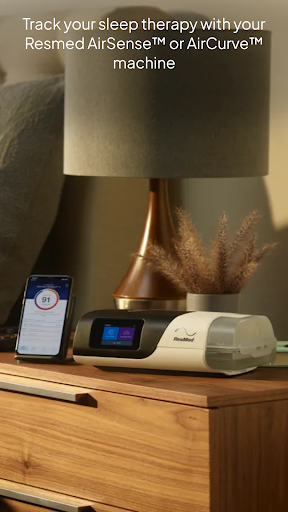
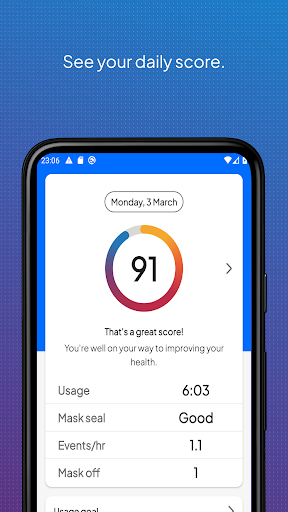
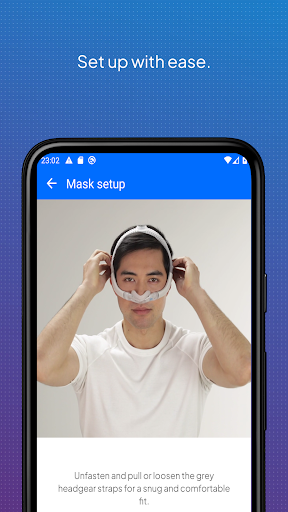
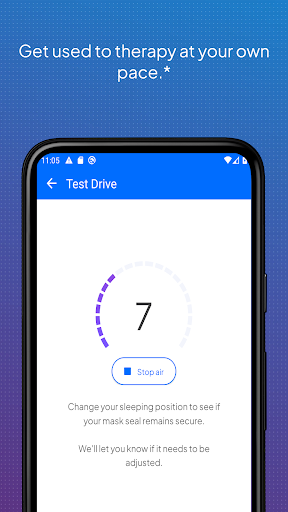
Take charge of your sleep therapy success with myAir™, an exclusive app available to Resmed AirSense™ and AirCurve™ users.
GUIDED SETUP
Whether you set up your equipment at home or in person, myAir helps you get started with confidence and ease. The Personal Therapy Assistant* feature provides interactive voice-guided instructions to help you set up your equipment and fit your mask. myAir's Test Drive* feature helps you get comfortable with therapy using your machine at different levels of air pressure. The app also offers a Library of helpful videos and guides that show you how to set up your specific AirSense or AirCurve machine and Resmed mask, as well as how to get comfortable on therapy.
PERSONALIZED SUPPORT
Getting used to therapy can take a little time, but with the right support you can enjoy a great night's sleep. myAir acts like your personal sleep coach. It guides you through therapy and connects you to the support you need, when you need it.
myAir offers tailored coaching, tips and videos to increase your comfort and success. For example, if you have problems with your mask seal, myAir will provide tips about how to fix it. The app also offers a full Library of helpful videos and guides to answer common questions.
Along the way, you'll get email and push notifications that encourage and support you. With regular check-ins*, myAir proactively prompts you to see how your therapy is going and provides coaching if you have problems. With your prior consent, myAir also shares your therapy insights with your healthcare team* so they can be more connected to your care.
SLEEP THERAPY TRACKING
With myAir, you can easily access your daily sleep therapy data to monitor your therapy progress. Simply log in to see your nightly myAir score, which shows how well you slept on therapy at a glance. Detailed metrics help you track your therapy progress over time. You can also download a therapy summary report to keep for your records or share with your healthcare provider.
INTEGRATED WITH HEALTH APPLICATIONS
myAir integrates with Apple Health and Health Connect to display the health data you track alongside your Resmed therapy data. Within the Trends feature, myAir can read and display the following data types (if you choose to share them): steps, active calories, exercise, weight, sleep, heart rate variability, oxygen saturation and resting heart rate.
Learn more at Resmed.com/myAir.
myAir Wear OS smartwatch app now available
If you have a myAir account, and a compatible Samsung® Galaxy™ Watch, you can install the myAir smartwatch app to see your myAir data.
*Feature available only with an AirSense 11 machine. Not available with AirSense 10 or AirCurve 10.
Note: myAir is available only for Resmed AirSense and AirCurve machines with built-in wireless connectivity. For the AirMini™ machine, please download the AirMini by Resmed app.
Show more

1. Download MEmu installer and finish the setup

2. Start MEmu then open Google Play on the desktop

3. Search myAir™ by Resmed in Google Play
Install
4. Download and Install myAir™ by Resmed
5. On install completion click the icon to start

6. Enjoy using myAir™ by Resmed on PC with MEmu
MEmu Play is the best Android emulator, and 100 million users already enjoy its superb Android app experience. Powered by advanced virtualization technology, it lets you enjoy thousands of Android apps smoothly on your PC—including the most graphics-intensive ones.
Bigger screen with better graphics; Long duration, without limitation of battery or mobile data.
Full Keymapping support for precise control of keyboard and mouse or gamepad.
Multiple game accounts or tasks on single PC at one time with Multi-Instance manager.
Use myAir™ by Resmed on PC by following steps: