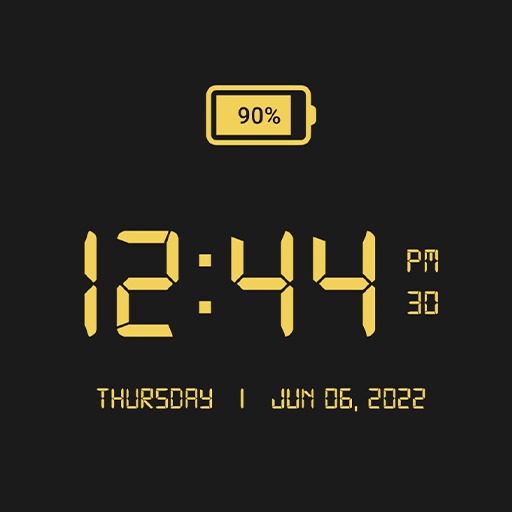
LED Digital Clock: Alarm Clock
Bijgewerkt
Huidige Versie
1.3.6
Aangeboden door

Maak je geen zorgen meer over extra kosten bij het gebruik van LED Digital Clock: Alarm Clock op je mobiele telefoon, bevrijd jezelf van het kleine scherm en geniet van het gebruik van de app op een veel groter display. Vanaf nu, krijg een volledige schermervaring van je app met toetsenbord en muis. MEmu biedt je alle verrassende functies die je verwachtte: snelle installatie en eenvoudige configuratie, intuïtieve besturing, geen beperkingen meer van batterij, mobiele data en storende oproepen. De gloednieuwe MEmu 9 is de beste keuze voor het gebruik van LED Digital Clock: Alarm Clock op je computer. MEmu multi-instance manager maakt het mogelijk om tegelijkertijd 2 of meer accounts te openen. En het belangrijkste, onze exclusieve emulatiemotor kan het volledige potentieel van je PC benutten, waardoor alles soepel en plezierig wordt.
Meer tonen
Download LED Digital Clock: Alarm Clock on PC with MEmu Android Emulator. Enjoy playing on big screen. LED Digital Clock, Customization Digital Clock wallpaper for Home & Lock Screen.
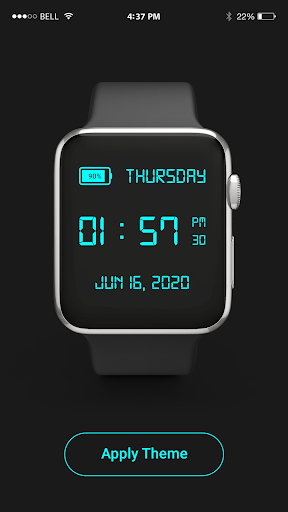
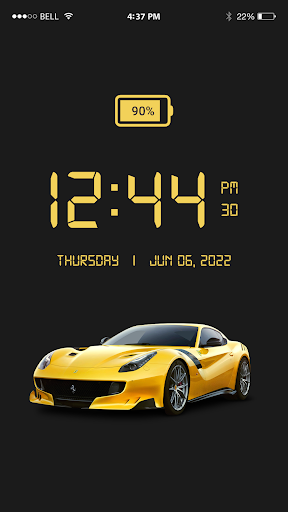
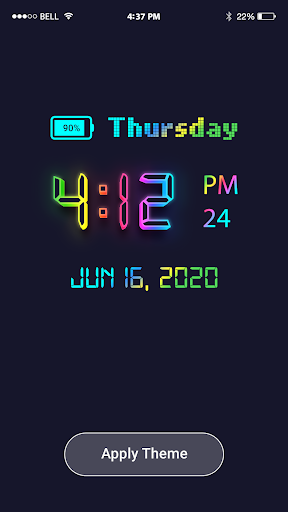
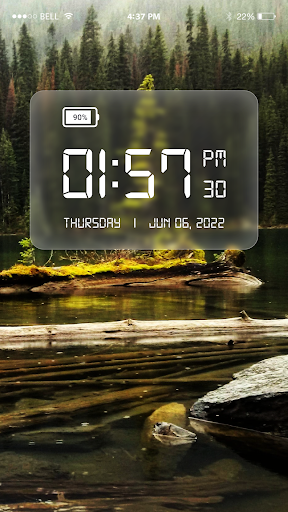
LED Digital Clock, Customization Digital Clock wallpaper for Home & Lock Screen.
If you don’t have a handy watch, you’re in the right app! The LED Digital Clock app brings you the correct time and date right to your mobile home screen, making it convenient to check the time anytime, anywhere.
This app has live wallpaper features an LED-style digital clock, providing a lovely and dynamic look for your home screen. The LED Digital Clock Live Wallpaper displays the time, date, and day of the week.
Customize your clock with a range of color combinations to match your style and make your screen unique for you. You can set your photo as background of the digital clock. After adding your photo in the background of the clock you can move that clock at a particular desired location on the screen for adorable decoration of the mobile home screen.
Main features of led digital clock (ساعه):
Digital Clock:Easily keep track of time with a LED-style digital displayed clock right on your screen. The clear, high-contrast design makes it easy to read, whether during the day or in low-light environments at night.
Date & Day:Stay organized with the current date and day of the week shown alongside the clock. This feature ensures you’re always aware of the date without needing to check a separate calendar app.
Alarm:This digital app helps you to never miss an important event or wake-up time with the built-in alarm feature. Customize alarm tones, set multiple alarms, and use the snooze function to suit your daily schedule and personal preferences.
Battery Percentage: Smart clock (ساعه)– led digital clock app has the feature to shows you device battery percentage with the help of Led theme app.Keep an eye on your device’s battery level conveniently, as the battery percentage is displayed on the clock screen.
This feature makes it easy to monitor your battery status without checking the status bar of your device.
Backgrounds:This Led digital date and time app has the feature of a variety of background options. Select a style that suits your personality or matches your device theme, giving your screen a unique and customized appearance.
Live Wallpapers:Led digital clock (ساعه)– led clock styles app has feature of beautiful live wallpapers that you easily set on your device screen.Enhance your home screen with beautiful LED live wallpapers.
These wallpapers provide a vibrant, moving backdrop for the digital clock, adding an engaging, modern touch to your display that’s both functional and visually appealing.
Working of digital Led Working:
• Tap to open the digital led clock app in your mobile.
• Set the clock design that suits you.
• Set your favorite background and color of the digital led clock app.
• The clock automatically matches your device’s time and date when the app sync.
• Add your digital clock app to widget your home screen for quick access.
Meer tonen

1. Download de MEmu-installatie en voltooi de setup

2. Start MEmu en open vervolgens Google Play op het bureaublad

3. Zoek LED Digital Clock: Alarm Clock in Google Play
Install
4. Download en installeer LED Digital Clock: Alarm Clock
5. Klik op het icoon om te starten na het voltooien van de installatie

6. Ervaar LED Digital Clock: Alarm Clock op pc met MEmu
MEmu Play is de beste Android-emulator, met meer dan 100 miljoen gebruikers die genieten van de superieure Android-app-ervaring. Dankzij de virtualisatietechnologie van MEmu kun je duizenden Android-apps soepel op je computer draaien, zelfs de meest veeleisende.
Groter scherm met betere graphics; Lange duur, zonder beperking van batterij of mobiele data.
Volledige Keymapping-ondersteuning voor nauwkeurige besturing van toetsenbord en muis of gamepad.
Meerdere game-accounts of taken op één PC tegelijk met Multi-Instance manager.
Gebruik LED Digital Clock: Alarm Clock op PC door de volgende stappen te volgen: