Loopify - Live Looper
Bijgewerkt
Huidige Versie
1729521986
Aangeboden door

Maak je geen zorgen meer over extra kosten bij het gebruik van Loopify - Live Looper op je mobiele telefoon, bevrijd jezelf van het kleine scherm en geniet van het gebruik van de app op een veel groter display. Vanaf nu, krijg een volledige schermervaring van je app met toetsenbord en muis. MEmu biedt je alle verrassende functies die je verwachtte: snelle installatie en eenvoudige configuratie, intuïtieve besturing, geen beperkingen meer van batterij, mobiele data en storende oproepen. De gloednieuwe MEmu 9 is de beste keuze voor het gebruik van Loopify - Live Looper op je computer. MEmu multi-instance manager maakt het mogelijk om tegelijkertijd 2 of meer accounts te openen. En het belangrijkste, onze exclusieve emulatiemotor kan het volledige potentieel van je PC benutten, waardoor alles soepel en plezierig wordt.
Meer tonen
Download Loopify - Live Looper on PC with MEmu Android Emulator. Enjoy playing on big screen. Introducing Loopify, the ultimate loopstation app designed to revolutionize your music-making experience.
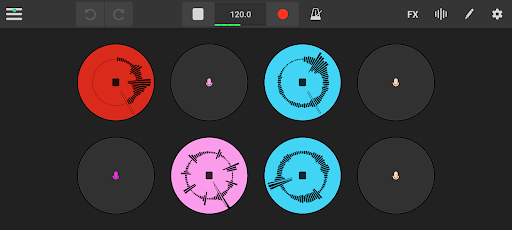
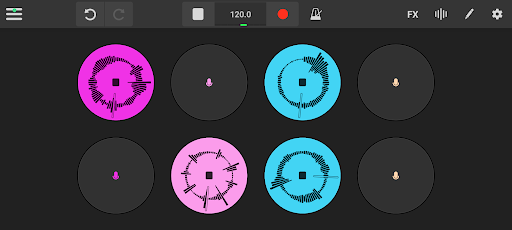
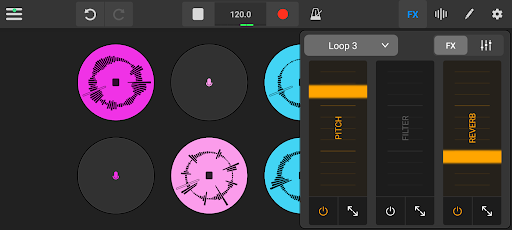
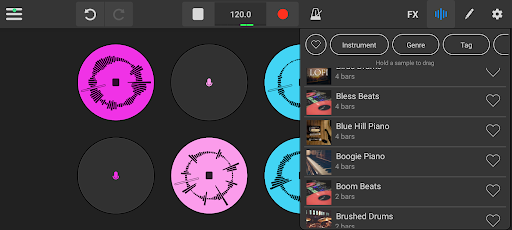
Introducing Loopify, the ultimate loopstation app designed to revolutionize your music-making experience. Whether you're a seasoned musician or just starting your musical journey, Loopify empowers you to create, perform, and experiment with loops like never before.
Unleash Your Creativity:
With Loopify, you can effortlessly craft intricate loops and layer your music to build captivating compositions. Our user-friendly interface ensures that musicians of all skill levels can dive right in and start creating without a steep learning curve.
Endless Possibilities:
Explore a wide range of dynamic features, from real-time loop recording and overdubbing to adding samples and pitch adjustments. Customize your sound with built-in effects like filters, reverbs, and delays, giving you the tools to shape your music with precision.
Collaborate Anywhere:
Loopify isn't just a solo act; it's a collaborative tool for bands, duos, and solo artists. Easily share your loops with other musicians and friends, allowing for remote collaboration and limitless creative potential.
Whether you're a solo artist looking to experiment with new sounds or part of a band seeking a versatile tool for rehearsal and performance, Loopify is your all-in-one solution. Elevate your music, unleash your creativity, and discover a world of endless musical possibilities with Loopify.
FAQ
- Calibration
Are your loops not synced? Make sure to calibrate your device with the build-in calibration mode (see menu).
- USB support
Connect a USB audio device to minimise audio latency for the optimised experience. The audio device should have both input and output audio (For example an external audio interface).
Meer tonen

1. Download de MEmu-installatie en voltooi de setup

2. Start MEmu en open vervolgens Google Play op het bureaublad

3. Zoek Loopify - Live Looper in Google Play
Install
4. Download en installeer Loopify - Live Looper
5. Klik op het icoon om te starten na het voltooien van de installatie

6. Ervaar Loopify - Live Looper op pc met MEmu
MEmu Play is de beste Android-emulator, met meer dan 100 miljoen gebruikers die genieten van de superieure Android-app-ervaring. Dankzij de virtualisatietechnologie van MEmu kun je duizenden Android-apps soepel op je computer draaien, zelfs de meest veeleisende.
Groter scherm met betere graphics; Lange duur, zonder beperking van batterij of mobiele data.
Volledige Keymapping-ondersteuning voor nauwkeurige besturing van toetsenbord en muis of gamepad.
Meerdere game-accounts of taken op één PC tegelijk met Multi-Instance manager.
Gebruik Loopify - Live Looper op PC door de volgende stappen te volgen: