Notes - Notebook, Notepad
Bijgewerkt
Huidige Versie
1.11.43
Aangeboden door

Maak je geen zorgen meer over extra kosten bij het gebruik van Notes - Notebook, Notepad op je mobiele telefoon, bevrijd jezelf van het kleine scherm en geniet van het gebruik van de app op een veel groter display. Vanaf nu, krijg een volledige schermervaring van je app met toetsenbord en muis. MEmu biedt je alle verrassende functies die je verwachtte: snelle installatie en eenvoudige configuratie, intuïtieve besturing, geen beperkingen meer van batterij, mobiele data en storende oproepen. De gloednieuwe MEmu 9 is de beste keuze voor het gebruik van Notes - Notebook, Notepad op je computer. MEmu multi-instance manager maakt het mogelijk om tegelijkertijd 2 of meer accounts te openen. En het belangrijkste, onze exclusieve emulatiemotor kan het volledige potentieel van je PC benutten, waardoor alles soepel en plezierig wordt.
Meer tonen
Geniet van een fantastische ervaring met Notes - Notebook, Notepad op je pc met MEmu Play. Het is een krachtige gratis Android-emulator die je duizenden Android-apps biedt voor de desktopversie. Geniet van contact met vrienden en verbeter je werk met hogere efficiëntie! Notes - Notepbook for Android 2024.
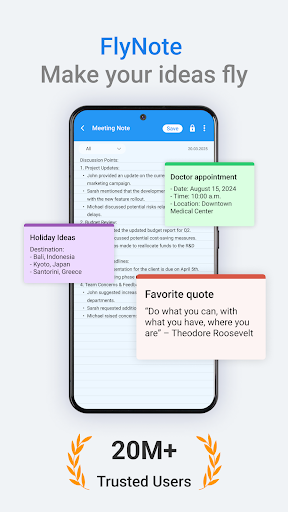
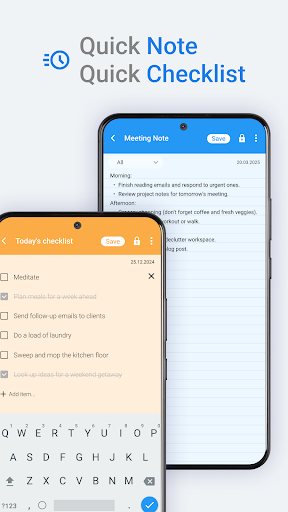
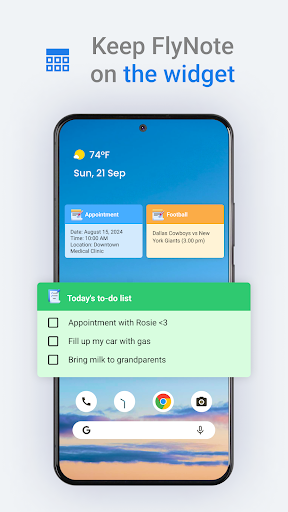
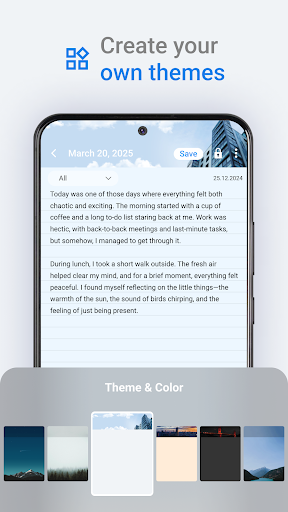
Notepad is a smart notes app, helping you note all ideas, stories, important information quickly.
Notepad is designed as a smart notebook, making it easy to note all thoughts, stories, information and passwords... on your phone. Notes is completely free, helping you can note at anytime, anywhere.
Not only easily create notes, job lists, but you can also play notes quickly and easily with grid mode or convenient list mode.
In addition, you can completely pin the important notes to avoid missing them.
Note provides you with synchronization features. This means that the notes, your important information will be stored on your Google Drive account. When using this feature, your notes will be backed up and restored, to avoid data loss, which helps to ensure the best notes, the most important work is stored.
Notes helps you not miss the notes, important work. With a reminder timer feature, you will definitely not forget and miss your important tasks. Note helps you arrange jobs, scientific and reasonable schedules.
Not only helps you notes quickly, you can customize, change the background, theme to your liking. Note provides a lot of interesting backgrounds and themes, making your notes more interesting.
With the desire to help you note every idea, jobs quickly, Note has created shortcut features. Now, you just need to create the shortcut feature, you'll note quickly with 1 touch.
Notes gives you the most amazing experience. The note screen is designed as a professional text, now you can customize the font size, font, text size and color to the most beautiful.
Meer tonen

1. Download de MEmu-installatie en voltooi de setup

2. Start MEmu en open vervolgens Google Play op het bureaublad

3. Zoek Notes - Notebook, Notepad in Google Play
Install
4. Download en installeer Notes - Notebook, Notepad
5. Klik op het icoon om te starten na het voltooien van de installatie

6. Ervaar Notes - Notebook, Notepad op pc met MEmu
MEmu Play is de beste Android-emulator, met meer dan 100 miljoen gebruikers die genieten van de superieure Android-app-ervaring. Dankzij de virtualisatietechnologie van MEmu kun je duizenden Android-apps soepel op je computer draaien, zelfs de meest veeleisende.
Groter scherm met betere graphics; Lange duur, zonder beperking van batterij of mobiele data.
Volledige Keymapping-ondersteuning voor nauwkeurige besturing van toetsenbord en muis of gamepad.
Meerdere game-accounts of taken op één PC tegelijk met Multi-Instance manager.
Gebruik Notes - Notebook, Notepad op PC door de volgende stappen te volgen: