Universal TV Remote Control
Bijgewerkt
Huidige Versie
1.7.0
Aangeboden door

Maak je geen zorgen meer over extra kosten bij het gebruik van Universal TV Remote Control op je mobiele telefoon, bevrijd jezelf van het kleine scherm en geniet van het gebruik van de app op een veel groter display. Vanaf nu, krijg een volledige schermervaring van je app met toetsenbord en muis. MEmu biedt je alle verrassende functies die je verwachtte: snelle installatie en eenvoudige configuratie, intuïtieve besturing, geen beperkingen meer van batterij, mobiele data en storende oproepen. De gloednieuwe MEmu 9 is de beste keuze voor het gebruik van Universal TV Remote Control op je computer. MEmu multi-instance manager maakt het mogelijk om tegelijkertijd 2 of meer accounts te openen. En het belangrijkste, onze exclusieve emulatiemotor kan het volledige potentieel van je PC benutten, waardoor alles soepel en plezierig wordt.
Meer tonen
Download Universal TV Remote Control on PC with MEmu Android Emulator. Enjoy playing on big screen. Do you want to get most of your TV?
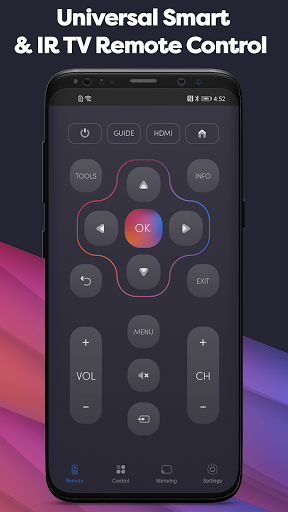
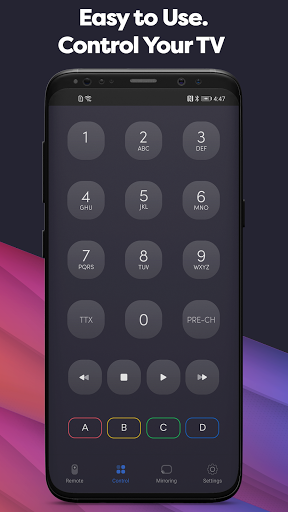
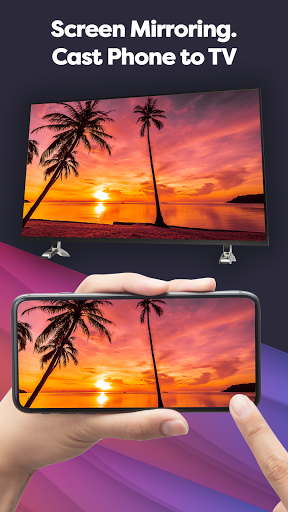
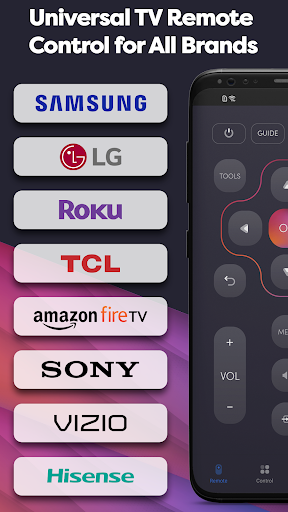
Do you want to get most of your TV? We are here to help you with it - that’s why we created UniMote - Universal Remote Control for all TV. Our app will help you to control your TV. Your Android device will become tv remote control for Smart TV, Samsung, LG, Android TV, Google TV, Roku, Fire TV, Sony, etc. You can control both Smart TVs (using Wi-Fi) and Non-Smart TVs (using IR Blaster).
Why bother yourself with installing this UniMote if you have an actual TV remote control? Good question!
· First of all, you don’t need to look for remote control for a TV because your smartphone is always near you. Your TV Remote Controller can`t be lost now.
· Secondly, it has more of the same functions and even more - Screen Mirroring, Smart Sharing, Screencast. All of that is UniMote.
How so? So why don’t we look into it together? It’s more convenient because let is honest, you handle your smartphone better than your old TV remote controller. Now, you can say that is where we are wrong, and you spend more time with your remote control than with the device. And we will tell you that you can adjust according to your needs.
For example, start with a basic remote mirroring screen for all brands! Hisense, TCL, Roku TV and it`s not all list. Also, you can make a TV cast of your favorite videos and watch them on a bigger screen.
You even help mother nature a little bit by using your phone as a Universal TV Remote Control, because you won’t need to buy batteries ever again.
Same buttons and interface - only positive experience with new features. Amazon Fire Stick or Samsung, Roku Stick, Xiaomi or Panasonic - it doesn`t matter with Remote Control for all TV.
More functions:
· Control your Smart TV using WiFi or even your Non-Smart TV using IR Blaster.
· You can use it with Samsung, LG, Android TV, TCL, Roku, Hisense, Vizio, Insignia and many other TV brands.
· Screen Mirroring for easier interaction with your TV
· A little help to mother nature by not using the batteries
· TV Screencast videos or photos you want to share with friends, or maybe you just want to see them in a higher quality
· For IR TVs, your Android device must have a built-in Infrared (IR) feature in order for the app to work as a remote control.
Make your life a little bit easier to install UniMote. Turn your smartphone into a remote controller for the TV. User-friendly interface. It’s basically the old remote but more compact. Have more functions in it. It is personalized to your own taste.
Always near you, and you always know where to find it. Just accept the progress and enjoy your comfort with UniMote.
Notice:
• Android device with built-in IR blaster is required for the Traditional IR TV devices.
• In order to connect to Smart TVs devices, both the Smart TV and Android device must be connected to the same network.
Meer tonen

1. Download de MEmu-installatie en voltooi de setup

2. Start MEmu en open vervolgens Google Play op het bureaublad

3. Zoek Universal TV Remote Control in Google Play
Install
4. Download en installeer Universal TV Remote Control
5. Klik op het icoon om te starten na het voltooien van de installatie

6. Ervaar Universal TV Remote Control op pc met MEmu
MEmu Play is de beste Android-emulator, met meer dan 100 miljoen gebruikers die genieten van de superieure Android-app-ervaring. Dankzij de virtualisatietechnologie van MEmu kun je duizenden Android-apps soepel op je computer draaien, zelfs de meest veeleisende.
Groter scherm met betere graphics; Lange duur, zonder beperking van batterij of mobiele data.
Volledige Keymapping-ondersteuning voor nauwkeurige besturing van toetsenbord en muis of gamepad.
Meerdere game-accounts of taken op één PC tegelijk met Multi-Instance manager.
Gebruik Universal TV Remote Control op PC door de volgende stappen te volgen: