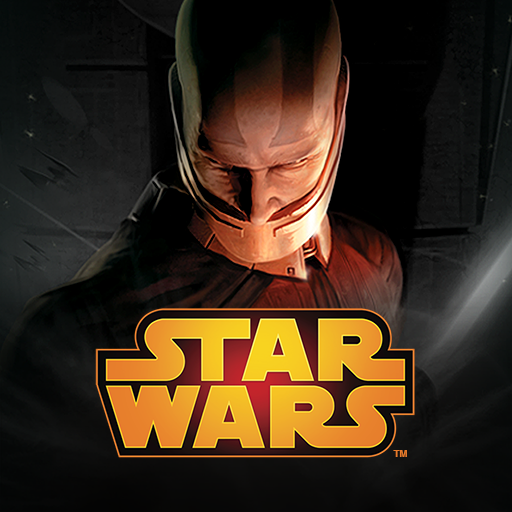
Star Wars™: KOTOR
Zaktualizowano
Aktualna wersja
1.0.10
Sprzedawca

Przy całej swojej pasji do grania w Star Wars™: KOTOR, twoje ręce nie powinny być ograniczone na małym ekranie telefonu. Graj jak zawodowiec i uzyskaj pełną kontrolę nad grą za pomocą klawiatury i myszy. MEmu oferuje ci wszystko, czego oczekujesz. Pobierz i graj Star Wars™: KOTOR na PC. Graj tak długo, jak chcesz, bez ograniczeń baterii, danych komórkowych i niepokojących połączeń. Zupełnie nowy MEmu 9 to najlepszy wybór do grania w Star Wars™: KOTOR na PC. Przygotowany dzięki naszej wiedzy, znakomity, wstępnie ustawiony system mapowania klawiszy sprawia, że Star Wars™: KOTOR jest prawdziwą grą na PC. Zakodowany naszą absorpcją, menedżer wielu instancji umożliwia granie na 2 lub więcej kontach na tym samym urządzeniu. A co najważniejsze, nasz emulator może uwolnić pełny potencjał twojego komputera, sprawić, że wszystko będzie płynne. Dbamy nie tylko o to, jak grasz, ale także o cały proces czerpania radości z grania.
Pokaż więcej
Ciesz się wspaniałym doświadczeniem podczas grania w Star Wars™: KOTOR na komputerze z aplikacją MEMU App Player. Jest to potężny darmowy emulator Androida pozwalający grać w tysiące gier na Androida. • Please note that Star Wars™: Knights of the Old Republic™ for Android has not been slimmed down for mobile in any way.
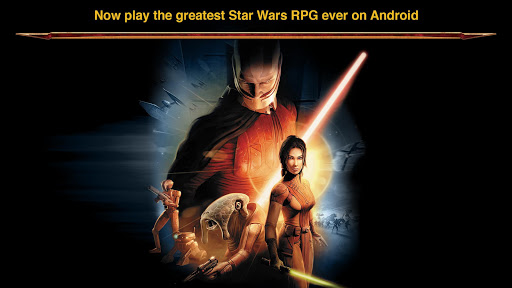
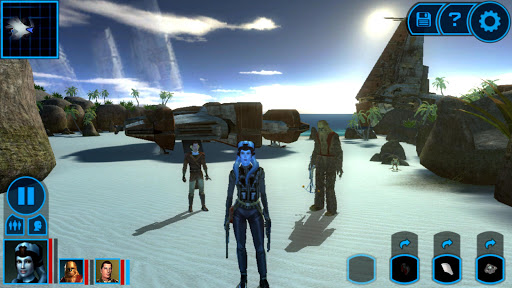
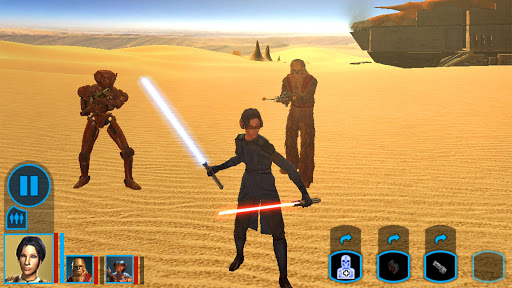
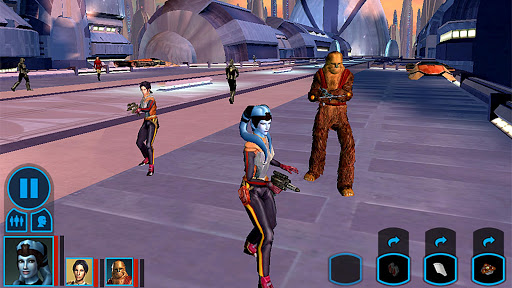
• Please note that Star Wars™: Knights of the Old Republic™ for Android has not been slimmed down for mobile in any way. It is the full KOTOR experience! As such the file size is quite large, so please be patient when downloading. •
Choose Your Path!
It is four thousand years before the Galactic Empire and hundreds of Jedi Knights have fallen in battle against the ruthless Sith. You are the last hope of the Jedi Order. Can you master the awesome power of the Force on your quest to save the Republic? Or will you fall to the lure of the dark side? Hero or villain, savior or conqueror... you alone will determine the destiny of the entire galaxy!
Game Features:
• An epic Star Wars role-playing experience with unique characters, creatures, vehicles and planets.
• Learn to use the Force with over 40 different powers, plus build your own Lightsaber.
• Adventure through iconic Star Wars locations, including Tatooine and the Wookiee homeworld Kashyyyk.
• Choose your party from nine customizable Star Wars characters, including Twi'leks, Droids and Wookiees.
• Travel to eight enormous worlds in your own starship, the Ebon Hawk.
• A streamlined user interface custom-made for the touch screen helps immerse you in the action.
• Full HID controller support for those gamers that prefer the original control scheme.
• For the first time, Star Wars™: Knights of the Old Republic™ has achievements!
Pokaż więcej

1. Pobierz instalator MEmu i zakończ instalację

2. Uruchom MEmu, a następnie otwórz Google Play na pulpicie

3. Wyszukaj Star Wars™: KOTOR w Google Play
Install
4. Pobierz i zainstaluj Star Wars™: KOTOR
5. Po zakończeniu instalacji kliknij ikonę, aby rozpocząć

6. Ciesz się grą Star Wars™: KOTOR na PC z MEmu
MEmu Play to najlepszy emulator Androida, a 100 milionów ludzi już korzysta z jego i dosta doskonałe wrażenia z gier na Androida. Technologia wirtualizacji MEmu umożliwia płynne granie w tysiące gier Androida na komputerze, nawet tych najbardziej wymagających grafiki.
Większy ekran z lepszą grafiką; Długi czas, bez ograniczeń baterii lub danych mobilnych.
Pełna obsługa mapowania klawiszy dla precyzyjnego sterowania klawiaturą i myszą lub gamepadem.
Wiele kont gier lub zadań na jednym komputerze jednocześnie z menedżerem wielu instancji.
Play Star Wars™: KOTOR on PC by following steps: