Scrabble® GO-Classic Word Game
Zaktualizowano
Aktualna wersja
1.85.2
Sprzedawca

Przy całej swojej pasji do grania w Scrabble® GO-Classic Word Game, twoje ręce nie powinny być ograniczone na małym ekranie telefonu. Graj jak zawodowiec i uzyskaj pełną kontrolę nad grą za pomocą klawiatury i myszy. MEmu oferuje ci wszystko, czego oczekujesz. Pobierz i graj Scrabble® GO-Classic Word Game na PC. Graj tak długo, jak chcesz, bez ograniczeń baterii, danych komórkowych i niepokojących połączeń. Zupełnie nowy MEmu 9 to najlepszy wybór do grania w Scrabble® GO-Classic Word Game na PC. Przygotowany dzięki naszej wiedzy, znakomity, wstępnie ustawiony system mapowania klawiszy sprawia, że Scrabble® GO-Classic Word Game jest prawdziwą grą na PC. Zakodowany naszą absorpcją, menedżer wielu instancji umożliwia granie na 2 lub więcej kontach na tym samym urządzeniu. A co najważniejsze, nasz emulator może uwolnić pełny potencjał twojego komputera, sprawić, że wszystko będzie płynne. Dbamy nie tylko o to, jak grasz, ale także o cały proces czerpania radości z grania.
Pokaż więcej
Ciesz się wspaniałym doświadczeniem podczas grania w Scrabble® GO-Classic Word Game na komputerze z aplikacją MEMU App Player. Jest to potężny darmowy emulator Androida pozwalający grać w tysiące gier na Androida. Welcome to Scrabble GO, the free new and updated version of the classic word game!
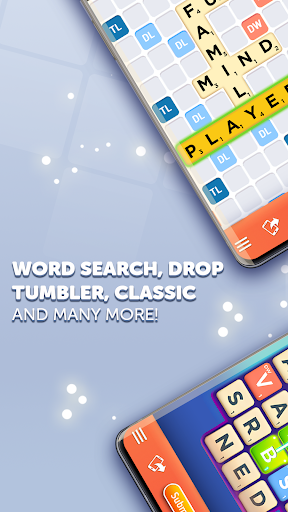
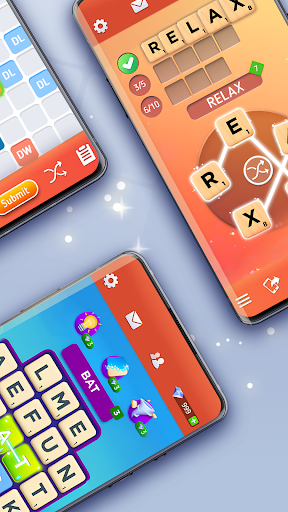
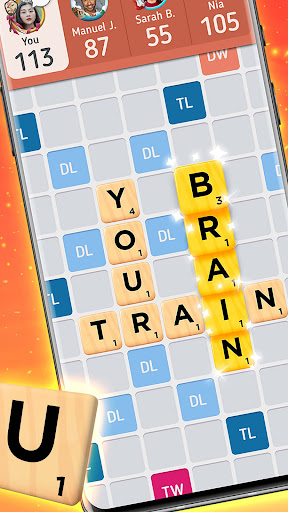
Welcome to Scrabble GO, the free new and updated version of the classic word game!
⭐Play Scrabble GO - your winning Scrabble word awaits!⭐
Classic Scrabble Game with New Word Game Features
Official scrabble board ➤ Custom word tiles ➤ Scrabble dictionary ➤ Authentic crossword game experience
Now with Multiplayer!
Our newest feature allows you to play classic Scrabble the way it was meant to be played: with multiple opponents!
Play with Friends and Family
Easily find new Scrabble friends ➤ Challenge your friends ➤ Use our fun and easy-to-use chat emojis & phrases to chat with friends & family
New Word Games - Move beyond the traditional scrabble board with 4 fast-paced competitive game modes!
1. Duels - Fast-Paced, head-to-head Scrabble game! Play 5 turns against players of similar skill. Watch out for the timer and unlock Scrabble prize chests.
2. Word Drop - New word search game. Used word tiles are replaced with new custom tiles, opening new crossword game possibilities!
3. Tumbler - Like anagrams? Find as many high-scoring words from a rotating set of letters in a limited amount of time.
4. Rush - Beat yourself in this Solo Scrabble mode, set up high-scoring plays on a smaller 11x11 scrabble board.
⭐Play the updated version of the classic word game as a free to play mobile game⭐
Collect Playable Word Tiles
Play Scrabble GO and personalize the classic scrabble experience with custom word tiles! Unlock chests to discover and collect a variety of new tiles! New and limited-edition tiles are added often, so be sure to collect them all!
Scrabble Game Features
➤Scrabble Leagues - Play against other Scrabble friends to achieve top league rankings to get more XP and chests as well as an exclusive League Frame to show off your progress.
➤Practice Mode - Play Scrabble 1-on-1 against the computer. Designed to match your skill level, it’s a great way to test out new strategies and tactics.
➤Boosts - Powerful word game boosts like Hint, Upgrade, Word Spy, and Vortex help take your gameplay to the next level.
➤Track Stats - View your scoring averages, longest words, best plays, and more! See how your word puzzle Scrabble skills are progressing with our in-depth profile page or visit another player’s profile.
➤Level up & Unlock more - Unlock new collectible Scrabble tiles and other features by scoring points in Scrabble games and Duels, or by ranking high on the Arena leaderboards!
Privacy Policy:
http://scopely.com/privacy/
Terms of Service:
http://scopely.com/tos/
Like Scrabble GO on Facebook! https://www.facebook.com/ScrabbleGO/
By installing this game, you agree to the terms of the license agreements.
SCRABBLE, the associated logo, the design of the associated SCRABBLE brand game
board, and the distinctive letter tile designs are trademarks of Hasbro in the US and Canada and are used with permission. © 2021 Hasbro
Pokaż więcej

1. Pobierz instalator MEmu i zakończ instalację

2. Uruchom MEmu, a następnie otwórz Google Play na pulpicie

3. Wyszukaj Scrabble® GO-Classic Word Game w Google Play
Install
4. Pobierz i zainstaluj Scrabble® GO-Classic Word Game
5. Po zakończeniu instalacji kliknij ikonę, aby rozpocząć

6. Ciesz się grą Scrabble® GO-Classic Word Game na PC z MEmu
MEmu Play to najlepszy emulator Androida, a 100 milionów ludzi już korzysta z jego i dosta doskonałe wrażenia z gier na Androida. Technologia wirtualizacji MEmu umożliwia płynne granie w tysiące gier Androida na komputerze, nawet tych najbardziej wymagających grafiki.
Większy ekran z lepszą grafiką; Długi czas, bez ograniczeń baterii lub danych mobilnych.
Pełna obsługa mapowania klawiszy dla precyzyjnego sterowania klawiaturą i myszą lub gamepadem.
Wiele kont gier lub zadań na jednym komputerze jednocześnie z menedżerem wielu instancji.
Play Scrabble® GO-Classic Word Game on PC by following steps: