Kuroko's Basketball™: SR
Zaktualizowano
Aktualna wersja
Sprzedawca

Przy całej swojej pasji do grania w Kuroko's Basketball™: SR, twoje ręce nie powinny być ograniczone na małym ekranie telefonu. Graj jak zawodowiec i uzyskaj pełną kontrolę nad grą za pomocą klawiatury i myszy. MEmu oferuje ci wszystko, czego oczekujesz. Pobierz i graj Kuroko's Basketball™: SR na PC. Graj tak długo, jak chcesz, bez ograniczeń baterii, danych komórkowych i niepokojących połączeń. Zupełnie nowy MEmu 9 to najlepszy wybór do grania w Kuroko's Basketball™: SR na PC. Przygotowany dzięki naszej wiedzy, znakomity, wstępnie ustawiony system mapowania klawiszy sprawia, że Kuroko's Basketball™: SR jest prawdziwą grą na PC. Zakodowany naszą absorpcją, menedżer wielu instancji umożliwia granie na 2 lub więcej kontach na tym samym urządzeniu. A co najważniejsze, nasz emulator może uwolnić pełny potencjał twojego komputera, sprawić, że wszystko będzie płynne. Dbamy nie tylko o to, jak grasz, ale także o cały proces czerpania radości z grania.
Pokaż więcej
Ciesz się wspaniałym doświadczeniem podczas grania w Kuroko's Basketball™: SR na komputerze z aplikacją MEMU App Player. Jest to potężny darmowy emulator Androida pozwalający grać w tysiące gier na Androida. This all-new, hotblooded basketball competitive mobile game, "Kuroko's Basketball: Street Rivals," is an instant head-to-head action game adapted from the popular Japanese basketball anime "Kuroko's Basketball.
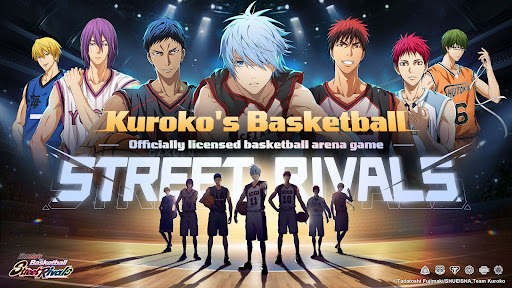
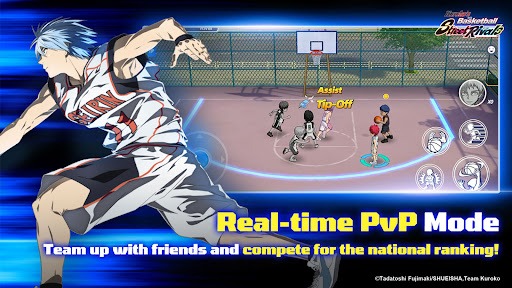

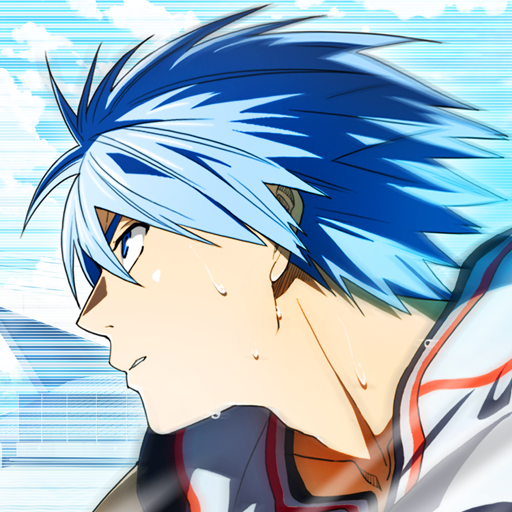
This all-new, hotblooded basketball competitive mobile game, "Kuroko's Basketball: Street Rivals," is an instant head-to-head action game adapted from the popular Japanese basketball anime "Kuroko's Basketball." It faithfully recreates the world of the original work. You can develop and train a wide array of iconic players like Kuroko Tetsuya and Kagami Taiga, and then take direct control to experience the anime's intense and thrilling basketball matches. With a variety of rich gameplay modes, get ready to reignite your passion and relive the excitement of "Kuroko's Basketball"!
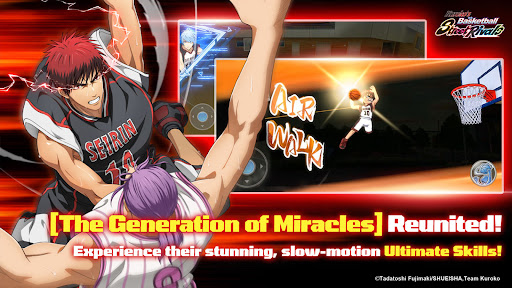
[Breathtaking Skill Animations!]
Perfectly recreate each character's signature skills, like Tetsuya Kuroko's "Misdirection" and Taiga Kagami's "Air Walk." Use your masterful controls to execute the most dazzling skill combos!
[Multiple Modes & Thrilling Multiplayer Online Battles!]
Beyond the core 3v3 match mode, enjoy a variety of other modes like 1v1, 2v2, and Ranked Matches. Dive into intense real-time competition against players from across the entire server!
[The Kings of Every Team Assemble!]
It's not just Seirin and Kaijo High-all the powerhouse schools from "Kuroko's Basketball" are gathered here! Freely develop your favorite players and bring them into the fray!
[100% Faithful Story, Featuring Original Voices!]
Dive into the distinctive Story Mode, which fully incorporates the original anime voice-overs and plot. Become a member of the team and personally experience every single match from the story!
Pokaż więcej

1. Pobierz instalator MEmu i zakończ instalację

2. Uruchom MEmu, a następnie otwórz Google Play na pulpicie

3. Wyszukaj Kuroko's Basketball™: SR w Google Play
Install
4. Pobierz i zainstaluj Kuroko's Basketball™: SR
5. Po zakończeniu instalacji kliknij ikonę, aby rozpocząć

6. Ciesz się grą Kuroko's Basketball™: SR na PC z MEmu
MEmu Play to najlepszy emulator Androida, a 100 milionów ludzi już korzysta z jego i dosta doskonałe wrażenia z gier na Androida. Technologia wirtualizacji MEmu umożliwia płynne granie w tysiące gier Androida na komputerze, nawet tych najbardziej wymagających grafiki.
Większy ekran z lepszą grafiką; Długi czas, bez ograniczeń baterii lub danych mobilnych.
Pełna obsługa mapowania klawiszy dla precyzyjnego sterowania klawiaturą i myszą lub gamepadem.
Wiele kont gier lub zadań na jednym komputerze jednocześnie z menedżerem wielu instancji.
Play Kuroko's Basketball™: SR on PC by following steps: