Domino Wings: Merge Island
Zaktualizowano
Aktualna wersja
1.2.9
Sprzedawca

Przy całej swojej pasji do grania w Domino Wings: Merge Island, twoje ręce nie powinny być ograniczone na małym ekranie telefonu. Graj jak zawodowiec i uzyskaj pełną kontrolę nad grą za pomocą klawiatury i myszy. MEmu oferuje ci wszystko, czego oczekujesz. Pobierz i graj Domino Wings: Merge Island na PC. Graj tak długo, jak chcesz, bez ograniczeń baterii, danych komórkowych i niepokojących połączeń. Zupełnie nowy MEmu 9 to najlepszy wybór do grania w Domino Wings: Merge Island na PC. Przygotowany dzięki naszej wiedzy, znakomity, wstępnie ustawiony system mapowania klawiszy sprawia, że Domino Wings: Merge Island jest prawdziwą grą na PC. Zakodowany naszą absorpcją, menedżer wielu instancji umożliwia granie na 2 lub więcej kontach na tym samym urządzeniu. A co najważniejsze, nasz emulator może uwolnić pełny potencjał twojego komputera, sprawić, że wszystko będzie płynne. Dbamy nie tylko o to, jak grasz, ale także o cały proces czerpania radości z grania.
Pokaż więcej
Ciesz się wspaniałym doświadczeniem podczas grania w Domino Wings: Merge Island na komputerze z aplikacją MEMU App Player. Jest to potężny darmowy emulator Androida pozwalający grać w tysiące gier na Androida. Connect and match game.

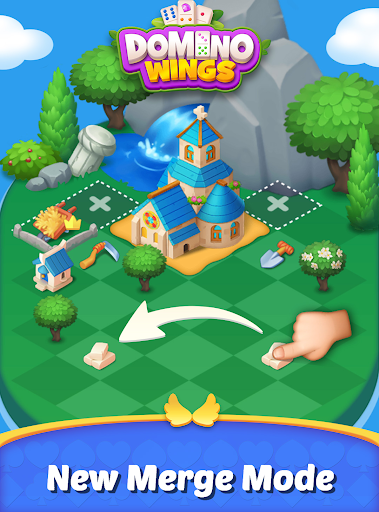

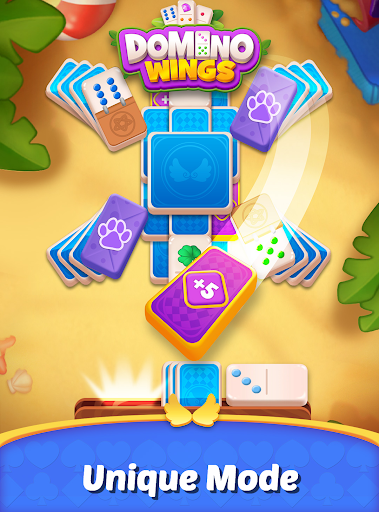
Connect and match game. If you like solitaire, don't miss it.
How to Play:
- Scan the table. Look for a domino card on the table that matches the points on your current card.
- Make your move. Click on the matching domino to connect and create a fun chain reaction.
Game Features:
- Offline games allow you to enjoy them without Wi-Fi. Whether on the go or just looking for a relaxing game at home, our domino game is your perfect companion.
- Unlike other domino games, it adds an innovative party mode.
- Creative gameplay, retaining the casual gameplay of connect, match-3, and match-2 games.
- Contains a wide variety of game themes and skins.
- New game content every day and a lot of updates every week.
Pokaż więcej

1. Pobierz instalator MEmu i zakończ instalację

2. Uruchom MEmu, a następnie otwórz Google Play na pulpicie

3. Wyszukaj Domino Wings: Merge Island w Google Play
Install
4. Pobierz i zainstaluj Domino Wings: Merge Island
5. Po zakończeniu instalacji kliknij ikonę, aby rozpocząć

6. Ciesz się grą Domino Wings: Merge Island na PC z MEmu
MEmu Play to najlepszy emulator Androida, a 100 milionów ludzi już korzysta z jego i dosta doskonałe wrażenia z gier na Androida. Technologia wirtualizacji MEmu umożliwia płynne granie w tysiące gier Androida na komputerze, nawet tych najbardziej wymagających grafiki.
Większy ekran z lepszą grafiką; Długi czas, bez ograniczeń baterii lub danych mobilnych.
Pełna obsługa mapowania klawiszy dla precyzyjnego sterowania klawiaturą i myszą lub gamepadem.
Wiele kont gier lub zadań na jednym komputerze jednocześnie z menedżerem wielu instancji.
Play Domino Wings: Merge Island on PC by following steps: