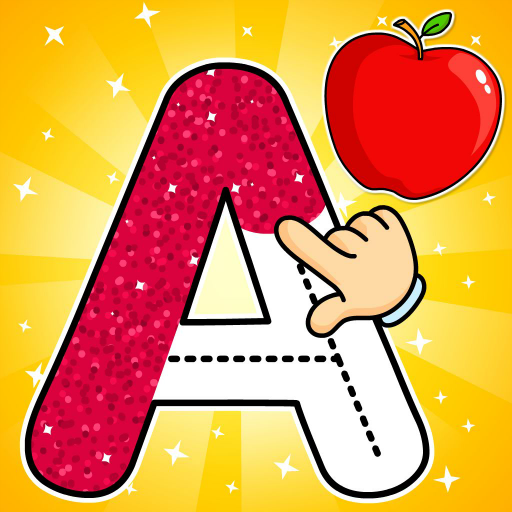
KidloLand Kids & Toddler Games
Zaktualizowano
Aktualna wersja
1772616482
Sprzedawca

Przy całej swojej pasji do grania w KidloLand Kids & Toddler Games, twoje ręce nie powinny być ograniczone na małym ekranie telefonu. Graj jak zawodowiec i uzyskaj pełną kontrolę nad grą za pomocą klawiatury i myszy. MEmu oferuje ci wszystko, czego oczekujesz. Pobierz i graj KidloLand Kids & Toddler Games na PC. Graj tak długo, jak chcesz, bez ograniczeń baterii, danych komórkowych i niepokojących połączeń. Zupełnie nowy MEmu 9 to najlepszy wybór do grania w KidloLand Kids & Toddler Games na PC. Przygotowany dzięki naszej wiedzy, znakomity, wstępnie ustawiony system mapowania klawiszy sprawia, że KidloLand Kids & Toddler Games jest prawdziwą grą na PC. Zakodowany naszą absorpcją, menedżer wielu instancji umożliwia granie na 2 lub więcej kontach na tym samym urządzeniu. A co najważniejsze, nasz emulator może uwolnić pełny potencjał twojego komputera, sprawić, że wszystko będzie płynne. Dbamy nie tylko o to, jak grasz, ale także o cały proces czerpania radości z grania.
Pokaż więcej
Ciesz się wspaniałym doświadczeniem podczas grania w KidloLand Kids & Toddler Games na komputerze z aplikacją MEMU App Player. Jest to potężny darmowy emulator Androida pozwalający grać w tysiące gier na Androida. Kidloland, gry edukacyjne dla dzieci oferuje ponad 3000 interaktywnych gier stworzonych dla dzieci w wieku przedszkolnym i przedszkolnym w wieku 2-8 lat.
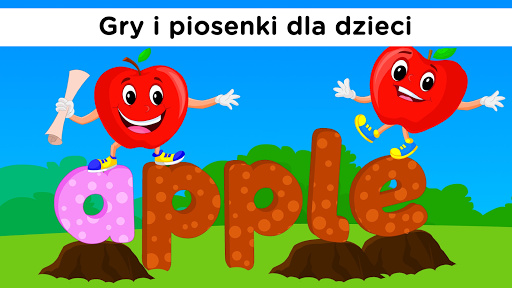
Kidloland, gry edukacyjne dla dzieci oferuje ponad 3000 interaktywnych gier stworzonych dla dzieci w wieku przedszkolnym i przedszkolnym w wieku 2-8 lat. Dzięki zabawnym i wczesnym zajęciom edukacyjnym małe dzieci mogą rozwijać podstawowe umiejętności motoryczne i logiczne myślenie. Te gry dla dzieci są przeznaczone dla dziewcząt i chłopców w pierwszej i drugiej klasie. Umożliwiają naukę gier edukacyjnych, takich jak czytanie, pisanie, alfabet, liczby, rysowanie, kolorowanie, kształty i kolory, łamigłówki oraz minigry, takie jak gry o gotowaniu, gry logiczne, owoce, warzywa , zwierzęta, wszystko w ramach jednej aplikacji edukacyjnej dla małych dzieci.
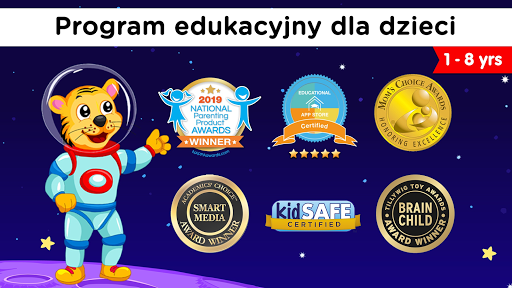
Zdobywca nagrody NAPPA 2019
Certyfikat 5 STARS wydany przez Educational App Store
Zdobywca złotej nagrody Mom's Choice
Zdobywca nagrody Academics 'Choice Smart Media Award
Zdobywca nagrody Tillywig Brainchild Award
KidloLand to wielokrotnie nagradzana aplikacja dla dzieci, wybrana przez Google Play jako jedna z najlepszych aplikacji rodzinnych 2016 roku. Jest polecany przez 500+ Mom Bloggers i używany przez ponad milion szczęśliwych rodzin na całym świecie. Uniwersalna aplikacja dla dzieci w wieku przedszkolnym i przedszkolnym.
Śpiewaj razem z piosenkami dla dzieci, rymowankami dla niemowląt i graj w gry dla dzieci w wieku 2-4 lat. Pobrane filmy z rymowankami można odtwarzać w trybie offline bez Wi-Fi.
Dlaczego dzieci i rodzice pokochają KidloLand?
Ulubione rymowanki:
Twinkle Twinkle Little Star, Old MacDonald, Itsy Bitsy Spider, Wheels on the Bus, London Bridge, BINGO, Row Your Boat, Humpty Dumpty, Mary had a Little Lamb itp.
Zabawne i oryginalne filmy z piosenkami dla dzieci i niemowląt:
Fonika ABC, pierwsze słowa, liczby, owoce, pojazdy, zwierzęta, dinozaury, warzywa, odgłosy zwierząt, ptaki, kształty, kolory, miesiące i dni, kołysanki, Boże Narodzenie itp.
Historie edukacyjne dla dzieci:
Historie, które pomagają dzieciom nauczyć się czytać. Te historie z dźwiękiem i wideo pomagają dzieciom w czytaniu i zwiększają ich pewność siebie w czytaniu.
Przedszkolne gry edukacyjne dla małych dzieci:
Zabawne i edukacyjne gry dla dzieci w wieku 1, 2, 3, 4, 5 lat, które pomagają dzieciom w wieku przedszkolnym uczyć się w łatwy sposób. Obejmują one łączenie kropek i gry logiczne dla dzieci, takie jak puzzle.
Naucz się ABC:
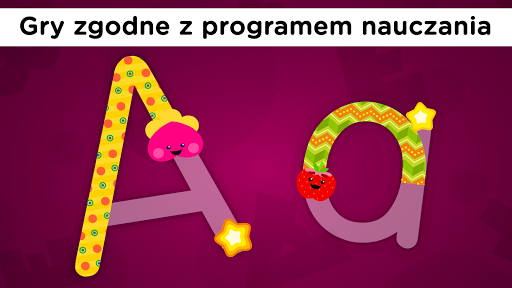
Dzięki ABC Phonics i piosenkom ABC nauka alfabetu nigdy nie była tak łatwa. KidloLand ma ogromną kolekcję piosenek z alfabetem do nauki alfabetu, a dzieci mogą nauczyć się śledzić małe i duże litery w grach ze śledzeniem alfabetu.
Aplikacja edukacyjna dla niemowląt:
Jeśli chcesz odgłosy zwierząt, pierwsze słowa, kołysanki, piosenki dla dzieci lub rymowanki dla dzieci, weź je wszystkie tutaj. Niemowlęta mogą nauczyć się wszystkich nazw zwierząt i ich dźwięków w grach ze zwierzętami dla małych dzieci.
TYSIĄCE interaktywnych niespodzianek:
W przeciwieństwie do innych aplikacji dla dzieci, KidloLand zawiera rymowane filmy, w których małe dzieci mogą dotykać zwierząt na ekranie, aby ożywić je zabawnymi animacjami i dźwiękami.
Wiek: 1, 2, 3, 4, 5 lat.
Ponad 40 rymowanek, piosenek dla niemowląt, foniki, opowiadań i gier dla małych dzieci jest dostępnych za darmo w trybie offline. Pozostałe można odblokować subskrypcją.
- Zapisz się, aby uzyskać dostęp do pełnej treści. Dwie tanie opcje subskrypcji: miesięczna lub roczna (33% zniżki)
- Anuluj odnowienie subskrypcji w dowolnym momencie za pośrednictwem Google Play.
- Konto zostanie obciążone opłatą za przedłużenie w ciągu 24 godzin przed końcem bieżącego okresu.
- Korzystaj z subskrypcji na dowolnym telefonie / tablecie z Androidem zarejestrowanym na koncie Google.
Polityka prywatności: www.kidloland.com/privacypolicy.php
Pokaż więcej

1. Pobierz instalator MEmu i zakończ instalację

2. Uruchom MEmu, a następnie otwórz Google Play na pulpicie

3. Wyszukaj KidloLand Kids & Toddler Games w Google Play
Install
4. Pobierz i zainstaluj KidloLand Kids & Toddler Games
5. Po zakończeniu instalacji kliknij ikonę, aby rozpocząć

6. Ciesz się grą KidloLand Kids & Toddler Games na PC z MEmu
MEmu Play to najlepszy emulator Androida, a 100 milionów ludzi już korzysta z jego i dosta doskonałe wrażenia z gier na Androida. Technologia wirtualizacji MEmu umożliwia płynne granie w tysiące gier Androida na komputerze, nawet tych najbardziej wymagających grafiki.
Większy ekran z lepszą grafiką; Długi czas, bez ograniczeń baterii lub danych mobilnych.
Pełna obsługa mapowania klawiszy dla precyzyjnego sterowania klawiaturą i myszą lub gamepadem.
Wiele kont gier lub zadań na jednym komputerze jednocześnie z menedżerem wielu instancji.
Play KidloLand Kids & Toddler Games on PC by following steps: