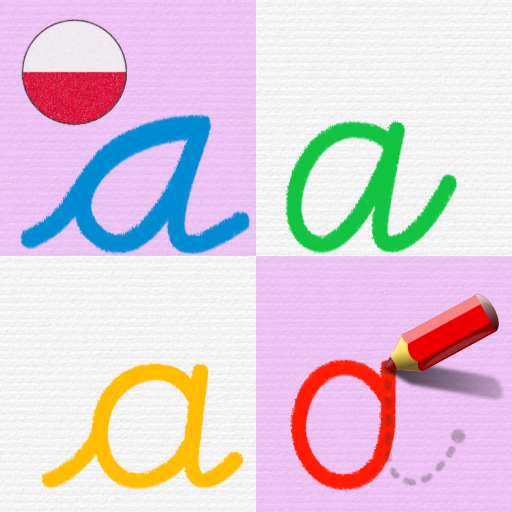
LetraKid PRO Pismo Szkolne ABC
Zaktualizowano
Aktualna wersja
2.8.8
Sprzedawca

Przy całej swojej pasji do grania w LetraKid PRO Pismo Szkolne ABC, twoje ręce nie powinny być ograniczone na małym ekranie telefonu. Graj jak zawodowiec i uzyskaj pełną kontrolę nad grą za pomocą klawiatury i myszy. MEmu oferuje ci wszystko, czego oczekujesz. Pobierz i graj LetraKid PRO Pismo Szkolne ABC na PC. Graj tak długo, jak chcesz, bez ograniczeń baterii, danych komórkowych i niepokojących połączeń. Zupełnie nowy MEmu 9 to najlepszy wybór do grania w LetraKid PRO Pismo Szkolne ABC na PC. Przygotowany dzięki naszej wiedzy, znakomity, wstępnie ustawiony system mapowania klawiszy sprawia, że LetraKid PRO Pismo Szkolne ABC jest prawdziwą grą na PC. Zakodowany naszą absorpcją, menedżer wielu instancji umożliwia granie na 2 lub więcej kontach na tym samym urządzeniu. A co najważniejsze, nasz emulator może uwolnić pełny potencjał twojego komputera, sprawić, że wszystko będzie płynne. Dbamy nie tylko o to, jak grasz, ale także o cały proces czerpania radości z grania.
Pokaż więcej
Ciesz się wspaniałym doświadczeniem podczas grania w LetraKid PRO Pismo Szkolne ABC na komputerze z aplikacją MEMU App Player. Jest to potężny darmowy emulator Androida pozwalający grać w tysiące gier na Androida. "LetraKid PRO Pismo Szkolne ABC" is an educational learning game app for kids 4, 5, 6, 7, 8 years old that can help them to learn to write cursive letters, while having fun when doing so!
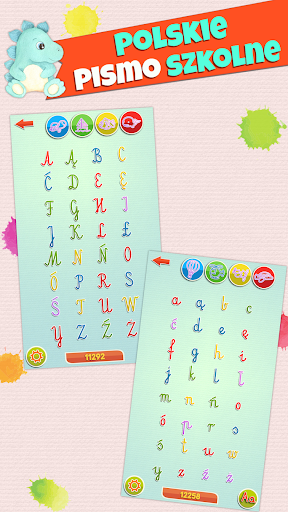
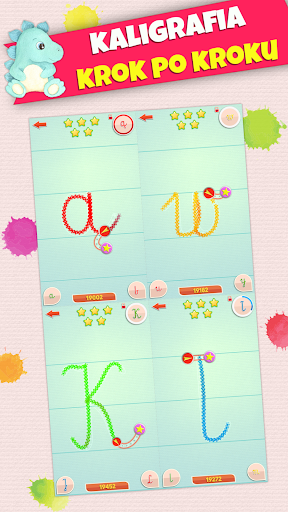
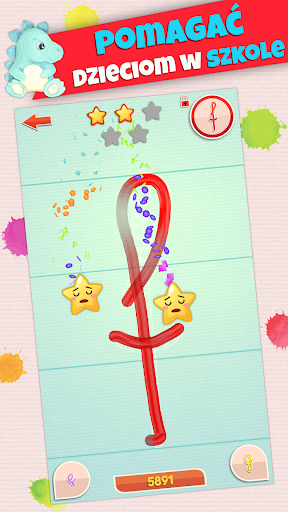
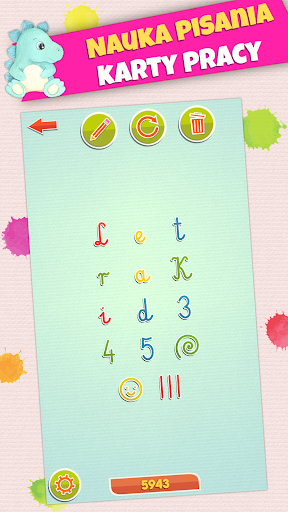
"LetraKid PRO Pismo Szkolne ABC" is an educational learning game app for kids 4, 5, 6, 7, 8 years old that can help them to learn to write cursive letters, while having fun when doing so!
Alphabet, ABCs letters, 0-9 numbers, shapes and various funny tracing exercises are included in this educational game.
****** 5/5 stars EducationalAppStore.com ******
WHAT KIDS CAN LEARN FROM THIS GAME
• Recognize letter shapes and perfect alphabet pronunciation
• The correct letter formation as learned in school: start, checkpoints, strokes direction, order etc. Difficulty Levels 1 and 2 with assisted writing are designed to focus on the letter formation.
• Develop fine motor skills for handwriting activity. Difficulty Levels 3 to 5 with freehand writing activities will focus on this improvement to help maximize confidence and form when writing.
• Playing with a stylus pen will also help to improve standard pencil grasp. Any stylus compatible with the device will work.
MAIN FEATURES
• 16 languages with full support for interface, human native voices for letter/numbers pronunciation and full official alphabets.
• Makes use of the 8 most used fonts in classes all over the world for learning cursive handwritting
• 5 difficulty levels with AUTO and LOCK settings, ranging from assisted writing for beginners, up to real freehand writing with minimal support and strict evaluation.
• 4 set of glyphs: ABC (full alphabet for uppercase letters), abc (full alphabet for lowercase letters), 123 (numbers from 0 to 9) and a special set of shapes for funny exercises.
• 5 progression levels, color coded for each glyph that allows parents and teachers an instant evaluation of the progression and most exercised letters at the alphabet level.
• 16 funny sticker rewards that will unlock after progression milestones are reached. Writing practice made fun.
• 3 profile slots with 50 funny avatars and name customization that will save independently the settings and the progression.
• Full support for both Landscape and Portrait orientations.
GREAT IN THE CLASSROOM!
With a unique and real-time feedback feature as well as complex tracing evaluation algorithms, LetraKid Cursive is one of a kind tracing app.
This is a new approach, focused on creating a fun game by utilizing handwritting mechanics itself. This avoids using distracting random rewards or secondary game mechanics that can break and confuse the learning process, optimizing learning progress and educational appeal to children.
The real time feedback will give both audio and graphic clues about the quality of the tracing and will adjust with difficulty level.
Our ABC and 123 tracing evaluation algorithms allow for an accurate and fun reward, using a 5 star rating for each exercise. This engages and motivates the kids to progress and to strive for more.
DESIGNED for KIDS
• Works OFFLINE! No Internet connection required.
• No irritating pop-ups.
• No collection of personal data
• Game settings are behind a parental gate. This can be enabled, and ensures a child to work with a certain font, formation rule, difficulty level and various other features for total specification to their needs.
• This game can be useful for kids with autism, adhd, dyslexia or dysgraphia conditions.
This is an educational app for kids learning handwriting with cursive alphabet letters in kindergarten, pre-school, home-school, primary school or using as Montessori material.
Pokaż więcej

1. Pobierz instalator MEmu i zakończ instalację

2. Uruchom MEmu, a następnie otwórz Google Play na pulpicie

3. Wyszukaj LetraKid PRO Pismo Szkolne ABC w Google Play
Install
4. Pobierz i zainstaluj LetraKid PRO Pismo Szkolne ABC
5. Po zakończeniu instalacji kliknij ikonę, aby rozpocząć

6. Ciesz się grą LetraKid PRO Pismo Szkolne ABC na PC z MEmu
MEmu Play to najlepszy emulator Androida, a 100 milionów ludzi już korzysta z jego i dosta doskonałe wrażenia z gier na Androida. Technologia wirtualizacji MEmu umożliwia płynne granie w tysiące gier Androida na komputerze, nawet tych najbardziej wymagających grafiki.
Większy ekran z lepszą grafiką; Długi czas, bez ograniczeń baterii lub danych mobilnych.
Pełna obsługa mapowania klawiszy dla precyzyjnego sterowania klawiaturą i myszą lub gamepadem.
Wiele kont gier lub zadań na jednym komputerze jednocześnie z menedżerem wielu instancji.
Play LetraKid PRO Pismo Szkolne ABC on PC by following steps: