Ludo STAR
Zaktualizowano
Aktualna wersja
1.351.1
Sprzedawca

Przy całej swojej pasji do grania w Ludo STAR, twoje ręce nie powinny być ograniczone na małym ekranie telefonu. Graj jak zawodowiec i uzyskaj pełną kontrolę nad grą za pomocą klawiatury i myszy. MEmu oferuje ci wszystko, czego oczekujesz. Pobierz i graj Ludo STAR na PC. Graj tak długo, jak chcesz, bez ograniczeń baterii, danych komórkowych i niepokojących połączeń. Zupełnie nowy MEmu 9 to najlepszy wybór do grania w Ludo STAR na PC. Przygotowany dzięki naszej wiedzy, znakomity, wstępnie ustawiony system mapowania klawiszy sprawia, że Ludo STAR jest prawdziwą grą na PC. Zakodowany naszą absorpcją, menedżer wielu instancji umożliwia granie na 2 lub więcej kontach na tym samym urządzeniu. A co najważniejsze, nasz emulator może uwolnić pełny potencjał twojego komputera, sprawić, że wszystko będzie płynne. Dbamy nie tylko o to, jak grasz, ale także o cały proces czerpania radości z grania.
Pokaż więcej
Ciesz się wspaniałym doświadczeniem podczas grania w Ludo STAR na komputerze z aplikacją MEMU App Player. Jest to potężny darmowy emulator Androida pozwalający grać w tysiące gier na Androida. Our multiplayer board game is better and smarter than ever before!
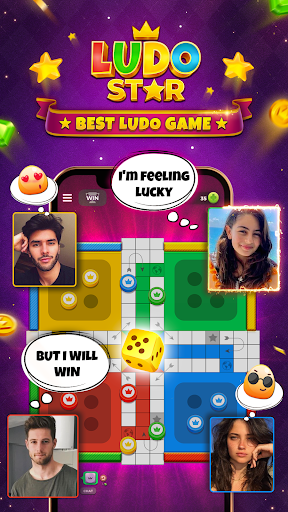



Our multiplayer board game is better and smarter than ever before! Connect with friends and challenge them to one of the oldest, most popular dice games in the world. Play multiple games online at the same time, track your moves and improve your stats.
Show off your dice rolling skills as you search for the highest score in our beloved classic board game.
FEATURES:
CHALLENGE YOUR FRIENDS
The multiplayer board game showdown starts here. Keep up your brain training by challenging your friends and family members who love the thrill of this classic dice game, or use random match to find your perfect opponent. Prove you have what it takes to become the ludo king or queen in this entertaining board game.
COMPLETE GOALS AND GET REWARDED
Roll the perfect dice to complete levels and unlock exclusive collectibles with Season Pass in this classic board game! With a new season every 6 weeks, there is always something new and exciting to collect! In this classic board game, climb the rewards track and put your dice rolling skills to the test in this brain teaser and collect them all!
VOICE CHAT WITH ANYONE
Break the ice with people nearby or around the world. Unlike some other apps, voice chat is always free
PLAY SPEED DICE IN QUICK PLAY EVENTS!
Beat the ludo blitz in our new game modes. Play multiplayer dice games with friends and be the fastest to score the most points!
TESTIMONIALS:
“Great board game for playing with friends or anybody else that loves ludo”
“I love this game!!! It’s as simple as that. A must have for the ludo player in all of us”
“Great board game that challenges your mind, and helps you learn new skills while playing with friends”
“My favourite app. The first app I check each morning. The only ludo game I play every day. I’ve got a dozen opponents across the globe. My favourite app by far.
COMMUNITY:
Casual puzzles, multiplayer board game, and dice games aficionado? Like us on Facebook or follow us on Instagram for exclusive offers and bonuses!
https://www.instagram.com/ludostarhd/?hl=en
https://www.facebook.com/ludostarhd/
DISCLAIMER::
Use of this application is governed by Gameberry Labs Pvt. Ltd. Terms of Use. Collection and use of personal data are subject to Gameberry Labs Privacy Policy. Both policies are available at www.gameberrylabs.com.
Pokaż więcej

1. Pobierz instalator MEmu i zakończ instalację

2. Uruchom MEmu, a następnie otwórz Google Play na pulpicie

3. Wyszukaj Ludo STAR w Google Play
Install
4. Pobierz i zainstaluj Ludo STAR
5. Po zakończeniu instalacji kliknij ikonę, aby rozpocząć

6. Ciesz się grą Ludo STAR na PC z MEmu
MEmu Play to najlepszy emulator Androida, a 100 milionów ludzi już korzysta z jego i dosta doskonałe wrażenia z gier na Androida. Technologia wirtualizacji MEmu umożliwia płynne granie w tysiące gier Androida na komputerze, nawet tych najbardziej wymagających grafiki.
Większy ekran z lepszą grafiką; Długi czas, bez ograniczeń baterii lub danych mobilnych.
Pełna obsługa mapowania klawiszy dla precyzyjnego sterowania klawiaturą i myszą lub gamepadem.
Wiele kont gier lub zadań na jednym komputerze jednocześnie z menedżerem wielu instancji.
Play Ludo STAR on PC by following steps: