MLB The Show 25
Zaktualizowano
Aktualna wersja
Sprzedawca

Przy całej swojej pasji do grania w MLB The Show 25, twoje ręce nie powinny być ograniczone na małym ekranie telefonu. Graj jak zawodowiec i uzyskaj pełną kontrolę nad grą za pomocą klawiatury i myszy. MEmu oferuje ci wszystko, czego oczekujesz. Pobierz i graj MLB The Show 25 na PC. Graj tak długo, jak chcesz, bez ograniczeń baterii, danych komórkowych i niepokojących połączeń. Zupełnie nowy MEmu 9 to najlepszy wybór do grania w MLB The Show 25 na PC. Przygotowany dzięki naszej wiedzy, znakomity, wstępnie ustawiony system mapowania klawiszy sprawia, że MLB The Show 25 jest prawdziwą grą na PC. Zakodowany naszą absorpcją, menedżer wielu instancji umożliwia granie na 2 lub więcej kontach na tym samym urządzeniu. A co najważniejsze, nasz emulator może uwolnić pełny potencjał twojego komputera, sprawić, że wszystko będzie płynne. Dbamy nie tylko o to, jak grasz, ale także o cały proces czerpania radości z grania.
Pokaż więcej
Ciesz się wspaniałym doświadczeniem podczas grania w MLB The Show 25 na komputerze z aplikacją MEMU App Player. Jest to potężny darmowy emulator Androida pozwalający grać w tysiące gier na Androida. Get ready to step up to the plate with MLB The Show 25, the latest installment in San Diego Studio's celebrated baseball simulation franchise.
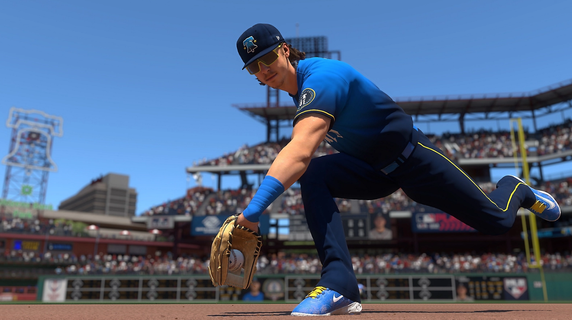
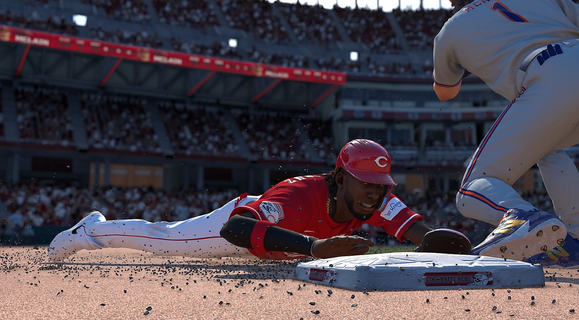
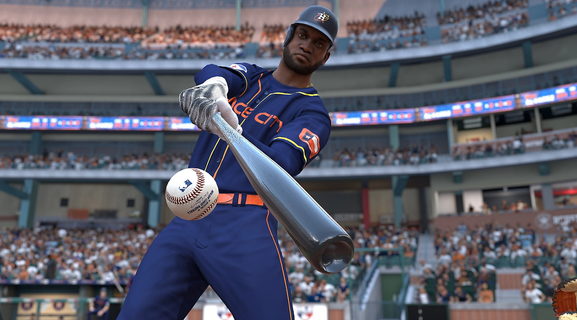
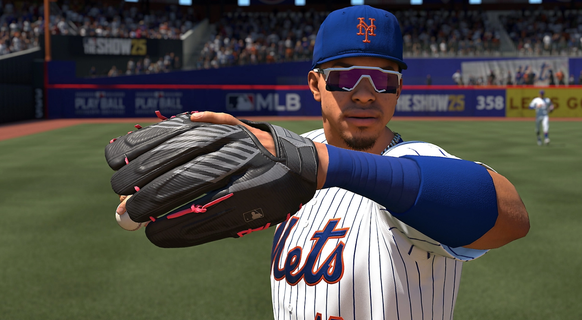
Get ready to step up to the plate with MLB The Show 25, the latest installment in San Diego Studio's celebrated baseball simulation franchise. Set to release on March 18th, MLB The Show 25 is gearing up to offer fans a host of new gameplay features, enhanced visuals, and revamped modes, promising a fresh and immersive baseball experience. One of the most exciting additions to MLB The Show 25 is the first-person gameplay mode. While the full extent of its implementation remains to be seen, the gameplay trailer showcased the first-person perspective for fielding, requiring players to manually move their glove to catch balls and aim throws. This new perspective promises to deliver a unique challenge and a more immersive experience, allowing players to see the game from the eyes of an MLB player. MLB The Show 25 also boasts significant improvements to its Road to the Show mode. This create-a-player mode will now include both high school and collegiate baseball, offering a more comprehensive and realistic journey to the major leagues. Coupled with a revamped progression system and new quick-time events, Road to the Show aims to provide a deeper and more engaging career mode. For those who enjoy the strategic aspects of baseball, MLB The Show 25 introduces a new Franchise mode seemingly called Front Office Experience. While details are still emerging, this mode is expected to offer a more in-depth management experience, focusing on player development, money management, and scouting. Some fans are hoping for a system akin to Football Manager, with deep dives into scouting, player development, and roster implementation. Whether it includes stadium management options like setting prices on hats and hot dogs remains to be seen, but the Front Office Experience has the potential to be a game-changer for franchise mode enthusiasts. Diamond Dynasty, the popular card-collecting mode, is also receiving significant changes in MLB The Show 25. The heavily-criticized Diamond Dynasty Sets and Seasons have been removed, replaced by Diamond Quest, a "risk-and-reward board game-like" mode, and a highly competitive multiplayer mode called Weekend Classic. These changes aim to provide a more engaging and balanced experience for Diamond Dynasty players. Gameplay enhancements are another key focus of MLB The Show 25, with the introduction of SHOWTECH. This feature includes hundreds of new animations for "extreme realism," as well as a new Ambush Hitting system for offense and a Reaction Time System on defense. These enhancements promise to make the on-field action more realistic and responsive, adding to the overall immersion of the game. The addition of baseball legends Roger Clemens and Manny Ramirez further enriches the MLB The Show 25 experience, offering players the chance to incorporate these iconic figures into their teams. In summary, MLB The Show 25 is shaping up to be a compelling addition to the franchise, with its first-person gameplay, enhanced Road to the Show mode, revamped Franchise mode, and gameplay enhancements. While MLB The Show 25 won't be a day-one Game Pass game, it entices fans with these new and improved features. Fans can anticipate a deep dive into gameplay changes, including a closer look at Ambush Hitting, on February 11th. Overall, MLB The Show 25 promises to deliver an immersive and engaging baseball experience for both long-time fans and newcomers to the series.
Pokaż więcej

1. Pobierz instalator MEmu i zakończ instalację

2. Uruchom MEmu, a następnie otwórz Google Play na pulpicie

3. Wyszukaj MLB The Show 25 w Google Play
Install
4. Pobierz i zainstaluj MLB The Show 25
5. Po zakończeniu instalacji kliknij ikonę, aby rozpocząć

6. Ciesz się grą MLB The Show 25 na PC z MEmu
MEmu Play to najlepszy emulator Androida, a 100 milionów ludzi już korzysta z jego i dosta doskonałe wrażenia z gier na Androida. Technologia wirtualizacji MEmu umożliwia płynne granie w tysiące gier Androida na komputerze, nawet tych najbardziej wymagających grafiki.
Większy ekran z lepszą grafiką; Długi czas, bez ograniczeń baterii lub danych mobilnych.
Pełna obsługa mapowania klawiszy dla precyzyjnego sterowania klawiaturą i myszą lub gamepadem.
Wiele kont gier lub zadań na jednym komputerze jednocześnie z menedżerem wielu instancji.
Play MLB The Show 25 on PC by following steps: