Neurocuber
Zaktualizowano
Aktualna wersja
1.5.8
Sprzedawca

Przy całej swojej pasji do grania w Neurocuber, twoje ręce nie powinny być ograniczone na małym ekranie telefonu. Graj jak zawodowiec i uzyskaj pełną kontrolę nad grą za pomocą klawiatury i myszy. MEmu oferuje ci wszystko, czego oczekujesz. Pobierz i graj Neurocuber na PC. Graj tak długo, jak chcesz, bez ograniczeń baterii, danych komórkowych i niepokojących połączeń. Zupełnie nowy MEmu 9 to najlepszy wybór do grania w Neurocuber na PC. Przygotowany dzięki naszej wiedzy, znakomity, wstępnie ustawiony system mapowania klawiszy sprawia, że Neurocuber jest prawdziwą grą na PC. Zakodowany naszą absorpcją, menedżer wielu instancji umożliwia granie na 2 lub więcej kontach na tym samym urządzeniu. A co najważniejsze, nasz emulator może uwolnić pełny potencjał twojego komputera, sprawić, że wszystko będzie płynne. Dbamy nie tylko o to, jak grasz, ale także o cały proces czerpania radości z grania.
Pokaż więcej
Ciesz się wspaniałym doświadczeniem podczas grania w Neurocuber na komputerze z aplikacją MEMU App Player. Jest to potężny darmowy emulator Androida pozwalający grać w tysiące gier na Androida. Yes — this is the one.
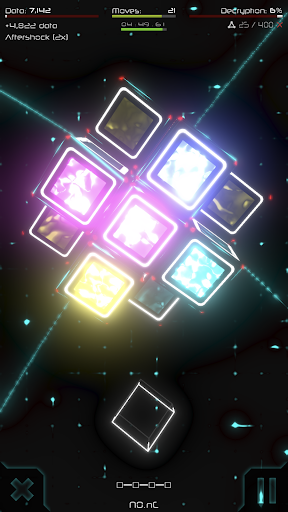
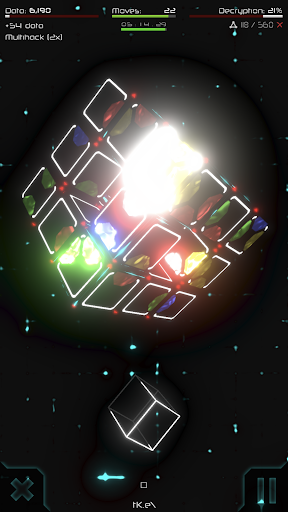
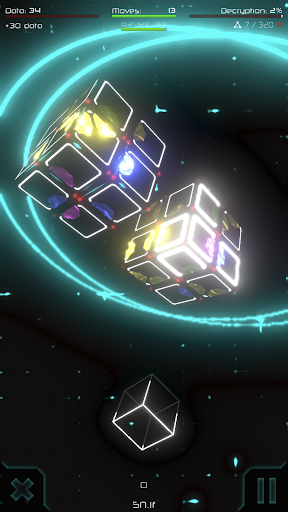
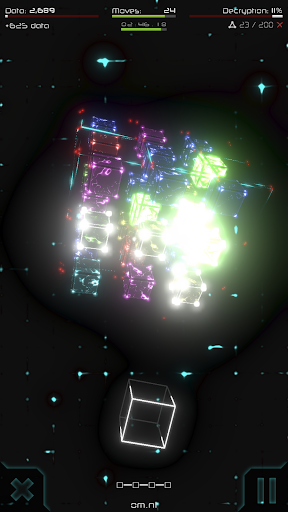
Yes — this is the one. The cube puzzle you saw on your feed is real. It has been here since 2018, built by one person over several years, and almost nobody finishes it.
Over 160 cyberpunk-themed cubes stand between you and the end. Match and link colours by rotating, shuffling and twisting geometry that refuses to sit still. No walkthrough can solve it for you — every cube you receive is generated fresh.
UNLIMITED PUZZLE POSSIBILITIES
Every time you start a puzzle the combination is different, with infinite solution possibilities and a challenge that never fades. Every time you close a sequence of colours they are replaced with unpredictable new links. No known routes, no pre-determined outcomes, no linear journeys, no algorithms – it's your mind versus the Neurocube.
A HARD LOGIC PUZZLE, NOT A MEMORY TEST
This is a pure logic game. No timers forcing mistakes, no lives to buy, no hints that solve it for you. If you like brain games and puzzle games that respect your IQ and refuse to hold your hand, this is one of the hardest 3D puzzles on Android.
PIONEERING NON-LINEAR MATRIX
Each puzzle opens routes to new puzzles. If you get stuck in a particularly difficult path, simply move over to another unexplored path, and continue your saga. And if you decipher a puzzle particularly well, perhaps hidden paths might open for you giving access to secret levels or creating shortcuts to advanced parts of the matrix.
PROVE IT
Beat a cube and the game builds you a share card carrying a signed code — a fingerprint of that exact run. Post it anywhere. Anyone can enter the code into the verify terminal to see the run and confirm it is real, and it earns them a free attempt at that puzzle themselves.
CLIMB THE LEAGUE TABLE
One global league table, and every player in the world is on it. Solving a cube is one thing. Solving it better than everyone else is another. Post a score, take a rank, and defend it — the people above you are not going to make it easy.
INNOVATIVE SCI-FI WORLD
Built with the most advanced 3D gaming tools in the market, providing superb visual and sound effects in a futuristic high-tech environment of neon light and deep space. Relax and dream as you play the game of choice of the next evolution of humans. Slick, responsive controls and a smart interface allow your mind to connect with the Neurocube as if your brain had been uploaded to the cyber world.
NO ADS. NO INTERRUPTIONS.
No banners, no forced videos between attempts. Play offline anywhere — on a plane, underground, or with no signal at all.
Ξ Let your mind decipher the Neurocube Ξ
PHOTOSENSITIVITY WARNING: This game displays flashing lights and special effects that may potentially trigger seizures for people with photosensitive epilepsy. Player discretion is advised.
Pokaż więcej

1. Pobierz instalator MEmu i zakończ instalację

2. Uruchom MEmu, a następnie otwórz Google Play na pulpicie

3. Wyszukaj Neurocuber w Google Play
Install
4. Pobierz i zainstaluj Neurocuber
5. Po zakończeniu instalacji kliknij ikonę, aby rozpocząć

6. Ciesz się grą Neurocuber na PC z MEmu
MEmu Play to najlepszy emulator Androida, a 100 milionów ludzi już korzysta z jego i dosta doskonałe wrażenia z gier na Androida. Technologia wirtualizacji MEmu umożliwia płynne granie w tysiące gier Androida na komputerze, nawet tych najbardziej wymagających grafiki.
Większy ekran z lepszą grafiką; Długi czas, bez ograniczeń baterii lub danych mobilnych.
Pełna obsługa mapowania klawiszy dla precyzyjnego sterowania klawiaturą i myszą lub gamepadem.
Wiele kont gier lub zadań na jednym komputerze jednocześnie z menedżerem wielu instancji.
Play Neurocuber on PC by following steps: