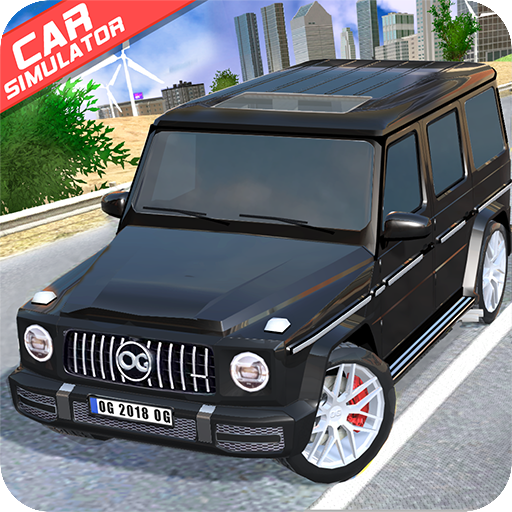
Offroad G-Class
Zaktualizowano
Aktualna wersja
1.35
Sprzedawca

Przy całej swojej pasji do grania w Offroad G-Class, twoje ręce nie powinny być ograniczone na małym ekranie telefonu. Graj jak zawodowiec i uzyskaj pełną kontrolę nad grą za pomocą klawiatury i myszy. MEmu oferuje ci wszystko, czego oczekujesz. Pobierz i graj Offroad G-Class na PC. Graj tak długo, jak chcesz, bez ograniczeń baterii, danych komórkowych i niepokojących połączeń. Zupełnie nowy MEmu 9 to najlepszy wybór do grania w Offroad G-Class na PC. Przygotowany dzięki naszej wiedzy, znakomity, wstępnie ustawiony system mapowania klawiszy sprawia, że Offroad G-Class jest prawdziwą grą na PC. Zakodowany naszą absorpcją, menedżer wielu instancji umożliwia granie na 2 lub więcej kontach na tym samym urządzeniu. A co najważniejsze, nasz emulator może uwolnić pełny potencjał twojego komputera, sprawić, że wszystko będzie płynne. Dbamy nie tylko o to, jak grasz, ale także o cały proces czerpania radości z grania.
Pokaż więcej
Ciesz się wspaniałym doświadczeniem podczas grania w Offroad G-Class na komputerze z aplikacją MEMU App Player. Jest to potężny darmowy emulator Androida pozwalający grać w tysiące gier na Androida. Car Simulator Offroad G-Class 2020 is a real physics engine racing game and simulator (+ multiplayer).
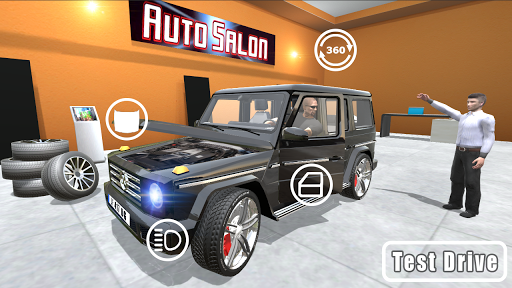
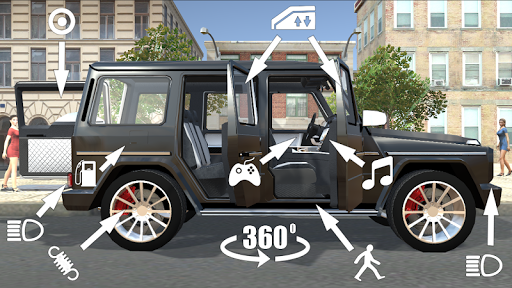
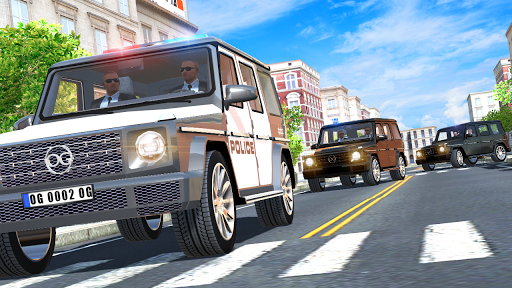
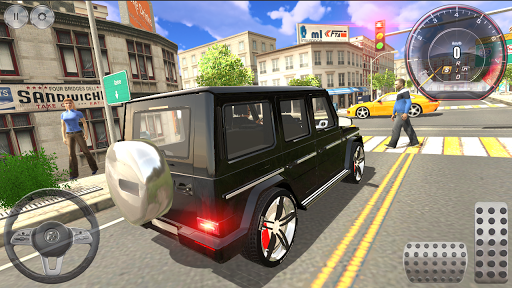
Car Simulator Offroad G-Class 2020 is a real physics engine racing game and simulator (+ multiplayer).
This business luxury driving simulator ensures realistic car damage and accurate driving physics. A free app lets you drive an super vehicle and even drift.
Set up a race according to your own rules! Turn on the music and let's go!!!!!
There are four different game modes to choose from:
1. CITY (free ride). In the CITY mode you are participant of the city traffic.
2. CITY (online). Multiplayer mode in city.
3. DESERT (online). This is a multiplayer race in the desert.
4. PORT (online). This is a multiplayer race in the port.
*** GAME FEATURES ***
- This exciting and dynamic game is sure to bring you hours of fun.
- Richly detailed off-road car.
- You get realistic acceleration.
- First-person and third-person modes.
- Many of the components inside the car are interactive.
- Car damage is extremely realistic.
- It's very simple to select a drive mode.
- Plenty of camera settings.
- Great graphics.
- Accurate physics.
TIPS.
1. Do not accelerate while cornering!
2. Use the camera settings to choose the most convenient view for driving.
3. Pay attention to the interactive hints.
4. Don't forget to fill up your car with gas at the gas station.
5. For your convenience, please keep the doors locked when driving.
6. You have a 360-degree view of the cabin.
7. To exit car choose view from the cockpit.
Follow us! Keep for updates. Expected more interesting!
Tell us your wishes for new features and comments about the game.
Download and play OPPANA GAMES! And enjoy yourself!
https://www.facebook.com/OppanaGames
https://vk.com/oppana_games
Pokaż więcej

1. Pobierz instalator MEmu i zakończ instalację

2. Uruchom MEmu, a następnie otwórz Google Play na pulpicie

3. Wyszukaj Offroad G-Class w Google Play
Install
4. Pobierz i zainstaluj Offroad G-Class
5. Po zakończeniu instalacji kliknij ikonę, aby rozpocząć

6. Ciesz się grą Offroad G-Class na PC z MEmu
MEmu Play to najlepszy emulator Androida, a 100 milionów ludzi już korzysta z jego i dosta doskonałe wrażenia z gier na Androida. Technologia wirtualizacji MEmu umożliwia płynne granie w tysiące gier Androida na komputerze, nawet tych najbardziej wymagających grafiki.
Większy ekran z lepszą grafiką; Długi czas, bez ograniczeń baterii lub danych mobilnych.
Pełna obsługa mapowania klawiszy dla precyzyjnego sterowania klawiaturą i myszą lub gamepadem.
Wiele kont gier lub zadań na jednym komputerze jednocześnie z menedżerem wielu instancji.
Play Offroad G-Class on PC by following steps: