Train Simulator PRO
Zaktualizowano
Aktualna wersja
1.6
Sprzedawca

Przy całej swojej pasji do grania w Train Simulator PRO, twoje ręce nie powinny być ograniczone na małym ekranie telefonu. Graj jak zawodowiec i uzyskaj pełną kontrolę nad grą za pomocą klawiatury i myszy. MEmu oferuje ci wszystko, czego oczekujesz. Pobierz i graj Train Simulator PRO na PC. Graj tak długo, jak chcesz, bez ograniczeń baterii, danych komórkowych i niepokojących połączeń. Zupełnie nowy MEmu 9 to najlepszy wybór do grania w Train Simulator PRO na PC. Przygotowany dzięki naszej wiedzy, znakomity, wstępnie ustawiony system mapowania klawiszy sprawia, że Train Simulator PRO jest prawdziwą grą na PC. Zakodowany naszą absorpcją, menedżer wielu instancji umożliwia granie na 2 lub więcej kontach na tym samym urządzeniu. A co najważniejsze, nasz emulator może uwolnić pełny potencjał twojego komputera, sprawić, że wszystko będzie płynne. Dbamy nie tylko o to, jak grasz, ale także o cały proces czerpania radości z grania.
Pokaż więcej
Ciesz się wspaniałym doświadczeniem podczas grania w Train Simulator PRO na komputerze z aplikacją MEMU App Player. Jest to potężny darmowy emulator Androida pozwalający grać w tysiące gier na Androida. Have you ever dreamed of being a train engineer?
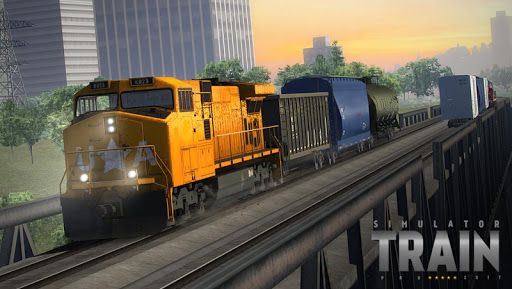
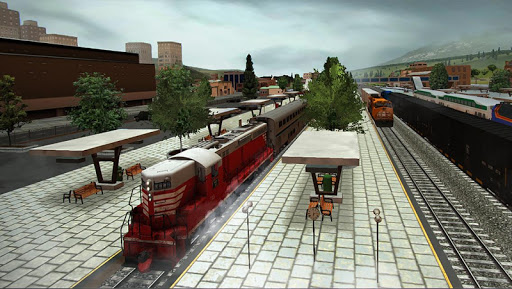
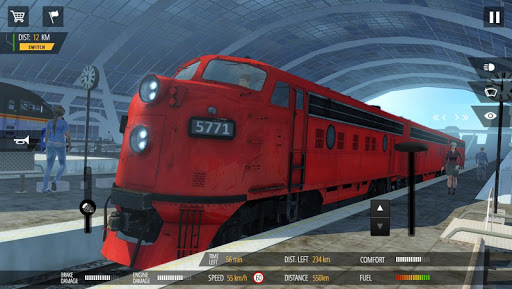
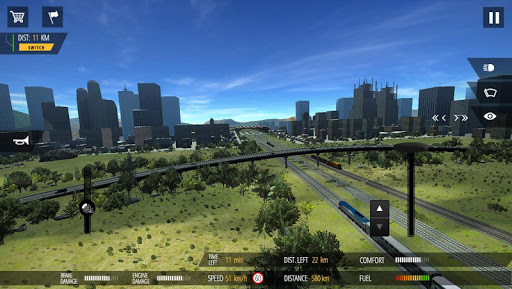
Have you ever dreamed of being a train engineer? Train Simulator PRO 2018 will let you drive carefully modeled locomotives leading passenger or freight trains across the eastern half of the US. Whether you like fast passenger locomotives or powerful freight movers able to pull dozens of cars, in our game you will find it all. Whatever you choose, you will have to watch out for speed limits, rail crossings, signals and other trains. Plan your route wisely to maximise profits and create the most powerful railway company in the US!
During your travels, you can admire photo-realistic graphics including cities, suburbs, factories, countrysides and many more. Each locomotive includes a carefully-rendered engineer’s cabin with working levers and gauges for maximum realism. However, you have to be careful as driving recklessly or pushing the brakes for too long may damage the train. So put your engineer’s cap on, and let’s get rolling!
Main features:
▶ Almost 1000 square miles of terrain
▶ 15 cities to explore and choose job from
▶ 6 unique locomotives
▶ 14 detailed cars (3 passenger and 11 freight)
▶ Locomotives and cars damage system
▶ Locomotive cabs with interactive levers and gauges
▶ Dynamic weather and day/night system
▶ Other trains and traffic on roads
▶ Photo-realistic graphics
▶Advanced signaling and speed limit systems
Pokaż więcej

1. Pobierz instalator MEmu i zakończ instalację

2. Uruchom MEmu, a następnie otwórz Google Play na pulpicie

3. Wyszukaj Train Simulator PRO w Google Play
Install
4. Pobierz i zainstaluj Train Simulator PRO
5. Po zakończeniu instalacji kliknij ikonę, aby rozpocząć

6. Ciesz się grą Train Simulator PRO na PC z MEmu
MEmu Play to najlepszy emulator Androida, a 100 milionów ludzi już korzysta z jego i dosta doskonałe wrażenia z gier na Androida. Technologia wirtualizacji MEmu umożliwia płynne granie w tysiące gier Androida na komputerze, nawet tych najbardziej wymagających grafiki.
Większy ekran z lepszą grafiką; Długi czas, bez ograniczeń baterii lub danych mobilnych.
Pełna obsługa mapowania klawiszy dla precyzyjnego sterowania klawiaturą i myszą lub gamepadem.
Wiele kont gier lub zadań na jednym komputerze jednocześnie z menedżerem wielu instancji.
Play Train Simulator PRO on PC by following steps: