Vita Color for Seniors
Zaktualizowano
Aktualna wersja
1.8.10
Sprzedawca

Przy całej swojej pasji do grania w Vita Color for Seniors, twoje ręce nie powinny być ograniczone na małym ekranie telefonu. Graj jak zawodowiec i uzyskaj pełną kontrolę nad grą za pomocą klawiatury i myszy. MEmu oferuje ci wszystko, czego oczekujesz. Pobierz i graj Vita Color for Seniors na PC. Graj tak długo, jak chcesz, bez ograniczeń baterii, danych komórkowych i niepokojących połączeń. Zupełnie nowy MEmu 9 to najlepszy wybór do grania w Vita Color for Seniors na PC. Przygotowany dzięki naszej wiedzy, znakomity, wstępnie ustawiony system mapowania klawiszy sprawia, że Vita Color for Seniors jest prawdziwą grą na PC. Zakodowany naszą absorpcją, menedżer wielu instancji umożliwia granie na 2 lub więcej kontach na tym samym urządzeniu. A co najważniejsze, nasz emulator może uwolnić pełny potencjał twojego komputera, sprawić, że wszystko będzie płynne. Dbamy nie tylko o to, jak grasz, ale także o cały proces czerpania radości z grania.
Pokaż więcej
Ciesz się wspaniałym doświadczeniem podczas grania w Vita Color for Seniors na komputerze z aplikacją MEMU App Player. Jest to potężny darmowy emulator Androida pozwalający grać w tysiące gier na Androida. Vita Color: The Ultimate Coloring App for Seniors .

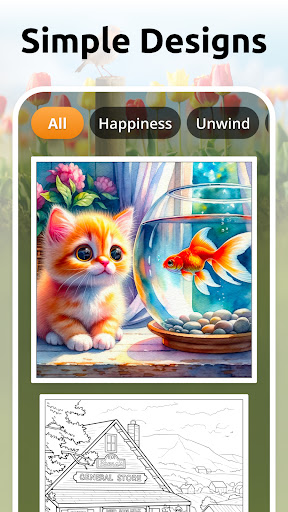
Vita Color: The Ultimate Coloring App for Seniors
Have you been searching for the ideal coloring app to pass the time but designed with mature adults in mind? Look no further than Vita Color! Vita Color redefines the digital coloring book experience, offering seniors and people of all ages an easy and thoughtful way to paint their way to relaxation and vitality.
At Vita Studio, we have always been dedicated to crafting mobile games designed for seniors that bring back relaxation, fun, and joy. Our repertoire includes popular titles like Vita Solitaire, Vita Color, Vita Jigsaw, Vita Word Search, Vita Block, and more.
Thoughtful Designs for Mature Adults and Seniors:
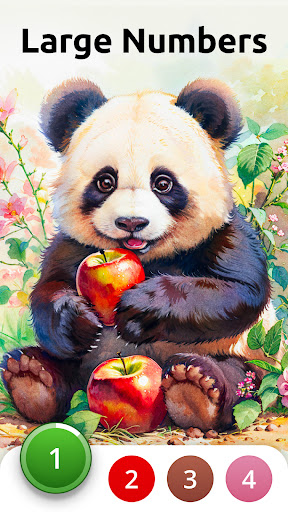
- Big-font numbers: easy to read and comfortable on the eyes.
- Big buttons: simple to tap for speed, precision, and navigation.
- Enlarged gallery view: bigger pictures for savoring every detail with ease.
Vivid High-Quality Images:
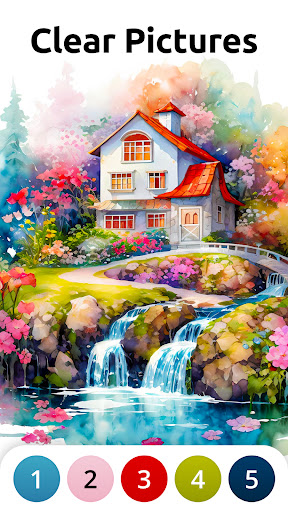
- Super clear digital print pages for detailed, crystal-clear images.
- Bright colors and high contrast so you can bring your works of art to life.
Easy Painting Experience:
- Effortless to spot and paint your selections: clean lines and large patterns for a streamlined and enjoyable experience.
- Varied complexity: choose pages that suit your pace - whether just enough to keep you busy or hard enough for a brisk challenge.
Experience Everyday Well-Being:
- Vitality points: accumulated after completing each masterpiece to help you stay energized and engaged.
- Breathtaking scenes: immerse yourself in art that infuses hope, love, and happiness into your life.
- Daily quotes: start each day inspired, empowered, and refreshed.
Vita Color, the ultimate coloring book experience designed exclusively for seniors, takes you on a stress-relief journey through a vivid art world. Striking the perfect balance between challenge and achievement, this coloring book boasts a curated collection of beautiful illustrations. These thoughtful designs promote relaxation and mindfulness, making it the ideal activity for the older generations to unwind and express their creativity. Don't miss out on another stroke of creativity – try Vita Color today!
Contact us via: support@vitastudio.ai
For more information, you can:
Join our Facebook group: https://www.facebook.com/groups/vitastudio
Visit our website: https://www.vitastudio.ai/
Pokaż więcej

1. Pobierz instalator MEmu i zakończ instalację

2. Uruchom MEmu, a następnie otwórz Google Play na pulpicie

3. Wyszukaj Vita Color for Seniors w Google Play
Install
4. Pobierz i zainstaluj Vita Color for Seniors
5. Po zakończeniu instalacji kliknij ikonę, aby rozpocząć

6. Ciesz się grą Vita Color for Seniors na PC z MEmu
MEmu Play to najlepszy emulator Androida, a 100 milionów ludzi już korzysta z jego i dosta doskonałe wrażenia z gier na Androida. Technologia wirtualizacji MEmu umożliwia płynne granie w tysiące gier Androida na komputerze, nawet tych najbardziej wymagających grafiki.
Większy ekran z lepszą grafiką; Długi czas, bez ograniczeń baterii lub danych mobilnych.
Pełna obsługa mapowania klawiszy dla precyzyjnego sterowania klawiaturą i myszą lub gamepadem.
Wiele kont gier lub zadań na jednym komputerze jednocześnie z menedżerem wielu instancji.
Play Vita Color for Seniors on PC by following steps: