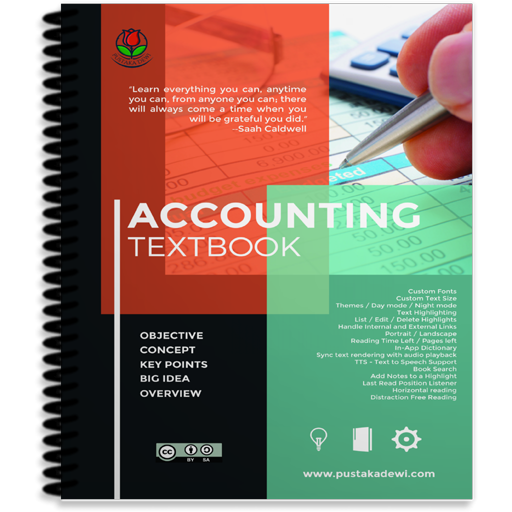
Accounting Textbook
Zaktualizowano
Aktualna wersja
36.92
Sprzedawca

Przestań martwić się nadmiernymi opłatami podczas korzystania z Accounting Textbook na telefonie komórkowym, uwolnij się od małego ekranu i ciesz się korzystaniem z aplikacji na znacznie większym wyświetlaczu. Od teraz korzystaj z aplikacji na pełnym ekranie za pomocą klawiatury i myszy. MEmu oferuje wszystkie zaskakujące funkcje, których się spodziewałeś: szybką instalację i łatwą konfigurację, intuicyjne sterowanie, koniec z ograniczeniami baterii, danych mobilnych i niepokojących połączeń. Zupełnie nowy MEmu 9 to najlepszy wybór do używania Accounting Textbook na twoim komputerze. Zakodowany przez naszą absorpcję, menedżer wielu instancji umożliwia otwarcie 2 lub więcej kont w tym samym czasie. A co najważniejsze, nasz ekskluzywny emulator może uwolnić pełny potencjał twojego komputera, sprawić, że wszystko będzie płynne i przyjemne.
Pokaż więcej
Ciesz się wspaniałym doświadczeniem podczas grania w Accounting Textbook na komputerze z aplikacją MEMU App Player. Jest to potężny darmowy emulator Androida Umożliwia korzystanie z tysięcy aplikacji Androida. Accountancy is the process of communicating financial information about a business entity to users such as stakeholders and managers.
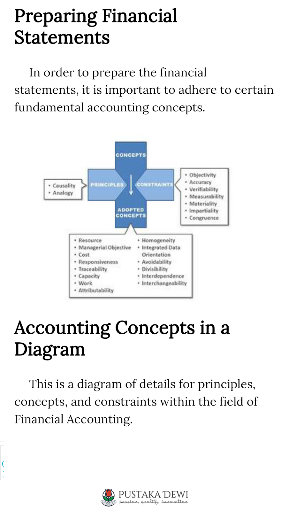
Accountancy is the process of communicating financial information about a business entity to users such as stakeholders and managers. The communication is generally in the form of financial statements that show in money terms the economic resources under the control of management; the art lies in selecting the information that is relevant to the user. The principles of accountancy are applied to business entities in three divisions of practical art: accounting, bookkeeping, and auditing.
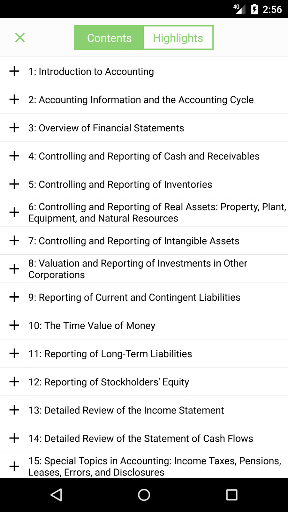
Table Of Content :
1. Introduction to Accounting
2. Accounting Information and the Accounting Cycle
3. Overview of Financial Statements
4. Controlling and Reporting of Cash and Receivables
5. Controlling and Reporting of Inventories
6. Controlling and Reporting of Real Assets: Property, Plant, Equipment, and Natural Resources
7. Controlling and Reporting of Intangible Assets
8. Valuation and Reporting of Investments in Other Corporations
9. Reporting of Current and Contingent Liabilities
10. The Time Value of Money
11. Reporting of Long-Term Liabilities
12. Reporting of Stockholders' Equity
13. Detailed Review of the Income Statement
14. Detailed Review of the Statement of Cash Flows
15. Special Topics in Accounting: Income Taxes, Pensions, Leases, Errors, and Disclosures
16. Analyzing Financial Statements
The eBooks app features allows the user to :
Custom Fonts
Custom Text Size
Themes / Day mode / Night mode
Text Highlighting
List / Edit / Delete Highlights
Handle Internal and External Links
Portrait / Landscape
Reading Time Left / Pages left
In-App Dictionary
Media Overlays (Sync text rendering with audio playback)
TTS - Text to Speech Support
Book Search
Add Notes to a Highlight
Last Read Position Listener
Horizontal reading
Distraction Free Reading
Credits :
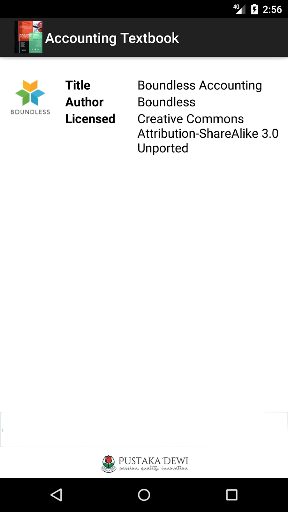
Boundless (Creative Commons Attribution-ShareAlike 3.0 Unported (CC BY-SA 3.0))
FolioReader, Heberti Almeida (CodeToArt Technology)
Cover by Designed by new7ducks / Freepik
Pustaka Dewi, www.pustakadewi.com
Pokaż więcej

1. Pobierz instalator MEmu i zakończ instalację

2. Uruchom MEmu, a następnie otwórz Google Play na pulpicie

3. Wyszukaj Accounting Textbook w Google Play
Install
4. Pobierz i zainstaluj Accounting Textbook
5. Po zakończeniu instalacji kliknij ikonę, aby rozpocząć

6. Użyj MEmu, aby doświadczyć Accounting Textbook na swoim komputerze
MEmu Play to najlepszy emulator Androida, z którego korzysta ponad 100 milionów użytkowników, ciesząc się wyjątkowym doświadczeniem aplikacji na Androida. Technologia wirtualizacji MEmu pozwala na płynne uruchamianie tysięcy aplikacji Androida na komputerze, nawet tych najbardziej wymagających.
Większy ekran z lepszą grafiką; Długi czas, bez ograniczeń baterii lub danych mobilnych.
Pełna obsługa mapowania klawiszy dla precyzyjnego sterowania klawiaturą i myszą lub gamepadem.
Wiele kont gier lub zadań na jednym komputerze jednocześnie z menedżerem wielu instancji.
Use Accounting Textbook on PC by following steps: