Antivirus Pure
Zaktualizowano
Aktualna wersja
1.6.0.0
Sprzedawca

Przestań martwić się nadmiernymi opłatami podczas korzystania z Antivirus Pure na telefonie komórkowym, uwolnij się od małego ekranu i ciesz się korzystaniem z aplikacji na znacznie większym wyświetlaczu. Od teraz korzystaj z aplikacji na pełnym ekranie za pomocą klawiatury i myszy. MEmu oferuje wszystkie zaskakujące funkcje, których się spodziewałeś: szybką instalację i łatwą konfigurację, intuicyjne sterowanie, koniec z ograniczeniami baterii, danych mobilnych i niepokojących połączeń. Zupełnie nowy MEmu 9 to najlepszy wybór do używania Antivirus Pure na twoim komputerze. Zakodowany przez naszą absorpcję, menedżer wielu instancji umożliwia otwarcie 2 lub więcej kont w tym samym czasie. A co najważniejsze, nasz ekskluzywny emulator może uwolnić pełny potencjał twojego komputera, sprawić, że wszystko będzie płynne i przyjemne.
Pokaż więcej
Ciesz się wspaniałym doświadczeniem podczas grania w Antivirus Pure na komputerze z aplikacją MEMU App Player. Jest to potężny darmowy emulator Androida Umożliwia korzystanie z tysięcy aplikacji Androida. Antivirus Pure: Cleaning tool for mobile phone junk files.
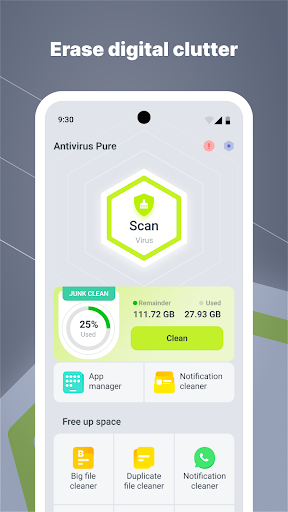
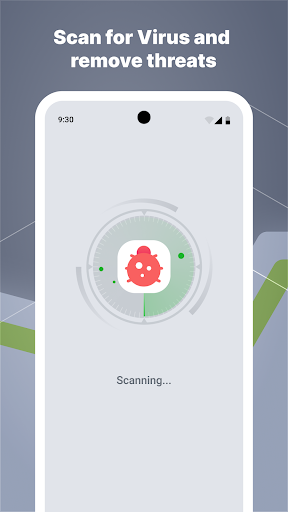
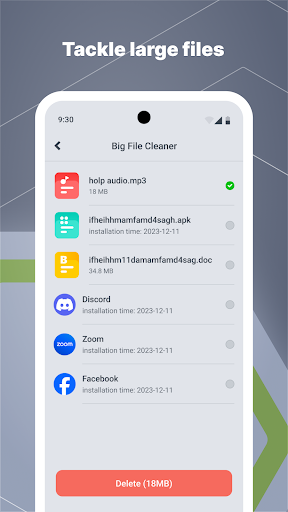
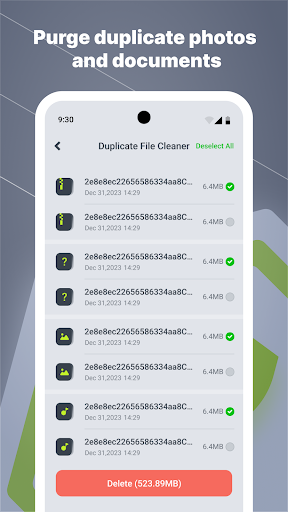
Antivirus Pure: Cleaning tool for mobile phone junk files
[Core Features]
Junk Cleaner - Quickly scan and clear junk files on your phone
Large & Duplicate File Cleaner - Find large files and duplicate content that take up space and clean them with one click
Batch App Uninstaller - Uninstall multiple infrequently used apps at once
Virus Scanner - Detect potential viruses and malware
Privacy Protection - Manage app permissions and remove photo location information
Gallery Organizer - Remove similar photos and compress them without losing quality
Easy to use, peace of mind
Antivirus Pure features a simple and intuitive user interface that's easy to navigate.
Download Antivirus Pure, more features are waiting for you to explore.
Pokaż więcej

1. Pobierz instalator MEmu i zakończ instalację

2. Uruchom MEmu, a następnie otwórz Google Play na pulpicie

3. Wyszukaj Antivirus Pure w Google Play
Install
4. Pobierz i zainstaluj Antivirus Pure
5. Po zakończeniu instalacji kliknij ikonę, aby rozpocząć

6. Użyj MEmu, aby doświadczyć Antivirus Pure na swoim komputerze
MEmu Play to najlepszy emulator Androida, z którego korzysta ponad 100 milionów użytkowników, ciesząc się wyjątkowym doświadczeniem aplikacji na Androida. Technologia wirtualizacji MEmu pozwala na płynne uruchamianie tysięcy aplikacji Androida na komputerze, nawet tych najbardziej wymagających.
Większy ekran z lepszą grafiką; Długi czas, bez ograniczeń baterii lub danych mobilnych.
Pełna obsługa mapowania klawiszy dla precyzyjnego sterowania klawiaturą i myszą lub gamepadem.
Wiele kont gier lub zadań na jednym komputerze jednocześnie z menedżerem wielu instancji.
Use Antivirus Pure on PC by following steps: