Bass Booster - Music Sound EQ
Zaktualizowano
Aktualna wersja
2.22.00
Sprzedawca

Przestań martwić się nadmiernymi opłatami podczas korzystania z Bass Booster - Music Sound EQ na telefonie komórkowym, uwolnij się od małego ekranu i ciesz się korzystaniem z aplikacji na znacznie większym wyświetlaczu. Od teraz korzystaj z aplikacji na pełnym ekranie za pomocą klawiatury i myszy. MEmu oferuje wszystkie zaskakujące funkcje, których się spodziewałeś: szybką instalację i łatwą konfigurację, intuicyjne sterowanie, koniec z ograniczeniami baterii, danych mobilnych i niepokojących połączeń. Zupełnie nowy MEmu 9 to najlepszy wybór do używania Bass Booster - Music Sound EQ na twoim komputerze. Zakodowany przez naszą absorpcję, menedżer wielu instancji umożliwia otwarcie 2 lub więcej kont w tym samym czasie. A co najważniejsze, nasz ekskluzywny emulator może uwolnić pełny potencjał twojego komputera, sprawić, że wszystko będzie płynne i przyjemne.
Pokaż więcej
Ciesz się wspaniałym doświadczeniem podczas grania w Bass Booster - Music Sound EQ na komputerze z aplikacją MEMU App Player. Jest to potężny darmowy emulator Androida Umożliwia korzystanie z tysięcy aplikacji Androida. Bass Booster will amplify your bass at a maximum and provide you with a better quality sound wherever you are!
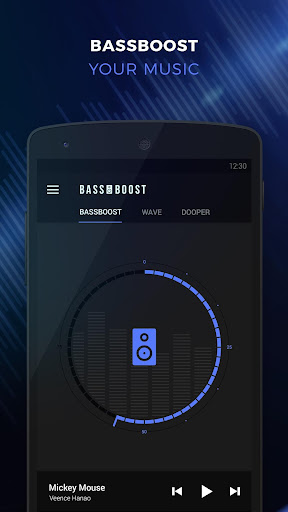
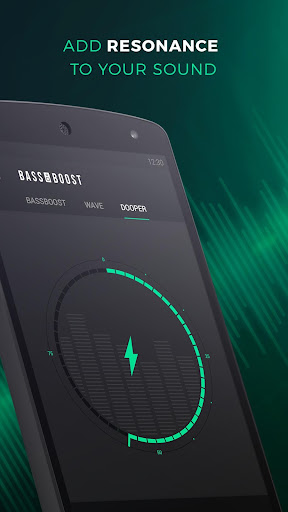
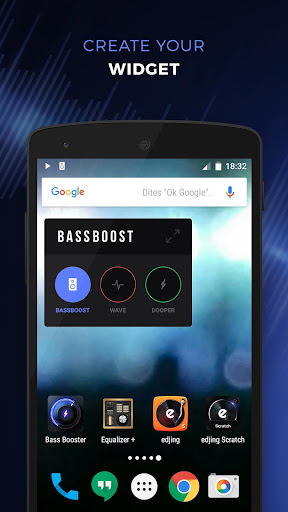
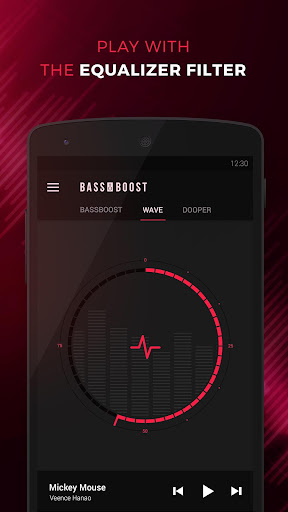
Bass Booster will amplify your bass at a maximum and provide you with a better quality sound wherever you are! Just turn on your music player and open Bass Booster. Click on the “speakers” icon and adjust the bass level as you like. You immediately get a clearer and stronger bass sound. Bassboost your sound and boost your music volume!
You can customize your music listening experience even more thanks to two additional sound effects (in option):
• a virtualizer to give you an audio live concert feeling in just one clic.
• and an equalizer to adjust bass and trebles frequencies of all your favorite songs.
Click on the icon, control and enjoy! In order to have an optimized music listening experience, use headphones or external speakers.
You can also change the color of your Bassbooster (in option) :
- galactic blue, on fire, army... choose the color that matches your style!
- create your own color thanks to the special customization tool!
Features:
a Bass Booster: click on the speakers icon to boost your bass volume at a maximum and enhance the quality of your sound
the Dooper Virtualizer: Dooper will transform your sound giving it more depth and echo and make you feel like you’re at a concert. (in-app purchase)
the Wave Equalizer: Play with your music frequencies thanks to this equalizer. Adjust both bass and trebles as you like and enjoy a customized music listening experience. (in-app purchase)
app customization: change the background color of your app as you please (in-app purchase)
A very simple and intuitive interface for powerful sensations.
Media volume control
Widget available for the three effects (bass boost, virtualizer and equalizer) to help you improve the quality of your listening with your favorite music player.
Can run in background
Bass Booster: a Music Equalizer & Sound Volume Booster
More Bass, More Sensations
1GB RAM minimum recommended
Contact: support.bassbooster@djitapps.com
Warning
We are not responsible for anything that might happen to your phone, your audio device or yourself! Do not listen at full sound volume or with bass boost for too long. This app can damage your devices or hearing. Use it wisely!
This software is provided by the copyright holders and contributors "as is" and any express or implied warranties, including, but not limited to, the implied warranties of merchantability and fitness for a particular purpose are disclaimed. In no event shall the copyright owner or contributors be liable for any direct, indirect, incidental, special, exemplary, or consequential damages arising in any way out of the use of this software, even if advised of the possibility of such damage.
When downloading this app, you agree that we decline any responsibility as regards as the consequences arising of the use of this software.
Pokaż więcej

1. Pobierz instalator MEmu i zakończ instalację

2. Uruchom MEmu, a następnie otwórz Google Play na pulpicie

3. Wyszukaj Bass Booster - Music Sound EQ w Google Play
Install
4. Pobierz i zainstaluj Bass Booster - Music Sound EQ
5. Po zakończeniu instalacji kliknij ikonę, aby rozpocząć

6. Użyj MEmu, aby doświadczyć Bass Booster - Music Sound EQ na swoim komputerze
MEmu Play to najlepszy emulator Androida, z którego korzysta ponad 100 milionów użytkowników, ciesząc się wyjątkowym doświadczeniem aplikacji na Androida. Technologia wirtualizacji MEmu pozwala na płynne uruchamianie tysięcy aplikacji Androida na komputerze, nawet tych najbardziej wymagających.
Większy ekran z lepszą grafiką; Długi czas, bez ograniczeń baterii lub danych mobilnych.
Pełna obsługa mapowania klawiszy dla precyzyjnego sterowania klawiaturą i myszą lub gamepadem.
Wiele kont gier lub zadań na jednym komputerze jednocześnie z menedżerem wielu instancji.
Use Bass Booster - Music Sound EQ on PC by following steps: