AI English – Learn & Speak
Zaktualizowano
Aktualna wersja
11
Sprzedawca

Przestań martwić się nadmiernymi opłatami podczas korzystania z AI English – Learn & Speak na telefonie komórkowym, uwolnij się od małego ekranu i ciesz się korzystaniem z aplikacji na znacznie większym wyświetlaczu. Od teraz korzystaj z aplikacji na pełnym ekranie za pomocą klawiatury i myszy. MEmu oferuje wszystkie zaskakujące funkcje, których się spodziewałeś: szybką instalację i łatwą konfigurację, intuicyjne sterowanie, koniec z ograniczeniami baterii, danych mobilnych i niepokojących połączeń. Zupełnie nowy MEmu 9 to najlepszy wybór do używania AI English – Learn & Speak na twoim komputerze. Zakodowany przez naszą absorpcję, menedżer wielu instancji umożliwia otwarcie 2 lub więcej kont w tym samym czasie. A co najważniejsze, nasz ekskluzywny emulator może uwolnić pełny potencjał twojego komputera, sprawić, że wszystko będzie płynne i przyjemne.
Pokaż więcej
Ciesz się wspaniałym doświadczeniem podczas grania w AI English – Learn & Speak na komputerze z aplikacją MEMU App Player. Jest to potężny darmowy emulator Androida Umożliwia korzystanie z tysięcy aplikacji Androida. Learning English doesn’t have to be difficult or boring.
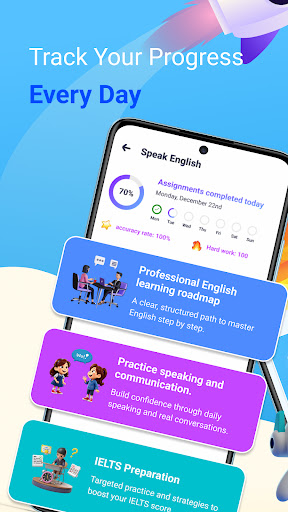
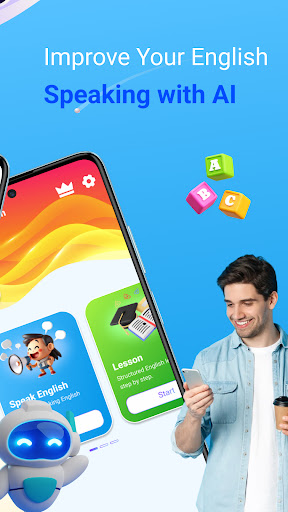
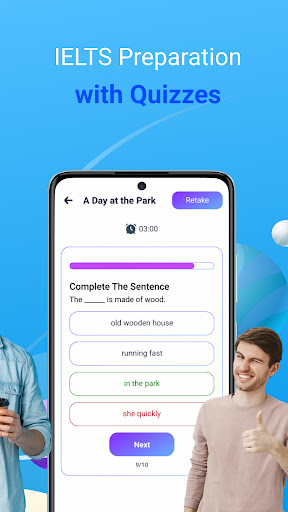
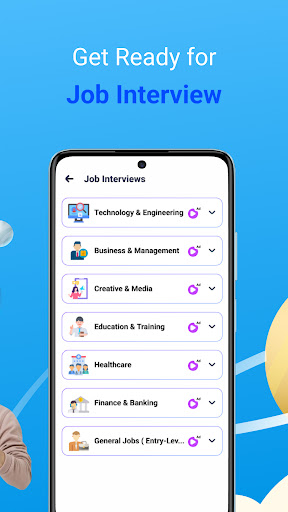
Learning English doesn’t have to be difficult or boring. AI English – Learn & Speak is a smart, friendly, and completely FREE English learning app designed to help you improve your speaking, vocabulary, and overall communication skills with confidence.
AI English Tutor
Practice English with an intelligent AI tutor that guides you step by step. Get instant feedback, corrections, and suggestions to help you speak more naturally and accurately.
Speak English with Confidence
Improve your pronunciation and speaking skills through interactive speaking exercises. Practice real-life conversations anytime, anywhere, and build confidence when using English in daily situations.
Structured Lessons
Learn English through clear and easy-to-follow lessons. Each lesson is designed to improve grammar, sentence structure, and practical usage for beginners and intermediate learners.
Vocabulary Building
Expand your vocabulary with useful words and phrases used in real conversations. Learn meanings, usage, and examples to help you remember words faster and use them correctly.
Reading & Short Passages
Practice reading English passages to improve comprehension and sentence understanding. Learn how words and grammar work together naturally in context.
Simple & Friendly Interface
The app is designed to be easy to use, making English learning enjoyable and stress-free for learners of all ages.
Whether you want to speak English fluently, learn new vocabulary, practice daily conversations, or study step by step with AI guidance, AI English – Learn & Speak is the perfect companion for your learning journey.
Download now – 100% FREE – and start improving your English today!
Smart learning, real practice, and confident speaking—all in one powerful English app.
Pokaż więcej

1. Pobierz instalator MEmu i zakończ instalację

2. Uruchom MEmu, a następnie otwórz Google Play na pulpicie

3. Wyszukaj AI English – Learn & Speak w Google Play
Install
4. Pobierz i zainstaluj AI English – Learn & Speak
5. Po zakończeniu instalacji kliknij ikonę, aby rozpocząć

6. Użyj MEmu, aby doświadczyć AI English – Learn & Speak na swoim komputerze
MEmu Play to najlepszy emulator Androida, z którego korzysta ponad 100 milionów użytkowników, ciesząc się wyjątkowym doświadczeniem aplikacji na Androida. Technologia wirtualizacji MEmu pozwala na płynne uruchamianie tysięcy aplikacji Androida na komputerze, nawet tych najbardziej wymagających.
Większy ekran z lepszą grafiką; Długi czas, bez ograniczeń baterii lub danych mobilnych.
Pełna obsługa mapowania klawiszy dla precyzyjnego sterowania klawiaturą i myszą lub gamepadem.
Wiele kont gier lub zadań na jednym komputerze jednocześnie z menedżerem wielu instancji.
Use AI English – Learn & Speak on PC by following steps: